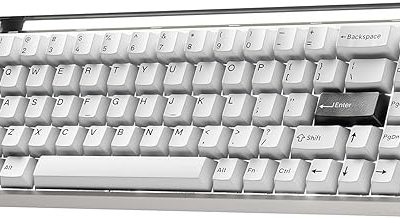
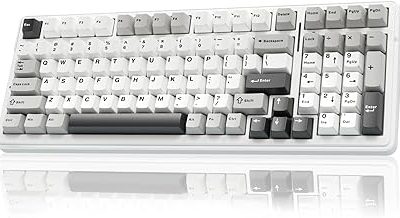
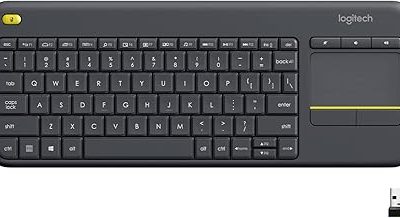
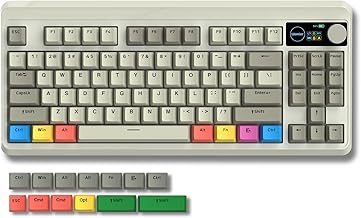
Our Top Picks



The best budget gaming keyboard brands are Redragon, Aula, Bloody and the budget lines from Logitech G and SteelSeries. Redragon wins on variety at a low budget tier, Aula on wireless hot-swappable boards, Bloody on optical switches, and Logitech G and SteelSeries on support and build. Lesser-known names such as Cosmic Byte, Armaggeddon and Aukey can be good value but depend heavily on regional availability, so check stock first.
Brand Scorecard at a Glance
- Redragon: widest range of wired and wireless boards; the safest first stop for a low budget.
- Aula: strong in hot-swappable 75% and magnetic boards at a budget to mid tier.
- Bloody: A4Tech’s gaming brand, known for optical switches.
- Logitech G: dependable entry board with mech-dome keys and a palm rest.
- SteelSeries: Apex 3 is the brand’s entry board with water resistance and a magnetic wrist rest.
- TECKNET: a plain metal-panel board at the lowest tier.
- Availability-dependent: Cosmic Byte, Armaggeddon, Aukey KM-G14, Aula F3050 and Mountain Everest Max.
Budget Gaming Keyboard Brand Comparison Table
| Brand and model | Layout | Switch or key type (per listing) | Connection | Best known for |
|---|---|---|---|---|
| Redragon K552 | 87-key TKL | Mechanical, red switches | Wired | Compact metal-frame board |
| Redragon K521 Upgrade | 104 keys | Mechanical-feeling | Wired | Lowest entry cost |
| Bloody B930 TKL | TKL | Optical switch | Wired | Optical speed claims |
| Bloody AT87 | 87 keys | Optical mechanical | Wired | Compact optical board |
| Aula F75 | 75% | Linear, hot-swappable | 2.4GHz, Bluetooth, wired | Wireless value |
| Logitech G213 Prodigy | Full-size | Mech-Dome keys | Wired | Palm rest, media controls |
| SteelSeries Apex 3 | Full-size | Quiet membrane-style | Wired | Water resistance, 10-zone RGB |
| TECKNET gaming keyboard | Full-size | RGB, quiet keys | Wired | Metal panel, low cost |
How to Judge a Budget Keyboard Brand
Brand reputation at a low budget is not about prestige. It is about four things you can check before you buy: how clearly the maker lists the switch type, whether the board has software or at least on-board lighting controls, how long the line has been on sale, and how easy it is to get a replacement. A brand that scores well on these is more likely to hold up past the first month.
Keyboards at a budget tier also use confusing terms. “Mechanical feeling” and “mech-dome” are not the same as true mechanical switches. “Hot-swappable” means you can change switches without soldering. “Optical” means the switch registers with a light beam rather than a metal contact. We label each pick below with what the listing says and flag the rest as “not listed”.
Budget Gaming Keyboard Picks by Brand
Redragon: Best Overall Budget Brand
Redragon sells more distinct budget boards than almost any rival, from full-size to TKL to 60% and from wired to tri-mode wireless. Two stand out for the lowest budget tier.
Redragon K552: Best Compact Starter
The Redragon K552 is an 87-key tenkeyless mechanical keyboard with red switches, anti-ghosting and a metal frame, according to the listing. The TKL layout drops the number pad, which gives your mouse hand more room, and the red linear switches suit fast taps in shooters. It is a long-running model, which makes it easy to find replacement keycaps and guidance.
- Layout: 87-key TKL
- Switches: red, mechanical
- Build: metal frame
Best for: first mechanical board for gaming. Skip if: you need a number pad or wireless.
Pros: true mechanical switches; metal frame; compact; long track record.
Cons: basic software; no hot-swap listed.
Redragon K521 Upgrade: Lowest Entry Cost
As an Amazon Associate we earn from qualifying purchases at no extra cost to you.

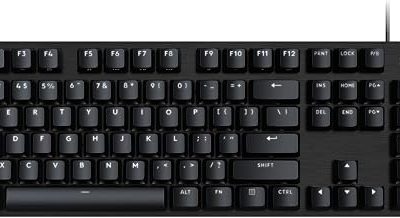
The Redragon K521 Upgrade is a 104-key wired keyboard with rainbow LED lighting and multimedia keys. The listing calls it “mechanical feeling”, which is not a true mechanical switch, so treat it as a lighting-and-layout upgrade over a basic office board, not a mechanical replacement. It fits a first PC or a child’s setup.
- Layout: 104 keys, full-size
- Key type: mechanical feeling
- Lighting: rainbow LED
Best for: the tightest budget. Skip if: you want true mechanical switches.
Pros: very low cost; full layout; multimedia keys.
Cons: not a true mechanical board; basic build.
Bloody: Best Budget Optical Switches
Bloody is the gaming brand of A4Tech, launched in 2011 and aimed at Western markets since about 2015. Its identity is optical switches, which register a press with light and are marketed for speed.
Bloody B930 TKL: Best Optical Switch Value

The Bloody B930 is a tenkeyless optical-switch gaming keyboard with an ultra-compact form factor, according to the listing. Bloody markets its optical switches as among the fastest in gaming, though the listing does not give actuation figures, so check the maker page for specifics. It suits players who want an optical board without a number pad.
- Layout: TKL
- Switches: optical
- Connection: wired
Best for: players who want optical switches at a mid-budget tier. Skip if: you prefer hot-swappable boards.
Pros: optical switches; compact; established brand.
Cons: older design; software may be dated.
Bloody AT87: Compact Optical Alternative

The Bloody AT87 is an 87-key optical mechanical gaming keyboard listed in red. It is a newer compact option from the brand and a straightforward choice if you like the TKL layout and want an optical build. Switch type details beyond “optical mechanical” are not given in the listing, so confirm the switch color on the maker page.
- Layout: 87 keys
- Switches: optical mechanical
- Connection: wired
Best for: compact optical fans. Skip if: you need wireless.
Pros: compact; optical mechanical; newer model.
Cons: limited listing detail; wired only.
Aula: Best Wireless Value
Aula F75: Best Budget Wireless Board

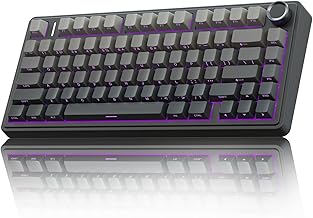
The Aula F75 is a 75% wireless mechanical keyboard with hot-swappable switches, pre-lubed Reaper switches and 2.4GHz, Type-C and Bluetooth 5.0 connections, per the listing. Being hot-swappable and tri-mode at a budget to mid tier is rare, which is why it shows up on so many value lists. Battery life is not stated in the listing.
- Layout: 75%
- Connection: 2.4GHz, Bluetooth 5.0, wired
- Switches: pre-lubed Reaper, hot-swappable
Best for: wireless value with arrow keys. Skip if: you want a full-size layout.
Pros: tri-mode; hot-swappable; pre-lubed switches; compact.
Cons: no number pad; battery life not listed.
Logitech G: Best Entry Support
Logitech G213 Prodigy: Best Palm-Rest Board

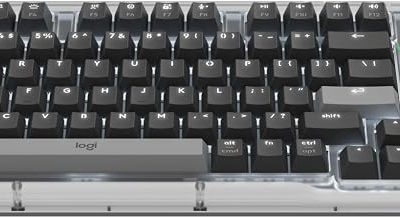
The Logitech G213 Prodigy is a wired full-size gaming keyboard with Mech-Dome keys, a palm rest, adjustable feet and media controls. Mech-Dome keys are a membrane design tuned to feel like mechanical keys, so it is not a mechanical board, but it is comfortable for long sessions and backed by a large brand.
- Layout: full-size
- Keys: Mech-Dome
- Extras: palm rest, media controls
Best for: comfortable all-round use. Skip if: you want true mechanical switches.
Pros: palm rest; media keys; brand support.
Cons: not mechanical; basic lighting.
SteelSeries: Best Entry Build
SteelSeries Apex 3: Best Water-Resistant Board

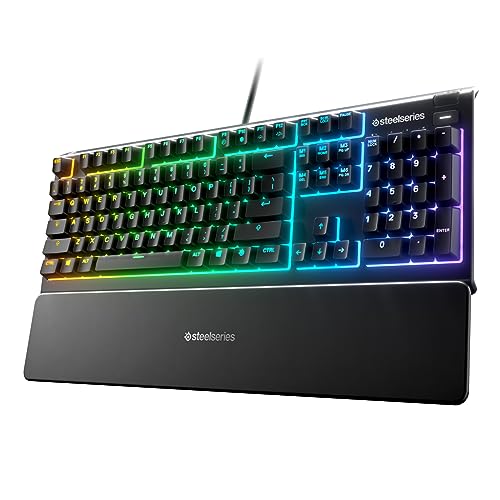
The SteelSeries Apex 3 is a full-size wired gaming keyboard with 10-zone RGB lighting, IP32 water resistance and a magnetic wrist rest, according to the listing. Water resistance is a practical plus for desks with drinks, and the wrist rest helps comfort. It uses a quiet key design rather than classic mechanical switches.
- Layout: full-size
- Lighting: 10-zone RGB
- Rating: IP32 water resistant
Best for: spill-prone desks. Skip if: you want mechanical switches.
Pros: water resistance; magnetic wrist rest; recognised brand.
Cons: not mechanical; zone lighting, not per-key.
TECKNET: Lowest-Tier Plain Option
TECKNET Wired Gaming Keyboard: Best Plain Budget Board

The TECKNET wired gaming keyboard has RGB backlighting, a metal panel design and 15-zone RGB illumination, per the listing. It is a plain, inexpensive board for those who want gaming lighting without paying for extra features.
- Layout: full-size
- Lighting: 15-zone RGB
- Build: metal panel
Best for: a basic, low-cost upgrade. Skip if: you want mechanical switches or software.
Pros: low cost; metal panel; RGB.
Cons: basic feel; limited brand support.
Lesser-Known Brands: What We Could and Could Not Verify
These names come up in searches but need caution, because availability and specs vary by country. We did not find confirmed store listings for several of them, so there are no product cards here. Treat this section as a research note, not a recommendation.
- Cosmic Byte: a budget peripherals brand that is often sold in regional markets. We could not confirm current keyboard listings in our store, so check a local retailer and the maker page.
- Armaggeddon (Armaggeddon Gaming): another regional brand. Listings under this name were inconsistent, so verify the exact model before ordering.
- Aukey KM-G14: an 87-key TKL RGB keyboard with red switches that appears on resale sites. Retail stock seems limited, so it may only be available used or open-box. Flag as availability-dependent.
- Aula F3050: we could not find a confirmed listing or spec sheet. Compare with the Aula F75 above, which is verified.
- Mountain Everest Max: a premium modular keyboard, searched in German as “Gaming Tastatur”. It is not a budget board and we have no verified specs, so check Mountain’s page for current details.
Also Consider: Keyboard and Mouse Combos
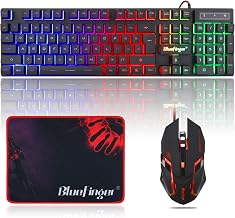
Many shoppers searching for a budget brand really want a cheap bundle. The Redragon S101M-KS is a wireless keyboard and mouse set with tri-mode connectivity and a 4800 DPI mouse, according to the listing. Redragon also sells the wired S101-3 PRO, a keyboard and mouse bundle with programmable keys. For Bluetooth-only office use, a basic Bluetooth keyboard and mouse combo is cheaper, but it will not have gaming features such as anti-ghosting or fast polling.
Budget Keyboards by Game Type
Fast shooters and esports titles
Shooters reward quick, repeatable key presses and a clear desk for wide mouse swipes. A compact board is the better starting point, so the Redragon K552, Bloody B930 and Bloody AT87 fit best. Optical switches are marketed for speed, but at a budget tier the practical difference you will notice most is the smaller footprint. Pick red-style linear switches if the listing offers a choice, because they avoid the bump that some players find distracting during rapid taps.
MMOs and strategy games
These titles use many hotkeys and a lot of number-row and function-row presses. A full-size or 75% board is more comfortable than a very small one. The Aula F75 keeps arrows and a function row on a compact body, while the Logitech G213 and SteelSeries Apex 3 give you the full layout with media keys or a wrist rest for long sessions.
Mixed work and play
If the same keyboard handles homework, spreadsheets and a few matches after dinner, comfort and layout matter more than switch speed. A palm rest, a number pad and quiet keys make the Logitech G213, the SteelSeries Apex 3 and the Redragon K521 sensible picks. Hot-swappable boards add the option to change feel later.
Shared rooms and late-night play
Clicky switches are loud. Look for linear red-style switches or the quiet key designs used on the SteelSeries Apex 3 and TECKNET boards. A quieter board is a kindness to anyone sharing your room.
Switch Types You Will Meet at a Budget Tier
| Type | What it is | Where you will see it here |
|---|---|---|
| True mechanical | A separate switch under every key, such as red, brown or blue style | Redragon K552, Aula F75 |
| Optical mechanical | A mechanical-style switch that registers a press with light | Bloody B930, Bloody AT87 |
| Mech-Dome | A membrane dome tuned to feel like a mechanical key | Logitech G213 |
| Membrane or quiet key | A rubber dome sheet under the keys | SteelSeries Apex 3, TECKNET |
| Mechanical feeling | A marketing term for a membrane board with a firmer feel | Redragon K521 Upgrade |
The most common budget mistake is paying for a membrane board that is described as mechanical in the title. Read the full listing for the words “switch”, “red”, “brown” or “optical” before deciding. If the listing never names the switch, assume it is a membrane board.
Brand Background in Plain Terms
Redragon
Redragon is a value-focused peripheral brand with a very large catalog. That depth is the reason it is the first name on most budget lists: it covers wired, wireless, full-size, TKL and 60% layouts at low budget tiers. The trade-off is that models change often, so confirm the exact model name when you compare reviews.
Bloody and A4Tech
Bloody is the gaming sub-brand of A4Tech, which also sells office peripherals. The brand has been on sale in the United States for years and is known for optical switches and Light Strike technology on older models. Some Bloody boards are older designs, so check that the software and the board you are buying match.
Aula
Aula has grown by selling hot-swappable, tri-mode and magnetic-switch boards at low and mid budget tiers, and several of its designs are also sold by other brands under their own names. Compare model numbers carefully so that you do not pay twice for the same board.
Logitech G and SteelSeries
Both are established gaming brands that sell entry boards for people who want strong support and a recognisable name. Their cheapest boards often trade true mechanical switches for comfort features, and that is a fair deal if you value support over key feel.
Warranty and Longevity Checklist
- Look for a stated warranty period on the maker page, not just on the store listing.
- Check whether keycaps and switches are replaceable. Hot-swap boards let you replace a failing switch yourself.
- Read recent customer comments for repeated problems such as double typing or dead keys, but weigh them against the number of units sold.
- Prefer cable designs that detach, such as USB-C, because a broken cable is the most common failure on a budget board.
- Keep the box and receipt for the first month so a return is simple.
Mistakes to Avoid With Lesser-Known Brands
- Trusting a brand name alone. Marketplace sellers sometimes list unrelated products under a recognisable brand title. Confirm the model number and seller.
- Ignoring layout language. Some boards use a regional layout such as ISO or a language-specific legend. Make sure it matches your operating system settings.
- Buying on lighting alone. Bright RGB is easy to add at a low budget; good switches and stabilizers are not.
- Skipping the return policy. A board with a surprising feel can be returned only if the seller allows it.
Budget Keyboard Brand Decision Guide
If you are still unsure, answer these four questions in order and the right brand usually appears.
- Do you need wireless? If yes, start with Aula or Redragon tri-mode boards. If no, every brand here is open to you and you can save money.
- Do you want true mechanical or optical switches? If yes, shortlist Redragon K552, Bloody B930 or AT87, and Aula F75. If you only want a comfortable board with lighting, add Logitech G213, SteelSeries Apex 3 and TECKNET.
- Do you need a number pad? Full-size boards from Logitech G, SteelSeries, TECKNET and Redragon K521 keep it. TKL and 75% boards do not.
- Is brand support important? Choose Logitech G or SteelSeries when you want a well-known support page, and Redragon when you want the widest choice of replacement parts and community guidance.
This approach avoids the trap of chasing the cheapest label. A slightly higher budget tier that gives you the right layout and a true switch will feel better for years than the lowest-tier board that you replace in six months.
Using a Budget Keyboard Well
A few habits make any budget board feel better. Lower the lighting brightness to reduce flicker and heat. Wipe the keycaps now and then, because oils make cheap ABS caps shiny faster. Learn the board’s lighting shortcuts so you do not need software. If you buy a hot-swappable board such as the Aula F75, keep a switch puller handy and replace one noisy switch rather than the entire keyboard. These small steps stretch the life of a low-cost board and delay the day you need to replace it.
What Each Brand Does Best
Redragon
Variety and price. If you cannot decide between layouts, Redragon is the brand most likely to have a board that fits your size and budget.
Bloody
Optical switches. Choose Bloody if you want that technology and are happy with a wired board.
Aula
Wireless value and hot-swap. Choose Aula for tri-mode boards with replaceable switches.
Logitech G and SteelSeries
Brand support and comfort features such as wrist rests and water resistance. Choose these when you want a name you can find support for, even if the key type is not true mechanical.
How We Chose
This guide is research-based. We did not use these products ourselves. We compared maker pages, store listing details, published editorial reviews and a general web search of brand history. We kept at most two models from a single brand and skipped renewed and unavailable listings. Where we could not confirm a model, we say so and add no product card.
Buying Guide: Budget Keyboard Thresholds
Switch honesty
If the listing says “mechanical feeling”, “mech-dome” or “membrane”, it is not a true mechanical switch. Real mechanical or optical boards name their switch color.
Layout
Full-size suits office and spreadsheet use. TKL suits most gamers. 75% suits people who want arrows and a compact footprint.
Connection
Wired is the cheapest and has no latency worry. Tri-mode wireless adds convenience for a higher budget tier.
Anti-ghosting and rollover
Look for anti-ghosting or n-key rollover so several keys register at once during fast play.
Support and warranty
Brand-name boards from Logitech G and SteelSeries usually have clearer support pages than unknown brands. Check the maker’s warranty terms before you decide.
Frequently Asked Questions
What are the best budget gaming keyboard brands?
Redragon, Aula, Bloody, Logitech G and SteelSeries are the most reliable choices in this guide. They offer clear specs and easy-to-find support.
Is Bloody a good gaming keyboard brand?
Bloody is A4Tech’s gaming brand and is known for optical switches. The B930 and AT87 are the picks here, but check the maker page for switch details.
Is the Armaggeddon keyboard worth buying?
We could not verify current Armaggeddon listings in our store. Check the exact model and seller before buying, and compare with a Redragon board.
Is Cosmic Byte a good keyboard brand?
Cosmic Byte is a regional budget brand. We found no confirmed keyboard listings in our store, so verify availability and specs locally.
Is the Aula F3050 worth considering?
We could not confirm specs for the F3050. The Aula F75 is a verified alternative with hot-swappable switches and tri-mode wireless.
Is the Aukey KM-G14 still available?
The KM-G14 appears mainly on resale sites, so stock is limited. It is an 87-key RGB board; confirm current availability before you plan around it.
What is the best Bluetooth keyboard and mouse combo for gaming?
Bluetooth combos suit office use. For gaming, the Redragon S101M-KS adds tri-mode wireless and a 4800 DPI mouse, per the listing.
Are budget best-selling gaming keyboards always the best choice?
Not always. A best-selling board has proven demand, but sales rank changes daily and does not tell you the switch type or layout. Use rank as a starting point, then check the listing for the switch name, layout and connection before you decide. A popular model that matches your needs is a safe pick; a popular model with the wrong layout is not.
Which One Should You Buy?
- Lowest budget: Redragon K521 Upgrade or TECKNET.
- Best first mechanical board: Redragon K552.
- Optical switches: Bloody B930 or AT87.
- Wireless with arrows: Aula F75.
- Comfort and name support: Logitech G213 or SteelSeries Apex 3.
Sources
- Redragon product pages
- Logitech G product page
- SteelSeries product page
- A4Tech company overview (Wikipedia)
- PC Gamer budget keyboard coverage
Last updated: November 2026
FAQ
What are the best budget gaming keyboard brands?
Is Bloody a good gaming keyboard brand?
Is the Armaggeddon keyboard worth buying?
Is Cosmic Byte a good keyboard brand?
Is the Aula F3050 worth considering?
Is the Aukey KM-G14 still available?
What is the best Bluetooth keyboard and mouse combo for gaming?
Are budget best-selling gaming keyboards always the best choice?
More from Amazon
Programs that pair well with the guide above. Offers and eligibility are set by Amazon and may change.
Free shipping on eligible items, Prime Video and more. Eligible new members can start with a free trial.
Start a Prime free trialAd-free music streaming. Eligible new subscribers can start with a free trial.
Try Music Unlimited freeA Prime membership for ages 18-24 with a trial period. Eligibility is set by Amazon.
See Prime for Young AdultsAudiobooks and podcasts to listen to on the go. Eligible new members can start with a free trial.
Try Audible freeAs an Amazon Associate we earn from qualifying purchases.