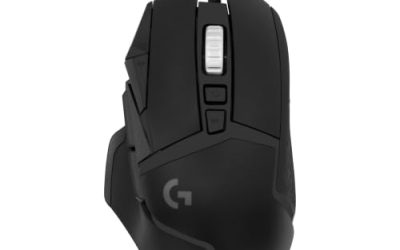
Our Top Picks
 Razer Basilisk V3 Customizable RGB Wired Ergonomic GamingMouse2.96 x 5.12 x 1.67 inches0.2 poundsCheck on Amazon

Buying a wired gaming mouse is a decision about connection reliability and input consistency, not about chasing the biggest number on the box. A cable removes battery anxiety, pairing dropouts, and the extra weight of a wireless cell, so every gram in your hand goes toward the shape and the sensor. The trade is desk management: the cable has to run cleanly, and the shape has to feel right for hours, because no connection can compensate for a grip that fights you.


This guide is for four kinds of buyers. Competitive shooter players want a light body, a fast sensor, and a cable that does not drag mid-flick. Everyday gamers want one dependable mouse for work, browsing, and evening matches. MMO and strategy players want extra buttons under the thumb. Budget buyers want the lowest sensible spend on a mouse that still tracks cleanly. The four models below come from their Amazon product titles and specifications, and the guide shows what to verify before buying in November 2026.
Quick Picks
As an Amazon Associate we earn from qualifying purchases
| Product | Best for | Key spec from title |
|---|---|---|
| Logitech G502 X Wired | Do-everything gaming with many buttons | HERO 25K sensor, 25,600 DPI, 13 programmable controls |
| Razer DeathAdder V3 Wired | Lightweight ergonomic aim in shooters | 59g, Focus Pro 30K sensor, 8K Hz HyperPolling |
| Razer Basilisk V3 | Scroll-heavy play and deep customization | Focus+ 26K DPI sensor, 11 programmable buttons, HyperScroll Tilt Wheel |
| Logitech G203 LIGHTSYNC | First gaming mouse on a tight budget | 8,000 DPI sensor, 6 programmable buttons, LIGHTSYNC RGB |
How to Choose
Match the sensor to how you actually aim
A modern optical sensor tracks cleanly at far more sensitivity than most players use, so the headline DPI figure tells you less than the tracking behavior. Look for a sensor that lists zero smoothing and consistent tracking across speeds, and check whether the listing names a maximum tracking speed in inches per second. High-sensitivity players who make small wrist movements benefit from fine DPI steps, while low-sensitivity arm aimers need a sensor that holds its line during fast sweeps. A mouse that lists 25,600 DPI is not automatically better than one that lists 8,000 DPI; the difference shows up only if your settings and your grip can use the extra headroom.
Weigh the body against your grip and your games
Weight changes how a mouse starts, stops, and returns to center. A sub-60 gram body suits fast flicks in shooters and long sessions where the wrist does the steering. A heavier ergonomic body around 90 to 100 grams suits palm-grip players who rest their hand on the shell and want stability in slower, deliberate games. Before choosing, check the listed weight and the shape dimensions on the product page, then match them to your hand size. A light mouse with a shape that is too small will cramp your fingers, and a heavy mouse with the right shape will still tire a small hand over a long evening.
Count buttons by the games you play, not the maximum
Extra buttons help only when they sit where your thumb can reach them without shifting your grip. MMO and strategy players gain real value from a thumb grid or a row of side buttons, because abilities and macros move off the keyboard. Shooter players usually need two side buttons and a middle click, and anything more can get in the way of a clean grip. Check the listing for the exact button count and whether each one is programmable through the maker’s software. A mouse with thirteen controls is wasted on a player who binds two, while a six-button mouse frustrates a player who needs eight.
Judge the cable before you judge the mouse
The cable is the part of a wired mouse that touches your desk every second you play. A stiff rubber cable drags, snags on the desk edge, and adds resistance to every flick, while a light braided or paracord-style cable moves with the mouse and mostly disappears. Check the listing for the cable type and length, and think about your desk layout: a short cable forces a hub or a bungee close to the mouse, while a long cable needs routing to stay out of the way. If the listing does not name the cable material, treat that as a gap to confirm on the maker’s page before you order.
The 4 Best Options
Logitech G502 X Wired
The G502 X Wired carries the long-running G502 shape into a lighter, faster package, and the listing backs it with a HERO 25K sensor that runs up to 25,600 DPI. Thirteen programmable controls cover side buttons, a DPI shift button, and a dual-mode scroll wheel that switches between stepped and free-spinning movement. LIGHTFORCE hybrid optical-mechanical switches sit under the primary buttons, and the 89 gram body keeps the familiar ergonomic shell without the bulk of older G502 models. It fits players who want one mouse for shooters, strategy, and desktop work alike.
Specs
- HERO 25K sensor, up to 25,600 DPI
- 13 programmable controls
- LIGHTFORCE hybrid optical-mechanical primary switches
- 89 gram body
- Dual-mode scroll wheel with stepped and free-spin modes
- Wired USB connection, compatible with PC and macOS
Best for: Players who want many programmable controls in one comfortable ergonomic mouse.
Watch out for: Confirm the wired black model on the listing, because the G502 X family also sells wireless variants under similar names.
Razer DeathAdder V3 Wired
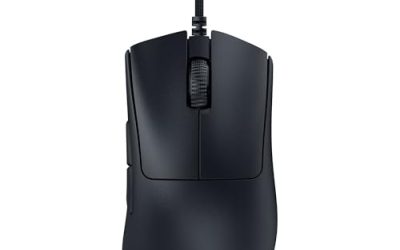
The DeathAdder V3 Wired is the lightest mouse in this guide at 59 grams, and its Focus Pro 30K optical sensor pairs with 8K Hz HyperPolling for fast, consistent input. Gen-3 optical switches sit under the primary buttons, and six programmable buttons keep the layout simple for shooter players who want nothing extra under the thumb. The ergonomic right-handed shell and the Speedflex cable suit palm and claw grips, and the shape has been refined across many DeathAdder generations. It fits competitive players who value a light body and a proven ergonomic curve over extra buttons.
Specs
- 59 gram ultra-lightweight body
- Focus Pro 30K optical sensor
- 8K Hz HyperPolling
- Fast Optical Switches Gen-3
- 6 programmable buttons
- Speedflex cable
- Ergonomic right-handed shape
Best for: Shooter players who want the lightest ergonomic mouse here for fast, precise aim.
Watch out for: Check the wired model number RZ01-04640100-R3U1 on the listing, since the DeathAdder line also includes wireless versions.
Razer Basilisk V3
The Basilisk V3 is the customization pick of this guide, with a Focus+ 26K DPI optical sensor, eleven programmable buttons, and a HyperScroll Tilt Wheel that switches between tactile steps and free spin. Chroma RGB lighting runs through eleven zones, and the ergonomic right-handed shell includes a thumb rest that supports the hand during long sessions. The 101 gram body and the 1.8 meter Speedflex braided cable suit players who sit at a desk and want a mouse that can be tuned to each game. It fits players who enjoy building profiles, macros, and lighting setups as much as playing.
Specs
- Focus+ 26K DPI optical sensor
- 11 programmable buttons
- HyperScroll Tilt Wheel with free-spin mode
- Chroma RGB lighting, 11 zones
- 101 gram body
- 1.8 meter Speedflex braided cable
- Wired USB Type-A connection
Best for: Players who want deep customization, a tilt wheel, and a full ergonomic grip.
Watch out for: Confirm the wired classic black model, because a newer 35K variant and wireless Basilisk models share the same family name.
Logitech G203 LIGHTSYNC
The G203 LIGHTSYNC is the entry point of this guide, a compact ambidextrous mouse with an 8,000 DPI sensor and six programmable buttons. LIGHTSYNC RGB lighting runs through the logo and light strip in 16.8 million colors, and on-board memory stores a profile so settings travel with the mouse. The classic symmetrical shape suits small and medium hands in palm, claw, and fingertip grips, and the wired USB connection keeps the setup simple. It fits first-time gaming mouse buyers and players who need a dependable spare mouse without spending on flagship features.
Specs
- 8,000 DPI optical sensor
- 6 programmable buttons
- LIGHTSYNC RGB lighting, 16.8 million colors
- On-board memory
- Ambidextrous shape
- Wired USB connection, compatible with PC and Mac
Best for: First-time buyers who want a simple, reliable wired gaming mouse.
Watch out for: Check that the listing selects the black LIGHTSYNC wired version, not the older Prodigy edition or a different color.
Which One Fits Your Situation
A competitive shooter setup
The Razer DeathAdder V3 Wired is the natural choice, because its 59 gram body and 8K Hz polling suit fast flicks and quick corrections. If your hand is larger and you want more buttons for utility binds, step to the Logitech G502 X Wired instead. Both track cleanly, so the deciding factor is whether your grip wants the lightest possible shell or a fuller ergonomic shape.
One mouse for games and daily work
The Logitech G502 X Wired is the natural choice, because its thirteen controls cover productivity shortcuts and game binds in one mouse. If you want a lighter daily driver and fewer buttons to learn, step down to the Razer DeathAdder V3 Wired. Both use wired USB, so neither adds battery or pairing worries to a work desk.
A scroll-heavy or customization-first desk
The Razer Basilisk V3 is the natural choice, because its HyperScroll Tilt Wheel and eleven programmable buttons suit browsing, editing, and games with many commands. If the Basilisk feels too heavy for fast aiming, keep it for desktop use and pair it with the DeathAdder V3 Wired for shooters. The two Razer models share the same software, so profiles stay familiar across both.
A first gaming mouse or a tight budget
The Logitech G203 LIGHTSYNC is the natural choice, because its six buttons and 8,000 DPI sensor cover the basics without a learning curve. If your hand is large and the compact shape feels cramped, step up to the Logitech G502 X Wired for a fuller shell. Both are wired, so either one works straight out of the box with no charging routine.
Common Mistakes
- Choosing by the biggest DPI number instead of matching sensor behavior and weight to your grip.
- Buying a mouse with a thumb grid for shooters, then never using the extra buttons.
- Ignoring cable type and length, then fighting drag on every flick.
- Ordering the wrong variant when a family name covers wired, wireless, and newer sensor editions.
- Skipping a hand-size check and ending up with a shell that is too small or too large.
Frequently Asked Questions
Is a wired mouse better than a wireless mouse for gaming?
A wired mouse removes battery and pairing concerns and usually costs less for the same sensor, while a wireless mouse removes cable drag. For most players the difference in input speed is small, so the choice comes down to desk setup and whether you mind managing a cable.
What DPI should I use for gaming?
Most players settle between 400 and 1,600 DPI with in-game sensitivity tuned to match, because lower settings give finer control for aiming. The sensor maximum matters less than finding a setting where small movements feel predictable and large sweeps stay accurate.
Does polling rate matter in a wired mouse?
Polling rate sets how often the mouse reports its position, and 1,000 Hz is enough for most players. Higher rates such as 8,000 Hz can feel smoother on high-refresh displays, but they need a fast system to show any benefit.
How do I keep a wired mouse cable from dragging?
Route the cable with slack toward the back of the desk and let it hang in a gentle curve, or use a mouse bungee to hold it above the pad. A light, flexible cable also helps, so check the cable material on the listing before you buy.
FAQ
Is a wired mouse better than a wireless mouse for gaming?
What DPI should I use for gaming?
Does polling rate matter in a wired mouse?
How do I keep a wired mouse cable from dragging?
More from Amazon
Programs that pair well with the guide above. Offers and eligibility are set by Amazon and may change.
Free shipping on eligible items, Prime Video and more. Eligible new members can start with a free trial.
Start a Prime free trialAd-free music streaming. Eligible new subscribers can start with a free trial.
Try Music Unlimited freeA Prime membership for ages 18-24 with a trial period. Eligibility is set by Amazon.
See Prime for Young AdultsAudiobooks and podcasts to listen to on the go. Eligible new members can start with a free trial.
Try Audible freeAs an Amazon Associate we earn from qualifying purchases.