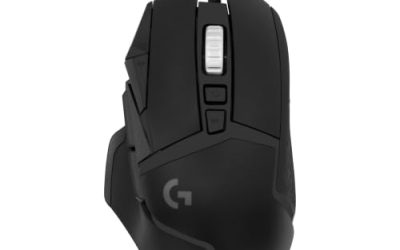
Our Top Picks
 Logitech G Pro X Superlight 2 Lightspeed WirelessClassic1.57 x 2.5 x 4.92 inches0.1 poundsCheck on Amazon
 Razer Orochi V2 Wireless Gaming Mouse4.26 x 1.52 inch (Pack of 1)4.26 x 1.52 x 2.47 inches0.13 poundsCheck on Amazon

A portable gaming mouse is a decision about what you are willing to carry, not about finding the fastest sensor on the market. A mouse that lives in a laptop sleeve has to be light enough to forget, small enough to share a pocket with a charger, and ready to work the moment the laptop lid opens. A heavy full-size mouse with a braided cable and a separate charging dock fails that test even if its sensor is excellent.
This guide is for three kinds of buyers. Laptop gamers want a mouse that travels with the machine and still tracks cleanly in a hotel room or a library. Commuters and students want something that survives a backpack and runs for months on a single battery. Competitive players who practise on the move want a light body and a wireless link that does not lag. The four models below come from product titles on Amazon, and the guide shows what to check before you buy one.
Quick Picks
As an Amazon Associate we earn from qualifying purchases
| Product | Best for | Key spec from title |
|---|---|---|
| Logitech G PRO X Superlight 2 | Tournament-grade play in a travel bag | 60g, HERO 2 44K DPI, 8kHz, USB-C |
| Razer Orochi V2 | The longest battery life on the road | Under 60g, 18K DPI, up to 950 hours |
| Logitech G305 LIGHTSPEED | A simple, durable travel mouse on a single AA battery | 12,000 DPI, 6 buttons, 250-hour battery |
| SteelSeries Aerox 3 Wireless | Lightweight play with spill protection | 66g, 18,000 CPI, 200-hour battery, IP54 |
How to Choose
Weigh the mouse before you weigh the sensor
Weight is the first thing a travelling player feels, and it matters more than a headline DPI number. A mouse under 70 grams moves with less wrist effort over a long session, and it adds almost nothing to a bag that already holds a laptop and a charger. The Superlight 2 lists 60 grams, the Orochi V2 lists under 60 grams, and the Aerox 3 Wireless lists 66 grams, while the G305 is the heaviest of the four and trades lightness for a standard AA battery. If your bag is already heavy, choose the lightest three first and only consider the G305 if its battery arrangement suits you better.
Match the sensor to the games you actually play
Every mouse here lists a sensor well above what most players use day to day, so the real question is whether the sensor stays accurate at the speed you move. The Superlight 2 lists a HERO 2 sensor with 44,000 DPI and an 8kHz report rate, which suits fast flicks in competitive shooters. The Orochi V2 lists an 18K DPI optical sensor, the Aerox 3 Wireless lists an 18,000 CPI TrueMove Air sensor, and the G305 lists a 12,000 DPI HERO sensor. Any of these covers casual and ranked play, so pick the shape and weight first and treat the sensor number as a tiebreaker.
Count wireless modes and battery life together
A travel mouse should keep working when one connection option fails. The Orochi V2 lists two wireless modes, HyperSpeed and Bluetooth, plus up to 950 hours of battery life, which means it can pair with a laptop over Bluetooth and save its dongle for a desktop. The Aerox 3 Wireless lists Bluetooth and 2.4 GHz wireless with a 200-hour battery, and the Superlight 2 lists LIGHTSPEED wireless with USB-C charging. The G305 runs on one AA battery for up to 250 hours. Check whether the battery is rechargeable or replaceable, because a rechargeable mouse needs a cable in the bag while an AA mouse needs a spare cell.
Know where small mice cut corners
Compact mice save weight and size by removing things, and you should know what is gone before you buy. Some drop side buttons, some use a smaller body that suits claw and fingertip grips but cramps a palm grip, and some ship with a short cable or no charging cable at all. The Orochi V2, for example, is symmetrical and compact, which helps portability but gives less palm support than a full-size ergonomic body. The G305 keeps a simple six-button layout and on-board memory, which is practical, but it is heavier than the other three. Read the title for button count, grip shape, and battery type, and confirm the receiver stores inside the mouse so it does not get lost in transit.
The 4 Best Options
Logitech G PRO X Superlight 2
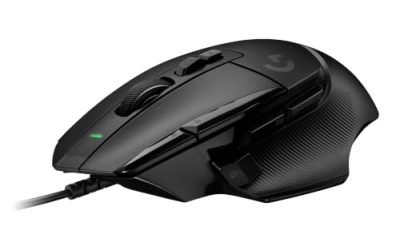
The Superlight 2 is the pick for a player who wants tournament-grade hardware that still fits a laptop sleeve. Its title lists a 60-gram body, a HERO 2 sensor, LIGHTSPEED wireless, and USB-C charging, so it covers the two things a travelling competitive player cares about most: a light body and a fast wireless link. Five programmable buttons keep the layout simple, and the mouse suits claw and fingertip grips better than a relaxed palm grip.
Specs
- Weight: 60g
- Sensor: HERO 2, up to 44,000 DPI
- Report rate: up to 8kHz
- Buttons: 5 programmable buttons
- Connection: LIGHTSPEED wireless
- Charging: USB-C
- Compatibility: PC and Mac
Best for: Competitive players who travel with a laptop and want the lightest pro-grade mouse here.
Watch out for: The small, symmetrical body can feel cramped for large hands or a full palm grip, so check the dimensions against your hand before buying.
Razer Orochi V2
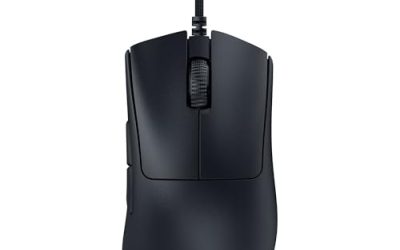
The Orochi V2 is the pick for a player whose mouse has to last a whole trip without a charger. Its title lists an ultra-lightweight body under 60 grams, two wireless modes, and up to 950 hours of battery life, which is far beyond the other three mice in this guide. Six programmable buttons and on-board memory mean the setup travels with the mouse, and the symmetrical shape works for claw, palm, and fingertip grips.
Specs
- Weight: under 60g
- Sensor: 5G Advanced 18K DPI optical sensor
- Wireless modes: Razer HyperSpeed and Bluetooth
- Battery life: up to 950 hours
- Switches: Razer Mechanical Mouse Switches Gen-2
- Buttons: 6 programmable buttons
- Memory: on-board memory
- Feet: 100% PTFE mouse feet
Best for: Travellers and laptop gamers who want the longest battery life and a dongle-free Bluetooth option.
Watch out for: It runs on AA or AAA batteries, so confirm which cell type you plan to carry and check that the battery compartment layout suits your grip.
Logitech G305 LIGHTSPEED
The G305 is the pick for a player who wants a simple travel mouse without a charging cable in the bag. Its title lists a HERO 12K sensor, LIGHTSPEED wireless, six programmable buttons, on-board memory, and a 250-hour battery from a single AA cell. The design is straightforward: no dock, no rechargeable pack, and nothing to plug in at the end of the day. That simplicity makes it easy to pack and easy to replace if it is lost.
Specs
- Sensor: HERO 12K, up to 12,000 DPI
- Connection: LIGHTSPEED wireless, 1 ms report rate
- Battery life: up to 250 hours on one AA battery
- Buttons: 6 programmable buttons
- Memory: on-board memory
- Compatibility: PC and Mac
Best for: Commuters and students who want a dependable wireless mouse that runs on a replaceable AA battery.
Watch out for: It is the heaviest mouse in this guide, and its battery adds weight over time, so compare its listed weight with the lighter options if every gram matters.
SteelSeries Aerox 3 Wireless

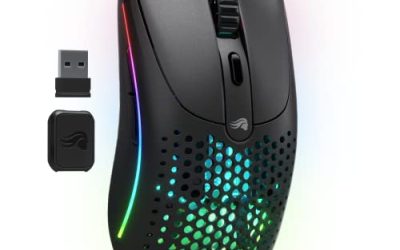
The Aerox 3 Wireless is the pick for a player who wants a light mouse that can survive a spill or a dusty bag. Its title lists a 66-gram body, an 18,000 CPI TrueMove Air optical sensor, Quantum 2.0 wireless, Bluetooth, and an IP54 water-resistant design. A 200-hour battery covers long trips, and the holey shell keeps the weight down without giving up a full-size feel. It suits players who want lightness with a bit more protection than a sealed plastic body offers.
Specs
- Weight: 66g
- Sensor: TrueMove Air optical, 18,000 CPI
- Connection: Quantum 2.0 wireless and Bluetooth
- Battery life: up to 200 hours
- Water resistance: IP54 water resistant
- Design: ultra-lightweight holey shell
Best for: Players who want a light wireless mouse with spill resistance for travel and shared desks.
Watch out for: The holey shell lets dust and crumbs in more easily than a solid shell, so check how you plan to store and clean it on the road.
Which One Fits Your Situation
A competitive player travelling to a tournament
Pick the Logitech G PRO X Superlight 2. Its 60-gram body and 8kHz report rate suit fast, precise play, and USB-C charging means one cable covers the mouse and the laptop. The simple five-button layout keeps accidental clicks down during tense rounds, and the LIGHTSPEED link stays steady when the venue Wi-Fi is crowded.
A laptop gamer who hates charging
Pick the Razer Orochi V2. Up to 950 hours of battery life means the mouse can outlast several trips, and Bluetooth mode lets you leave the dongle at home. Its compact, symmetrical body also fits a small laptop sleeve without a bulge, and on-board memory keeps your button layout when you switch machines.
A student or commuter on a tight routine
Pick the Logitech G305 LIGHTSPEED. One AA battery gives up to 250 hours, there is no dock or cable to remember, and on-board memory keeps the button layout when moving between machines. It is the easiest of the four to replace if it is lost on a train, and a spare AA cell costs little and weighs almost nothing in a bag.
A player who wants lightness with extra protection
Pick the SteelSeries Aerox 3 Wireless. At 66 grams with IP54 protection, it balances a light body against spill and dust protection, and its 200-hour battery is enough for a long trip. The holey shell is the trade-off to accept for that weight, and the Bluetooth mode keeps a USB port free on a crowded laptop.
Common Mistakes
- Choosing by DPI alone and ignoring weight, shape, and battery type.
- Buying a rechargeable mouse and forgetting the charging cable at home.
- Picking a compact mouse for a full palm grip without checking the dimensions first.
- Assuming every wireless mouse stores its receiver inside the body for travel.
- Overlooking whether the mouse runs on a rechargeable pack or a replaceable AA battery.
Frequently Asked Questions
How light should a portable gaming mouse be?
Aim for under 70 grams if the mouse travels daily, since lighter bodies reduce wrist effort and add almost nothing to a laptop bag. The Superlight 2, Orochi V2, and Aerox 3 Wireless all sit in that range, while the G305 trades a little extra weight for a replaceable battery.
Is Bluetooth good enough for gaming on the road?
Bluetooth works well for casual play, browsing, and work, and it saves a USB port on a laptop. For competitive play, use the 2.4 GHz dongle mode instead, since it offers a faster and more stable link than Bluetooth on every mouse in this guide.
How long does a portable gaming mouse battery last?
It varies widely by model and connection. The Orochi V2 lists up to 950 hours, the G305 lists up to 250 hours on one AA battery, and the Aerox 3 Wireless lists up to 200 hours. Battery life also drops with higher polling rates and lighting, so check the listing for the mode you will use.
Can a small mouse work for a palm grip?
It depends on your hand size and the mouse shape. Compact symmetrical mice suit claw and fingertip grips best, while larger hands often need a longer body for a relaxed palm grip. Check the listed dimensions and the grip styles named in the product title before buying.
FAQ
How light should a portable gaming mouse be?
Is Bluetooth good enough for gaming on the road?
How long does a portable gaming mouse battery last?
Can a small mouse work for a palm grip?
More from Amazon
Programs that pair well with the guide above. Offers and eligibility are set by Amazon and may change.
Free shipping on eligible items, Prime Video and more. Eligible new members can start with a free trial.
Start a Prime free trialAd-free music streaming. Eligible new subscribers can start with a free trial.
Try Music Unlimited freeA Prime membership for ages 18-24 with a trial period. Eligibility is set by Amazon.
See Prime for Young AdultsAudiobooks and podcasts to listen to on the go. Eligible new members can start with a free trial.
Try Audible freeAs an Amazon Associate we earn from qualifying purchases.