Key takeaways
- A 10-inch tablet under 100 dollars is a very specific purchase: a big enough screen for video and homework, at a price where compromises are expected.
A 10-inch tablet under 100 dollars is a very specific purchase: a big enough screen for video and homework, at a price where compromises are expected. The skill in shopping this tier is knowing which compromises hurt and which are harmless. A soft 1280×800 panel is fine for cartoons and recipes; a tablet that cannot stream in HD or has 32GB of storage that fills in a week is a more expensive mistake than it looks.
This guide is for parents buying a first tablet, travelers who want a cheap in-flight screen, and anyone who needs a spare device for the kitchen or workshop in 2026. The listings below are mostly unbranded, so the printed specs are all there is to judge. Duplicate listings of the same tablet were merged, which leaves eight distinct options, and each review calls out what the title actually claims rather than what the packaging implies.
Quick Picks
Our top picks


As an Amazon Associate we earn from qualifying purchases at no extra cost to you.
| Product | Best for | Key spec from the title |
|---|---|---|
| Android 15 tablet with case and stylus | Kids and doodling | 10.1-inch IPS HD, case and stylus included |
| qunyiCO 10-inch | Simple video watching | 1280×800 HD IPS, 6000mAh, 1TB expandable |
| ZZB 10-inch | Faster Wi-Fi at a low tier | 8GB RAM, 32GB ROM, 5G Wi-Fi 6 |
| COOPERS 10-inch | Basic everyday use | Quad-core, 6000mAh, 1280×800 IPS |
| aiprotablet 10-inch | Storage-minded buyers | 12GB RAM, 64GB ROM, 1TB expand |
| Android 16 24GB 10-inch | Modern Wi-Fi and Bluetooth | Wi-Fi 6, Bluetooth 5.4, 6000mAh |
| TECLAST P35 | Streaming and GPS | Widevine L1, octa-core, face unlock |
| Android 16 octa-core 16GB+32GB | HD streaming on a budget | Widevine L1, Wi-Fi 6, 1TB expandable |
How to Choose
Storage and memory at this price
The cheapest tablets ship with 32GB, and Android plus apps can consume half of it before you install a game. Aim for 64GB if you can find it, and plan on a microSD card for downloads. For memory, the RAM figure in a budget listing often includes virtual memory, so treat 8GB as a marketing total and expect real multitasking to feel like a lower number. A practical test is to look for a stated memory type or a physical figure, as with the DDR4 mention on one listing, because vague totals tell you nothing about speed.
Screen and streaming support
At this tier, 1280×800 is normal. It is acceptable for video and kids’ apps but soft for small text. If you want to stream HD video, look for Widevine L1 in the description, since without it many services drop to low resolution. IPS panels give better viewing angles than basic LCD, which matters when two people share a screen on a couch or a back seat. Brightness is rarely listed, so assume budget panels are fine indoors and hard to read in direct sun, and plan to use the tablet accordingly.
Battery, connectivity, and processor
A 6000mAh battery is the common size; the title for one model claims 12 hours, but real runtime depends on brightness and video use. For Wi-Fi, 5G Wi-Fi 6 beats older Wi-Fi 5 in crowded buildings, and Bluetooth 5.x helps with headphones. An octa-core chip generally handles app switching better than a quad-core, though neither will run demanding games well. Charging time on a 6000mAh pack is slow with a basic adapter, so expect an overnight top-up rather than a quick boost before leaving the house.
What to ignore and where budget models cut corners
Ignore camera pairs such as 2MP plus 8MP; they exist mainly for video calls. Ignore bundled extras if you will not use them. Budget models cut corners on brightness, speakers, software updates, and customer support. Because many brands here are unknown, look closely at the Android version, the return policy, and whether the title states GMS or Google app support.
The 8 Best Options
Android 15 Tablet With Case and Stylus
This 10.1-inch IPS HD tablet lists Android 15, 8GB RAM, 32GB storage, 1TB expansion, a 6000mAh battery, and an included case and stylus. It is the most kid-ready package here because it arrives with protection and a drawing tool, which saves a separate accessory order. Think of it as a sketchbook, a coloring app, and a video player for a school-age child, with a case ready for the first drop.
- Strength: case and stylus included for children and sketching.
- Strength: Android 15 on a 10.1-inch IPS screen.
- Trade-off: 32GB built-in storage fills fast without a memory card.
Skip it if you want Widevine L1 for HD streaming, since the title does not list it.
qunyiCO 10-Inch Tablet
The qunyiCO lists a 1280×800 HD IPS display, dual cameras, a 6000mAh battery, and 1TB expandable storage in a silver finish. It is stripped to the basics, which suits someone who wants a screen for streaming shows, reading recipes, and little else. A grandparent who only needs video calls and a weather app would not miss the missing extras.
- Strength: IPS screen with a clearly stated resolution.
- Strength: 1TB expansion ceiling for offline video.
- Trade-off: the title gives no RAM or built-in storage figure, so you cannot judge speed.
Skip it if you need to compare memory before buying.
ZZB 10-Inch Tablet
ZZB lists Android 15, DDR4 8GB RAM, 32GB ROM, a 2MP plus 8MP dual camera, 5G Wi-Fi 6, Bluetooth, and 1TB expansion on a 10.1-inch IPS display. The mention of DDR4 memory is a more specific claim than most listings make, and Wi-Fi 6 helps in apartment buildings where many networks compete for the same airwaves.
- Strength: Wi-Fi 6 support for smoother streaming at home.
- Strength: 8GB RAM with a named memory type.
- Trade-off: only 32GB of storage is built in.
Skip it if you plan to store many downloads without a card.
COOPERS 10-Inch Tablet
COOPERS lists Android 15, a quad-core processor, 32GB ROM, a 6000mAh battery, a 1280×800 IPS touch screen, and a 2MP plus 8MP camera pair. Two listings of the same tablet exist and are treated as one product here. It reads like a plain, no-surprises tablet for reading, browsing, and kids’ shows, aimed at people who want the basics and nothing fancy.
- Strength: straightforward IPS screen and 1TB expansion.
- Strength: Android 15 at a low tier.
- Trade-off: a quad-core processor is the weakest option in this guide for app switching.
Skip it if you want smooth multitasking.
aiprotablet 10-Inch Tablet
aiprotablet lists 12GB RAM, 64GB ROM, 1TB expansion, a quad-core processor, a 1280×800 LCD screen, Wi-Fi 5, and Bluetooth 5. Storage is the standout, since 64GB doubles the usual budget amount and leaves room for a season of downloaded shows before you need a card. It suits a household that keeps offline videos for car trips.
- Strength: 64GB built-in storage.
- Strength: dual cameras and Bluetooth 5 are included.
- Trade-off: Wi-Fi 5 and an LCD screen trail rivals with Wi-Fi 6 and IPS.
Skip it if you want the best viewing angles.
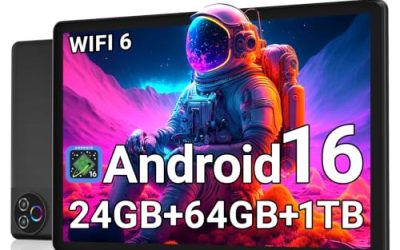
Android 16 24GB 10-Inch Tablet
This listing claims 24GB RAM, 64GB ROM, 1TB expansion, an HD IPS touchscreen, Wi-Fi 6, Bluetooth 5.4, a 6000mAh battery marketed at 12 hours, and dual cameras. It has the most current wireless specs and the newest Android number in the guide, which suits buyers who pair wireless earbuds and stream a lot at home.
- Strength: Wi-Fi 6 and Bluetooth 5.4 are current standards.
- Strength: 64GB storage with a 1TB card ceiling.
- Trade-off: the 24GB RAM total probably includes virtual memory.
Skip it if you want a recognizable brand name.
TECLAST P35
TECLAST is a better-known tablet name than most here. The P35 lists Android 16, an octa-core processor, Widevine L1, face unlock, 16GB RAM, 32GB ROM, 2TB TF card support, a 6000mAh battery, GPS, dual cameras, and an HD IPS screen. That feature list is long for a budget slate, with HD streaming support leading the way.
- Strength: Widevine L1 supports HD streaming.
- Strength: GPS and face unlock add features at a low tier.
- Trade-off: 32GB of built-in storage is small.
Skip it if you do not plan to add a memory card.
Android 16 Octa-Core 16GB+32GB Tablet
This gray model lists Android 16, an octa-core processor, 16GB combined memory, 32GB storage, 1TB expansion, Widevine L1, Wi-Fi 6, Bluetooth 5.0, and a 6000mAh battery. It overlaps with the TECLAST in headline specs but comes without a brand name, so the decision is mostly about how much you value a name behind the product.
- Strength: octa-core with Widevine L1 and Wi-Fi 6.
- Strength: dual camera setup for video calls.
- Trade-off: unbranded, so support and updates are uncertain.
Skip it if brand support matters to you.
Which One Fits Your Situation
You are buying for a child
The Android 15 tablet with case and stylus is the easiest start, because protection and a drawing tool arrive in the box. Parents who would otherwise buy a case and a stylus separately will find it simplifies the shopping list, and a child can start drawing the day it arrives.
You stream a lot of video
Choose the TECLAST P35 or the Android 16 octa-core model, both of which list Widevine L1 and Wi-Fi 6. They are the ones to shortlist if movie nights are the main use.
You want more built-in storage
The aiprotablet and the Android 16 24GB tablet each list 64GB, which gives more room for apps before a memory card is needed. That matters for road-trip downloads and for apps that cache large files.
You need a simple screen for the kitchen
The qunyiCO or COOPERS fits, since both are basic IPS tablets with a 6000mAh battery. Mounted on a stand next to the stove or the workbench, a simple screen like this does its job without drawing attention.
Common Mistakes
- Believing the RAM number without considering virtual memory.
- Skipping a microSD card on a 32GB tablet.
- Expecting HD streaming from a tablet that does not list Widevine L1.
- Assuming Android 16 on the listing means long-term updates.
- Buying for gaming; none of these chips are aimed at demanding titles, and a tablet that stutters in a store demo will not improve at home.
Related guides
- Logitech G Pro X Superlight 2 Vs Razer Viper V3 Pro
- Motherboard Io Panel And Back Connectors Explained
- How To Record Your Computer Screen With Audio
Frequently Asked Questions
Are tablets under 100 dollars any good?
They are fine for video, reading, and kids’ apps. Expect slower performance and less polished software than premium tablets. The best results come from matching the tablet to one or two simple jobs instead of expecting a laptop replacement.
Do these tablets get updates?
Most unbranded listings do not promise updates. Treat the Android version as the version you will keep. Keeping the tablet on a home network and avoiding sensitive logins is a sensible precaution with lesser-known brands.
Should I add a memory card?
Yes, especially with 32GB models. A card gives you room for downloaded shows and photos. Check the maximum size in the listing, but remember that the stated terabyte ceilings are rarely needed in practice.
Is Widevine L1 important?
It matters if you want HD video from major services. Without it, quality may be capped at a lower resolution. Only a few listings here mention it, so use it as a tiebreaker when two tablets look similar on paper.