Our Top Picks
 Logitech G316 X 98 Mechanical Gaming Keyboard98 percent15.12 x 5.51 x 1.57 inches1.9 PoundsCheck on Amazon
 Razer BlackWidow V4 X Mechanical Gaming Keyboard20.5 x 8 x 2 Inch18.36 x 6.01 x 1.71 inches2.51 poundsCheck on Amazon
A full-size gaming keyboard only earns its desk space if you use the numpad, the dedicated media controls or a column of macro keys; if you do not, a tenkeyless board gives you the same keys for shooters with more mouse room. For everyone else, the ten listings below span a budget membrane-style board, a mech-dome classic, several hot-swap mechanical models and one analog optical flagship. The basis is each Amazon title, general knowledge about switch types and published manufacturer documentation, so nothing here comes from a bench or a desk session. If you are still deciding on size, start with our comparison of full-size and TKL keyboards, then return here.
Top picks at a glance

SteelSeries Apex 3 Gaming Keyboard - Black | 10-Zone RGB Illumination – IP32 Water Resistant – Premium Magnetic Wrist Rest (Whisper Quiet Gaming Switch)


As an Amazon Associate we earn from qualifying purchases. Product prices and availability are accurate as of the date/time indicated.

Logitech G413 SE Full-Size Mechanical Gaming Keyboard - Black | Backlit, anti-ghosting, compatible with Windows and macOS, aluminum material


As an Amazon Associate we earn from qualifying purchases. Product prices and availability are accurate as of the date/time indicated.

Logitech G213 Prodigy Wired RGB Gaming Keyboard - Black | Mech-Dome Keys, Palm Rest, Adjustable Feet, Media Controls, LIGHTSYNC RGB, USB, Compatible with Windows


As an Amazon Associate we earn from qualifying purchases. Product prices and availability are accurate as of the date/time indicated.
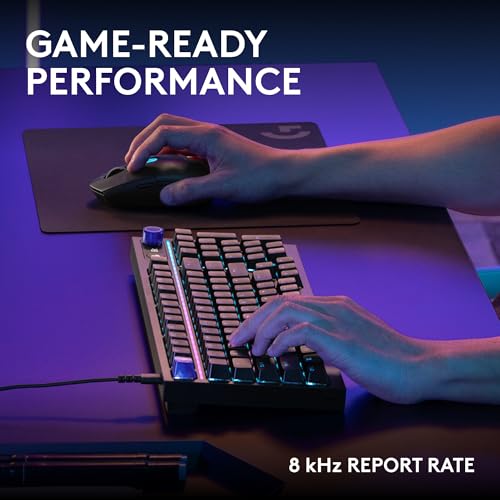
Logitech G316 X 98 Mechanical Gaming Keyboard (Linear) - Black | Hot-Swappable Linear Mechanical Switches, Gasket Design, PBT Keycaps, <8Khz, LIGHTSYNC RGB, Dot-Matxix LED Display, USB-C



As an Amazon Associate we earn from qualifying purchases. Product prices and availability are accurate as of the date/time indicated.
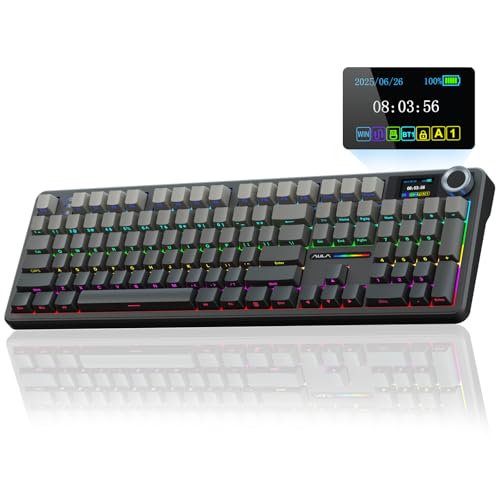
AULA F108 PRO - Wireless Mechanical Keyboard with Screen & Knob,Full Size Keyboard with 8000mAh Battery,Pre-lubed Switches,Side Printed PBT Keycaps,RGB Backlit Hot Swappable Custom Gaming Keyboards


As an Amazon Associate we earn from qualifying purchases. Product prices and availability are accurate as of the date/time indicated.
Razer BlackWidow V4 X Mechanical Gaming Keyboard, Yellow Switches, Black | Linear & Silent Switches, 6 Dedicated Macro Keys, Chroma RGB, Doubleshot ABS Keycaps, Roller & Media Controls, Snap Tap


As an Amazon Associate we earn from qualifying purchases. Product prices and availability are accurate as of the date/time indicated.

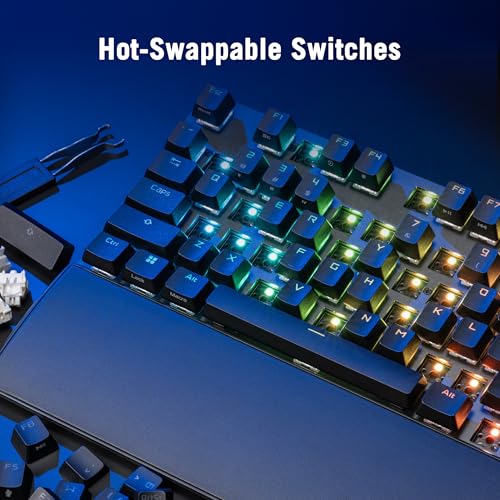
ASUS ROG Strix Scope II X Wired USB Mechanical Gaming Keyboard – 100% Full-Size, Hot Swappable Pre-lubed ROG NX Snow V2 Linear Switches, PBT Keycaps, RGB, PC/Mac Support - Black



As an Amazon Associate we earn from qualifying purchases. Product prices and availability are accurate as of the date/time indicated.

Redragon K668 108-Key Hot-Swap Wired RGB Gaming Keyboard, Extra 4 Hotkeys | Dedicated Shortcut Keys for Mute, Calc & Desktop, Cushioned Noise Dampening for Creamy Thocky Sound, Swap-Ready, PRO Software


As an Amazon Associate we earn from qualifying purchases. Product prices and availability are accurate as of the date/time indicated.

Redragon K745 PRO Wireless 108-Key Gasket RGB Gaming Keyboard, 4 Hotkeys | Extra Shortcut Keys, 0-Delay Tri-Mode, Cushioned Noise Dampening for Creamy Thocky Sound, Unfaded PBT Keycaps, PRO Software




As an Amazon Associate we earn from qualifying purchases. Product prices and availability are accurate as of the date/time indicated.

Razer Huntsman V3 Pro 8KHz Esports Gaming Keyboard, Analog Optical, Black | Gen-2 Analog Optical Switches, Rapid Trigger, Adjustable Actuation, Media Controls, PBT Keycaps


As an Amazon Associate we earn from qualifying purchases. Product prices and availability are accurate as of the date/time indicated.
| Model | Key point from the title | Price tier | Best for |
|---|---|---|---|
| SteelSeries Apex 3 | 10-zone RGB, IP32 water resistance, wrist rest | Budget to mid | Quiet, spill-conscious desks |
| Logitech G413 SE | Full-size mechanical, aluminum, Windows and macOS | Mid | Straightforward mechanical start |
| Logitech G213 Prodigy | Mech-Dome keys, palm rest, media controls | Budget | Soft-feel typing and gaming |
| Logitech G316 X 98 | Hot-swap linear, gasket, dot-matrix display | Upper | Space-saving near-full layout |
| AULA F108 PRO | Wireless, screen, knob, 8000mAh battery | Upper | Cable-free numpad board |
| Razer BlackWidow V4 X | Yellow switches, six macro keys, roller | Upper | Macro-heavy players |
| ASUS ROG Strix Scope II X | 100% full-size, hot-swap, linear, PBT | Upper to premium | Wired mechanical with swap options |
| Redragon K668 | 108 keys, hot-swap, four extra hotkeys | Budget | Cheapest hot-swap full-size |
| Redragon K745 PRO | Wireless, gasket, 108 keys, PBT | Mid | Wireless on a modest outlay |
| Razer Huntsman V3 Pro 8KHz | Analog optical, rapid trigger, 8KHz | Premium | Esports-style tuning |
Switch technology across this group
Full-size boards are where manufacturers show the widest spread of technology, so it helps to sort the ten listings by how a key press is registered. The table groups them. It is built from titles only, which means a blank in the title is a blank here too.
| Technology | General behavior | Listings that name it |
|---|---|---|
| Mech-Dome (hybrid) | Dome feel with a mechanical-style stem; softer, quiet | Logitech G213 |
| Mechanical, fixed or unspecified | Discrete switches under each key | Logitech G413 SE, Razer BlackWidow V4 X |
| Mechanical, hot-swap | Switches pull out and can be replaced | ROG Strix Scope II X, Redragon K668 and K745 PRO, Logitech G316 X 98, AULA F108 PRO |
| Analog optical | Light-based sensing with adjustable depth | Razer Huntsman V3 Pro 8KHz |
| Not stated | Title says only “quiet gaming switch” | SteelSeries Apex 3 |
Ten full-size keyboards, one at a time
SteelSeries Apex 3 Gaming Keyboard
The Apex 3 title highlights 10-zone RGB, IP32 water resistance, a magnetic wrist rest and a “whisper quiet gaming switch”. IP32 is a limited rating that suggests resistance to light moisture rather than a full spill, so treat it as a splash allowance only. The title does not call the switches mechanical, and the phrase “quiet gaming switch” is vague, so look at the specification table for the actual mechanism. A wrist rest is a real comfort aid on a full-size board. Scenario: a shared home office where noise matters and a drink sometimes sits near the keys. Question to ask first: is the switch type described in the product details, and does the rest stay attached when you slide the board? It is a better fit for someone who values a rest and a splash allowance than for a player chasing customization, since nothing in the title mentions software profiles, remapping or sockets. If you type for hours, the rest matters more than the lighting zones do.
- Pros: Water-resistance rating stated; wrist rest included; zoned RGB.
- Cons: Switch type unclear; IP32 is a modest rating; no macro keys or wireless.
Logitech G413 SE Full-Size Mechanical Gaming Keyboard
The title is short and honest: full-size, mechanical, backlit, anti-ghosting, compatible with Windows and macOS, aluminum material. That gives you a conventional mechanical board without wireless, a display or hot-swap, and the title does not name the switch type or the polling rate. Aluminum in a title usually refers to a top plate or case panel, which adds rigidity and a premium feel. It is a sensible option for a buyer who wants a known-brand mechanical keyboard with no frills, and who would prefer to avoid software-heavy features. Scenario: a first mechanical board for a student desk, shared between schoolwork and games. Question to ask first: which switch variant ships, and is the cable detachable? Skip it if you want to change switches later or want a wireless link, because the title promises neither. Check the listing for the stock switch family, the cable length and whether the aluminum covers the full top plate or only part of it.
- Pros: Mechanical full-size layout; aluminum; macOS and Windows named.
- Cons: Switch type missing from the title; no hot-swap stated; no wireless.
Logitech G213 Prodigy Wired RGB Gaming Keyboard
The G213 is the oldest style in the group: Mech-Dome keys, a palm rest, adjustable feet, dedicated media controls and LIGHTSYNC RGB over a USB cable, with Windows named as the supported system. Mech-Dome means the keys sit on domes rather than individual mechanical switches, so it feels softer and quieter than a standard mechanical board. The palm rest helps long sessions, and media controls save you from reaching for the mouse. The title mentions only Windows, so Mac users should check the page. Scenario: a family PC that is used for school, streaming and a few games and needs a robust, low-cost board. Question to ask first: does the palm rest detach for cleaning? Skip it if you want a crisp mechanical response or plan to swap parts. It is a board you buy for comfort features and moderate noise, and the dome design usually trades some precision for those gains. Check the wrist-rest build and the media key layout in the photos.
- Pros: Budget tier; palm rest and media controls; quiet dome feel.
- Cons: Not a standard mechanical switch; Windows-only wording; no hot-swap or wireless.
Logitech G316 X 98 Mechanical Gaming Keyboard (Linear)
This listing calls itself “98” and, strictly speaking, is not a classic 100 percent board. A 98-style layout keeps the numpad but compresses the case, which saves a little width. The title lists hot-swappable linear switches, a gasket design, PBT keycaps, LIGHTSYNC RGB, a dot-matrix display and USB-C, and it includes a “<8Khz” report-rate note. The title has typos (“Dot-Matxix”) and an odd “<8Khz” symbol, so confirm the actual polling rate in the product details. The dot-matrix display is a small status panel. Scenario: a desk that is slightly short on width but still needs a numpad. Question to ask first: how does the layout differ from a standard 104-key board, and do your keycap sets fit? Skip it if you rely on a standard 104-key layout for muscle memory, since compressed spacing takes adjustment. Check the listing for the exact key count, the display’s role and whether the 8 kHz claim comes with a software toggle.
- Pros: Hot-swap linear switches; gasket and PBT keycaps stated; slightly shorter case.
- Cons: Typos and unclear polling rate in the title; 98 layout moves some keys; upper price tier.
AULA F108 PRO Wireless Mechanical Keyboard with Screen and Knob
The F108 PRO packs a screen, a knob, an 8000mAh battery, pre-lubed switches, side-printed PBT keycaps, RGB and a hot-swappable custom build into a wireless full-size board. A large battery is helpful because RGB and a screen draw power, but the title gives no run-time estimate, so any figure you see elsewhere is an assumption. The title does not name the connection modes, though the wireless label suggests at least a dongle or Bluetooth. Our primer on wireless versus wired keyboards covers the latency question. Scenario: a living-room PC where cables are a nuisance. Question to ask first: which wireless modes are supported, and is a dongle in the box? Skip it if you want a firm run-time figure, because the title offers none. Check the listing for the charging port, the connection modes and whether the screen can be switched off to save power when the battery runs low.
- Pros: 8000mAh battery stated; hot-swap and pre-lubed switches; screen and knob.
- Cons: Connection modes unstated; heavier and pricier than wired rivals; screen functions unspecified.
Razer BlackWidow V4 X Mechanical Gaming Keyboard
BlackWidow V4 X leans into extras: six dedicated macro keys, a roller and media controls, Chroma RGB, doubleshot ABS keycaps, Yellow switches described as linear and silent, and Snap Tap. Snap Tap is a Razer input-handling feature that changes how opposing direction inputs resolve, and some tournaments restrict such features, so check the rules of any league you enter. The doubleshot ABS keycaps are durable but are not the PBT many rivals offer. The title does not mention hot-swap or wireless. Scenario: an MMO or creative-work desk where six extra keys and a roller replace several shortcut chords. Question to ask first: are the macro keys programmable without a cloud account? Skip it if you want swappable switches or PBT caps, since neither appears in the title. Check the listing for how the macro keys are programmed, whether onboard memory stores profiles, and how the roller looks in the photos.
- Pros: Six macro keys; linear and silent switches; roller and media controls.
- Cons: ABS keycaps; no hot-swap stated; Snap Tap may be limited in competitive play.
ASUS ROG Strix Scope II X Wired USB Mechanical Gaming Keyboard
The only title that states “100% full-size” outright, this listing adds hot-swappable pre-lubed ROG NX Snow V2 linear switches, PBT keycaps, RGB and PC and Mac support over a wired USB link. The explicit layout label removes the guesswork that the other titles leave. Pre-lubed linear switches generally feel smooth, and hot-swap lets you change them later. The title does not state a polling rate, the case material or any macro features. It suits a player who wants a clean mechanical board with room to adapt. Scenario: a competitive shooter player who still wants a numpad for spreadsheets. Question to ask first: do the sockets accept 3-pin and 5-pin switches, and is the cable detachable? Skip it if you want wireless, a screen or macro keys, because the title lists none of them. Check the listing for the cable type, the software that handles lighting and the keycap legend style, as those are not in the title.
- Pros: Explicit 100% full-size; hot-swap with pre-lubed linear switches; PBT keycaps.
- Cons: Wired only; no polling rate in the title; upper price tier.
Redragon K668 108-Key Hot-Swap Wired RGB Gaming Keyboard
Redragon’s listing offers 108 keys, hot-swap sockets, four extra hotkeys, dedicated shortcuts for mute, calculator and desktop, and cushioned noise dampening aimed at a “creamy thocky” sound. The extra keys make the layout wider than a 104-key standard, so check desk space. For a budget board, hot-swap is the main draw because it allows you to change switches later. The title does not name the stock switch, keycap material or case. “Thocky” is subjective language, so treat the sound claim as marketing. Scenario: a first customizable board for a student on a tight budget who also wants calculator and mute shortcuts. Question to ask first: which stock switch ships, and what is the software like? Skip it if you dislike the extra width of a 108-key case or want a premium finish. Check the listing for the stock switch color, the case material and whether the shortcut keys can be remapped, since the title is silent on all three.
- Pros: Hot-swap at the budget tier; extra hotkeys; noise dampening.
- Cons: Stock switch unnamed; 108 keys makes it a little wider; sound claims are subjective.
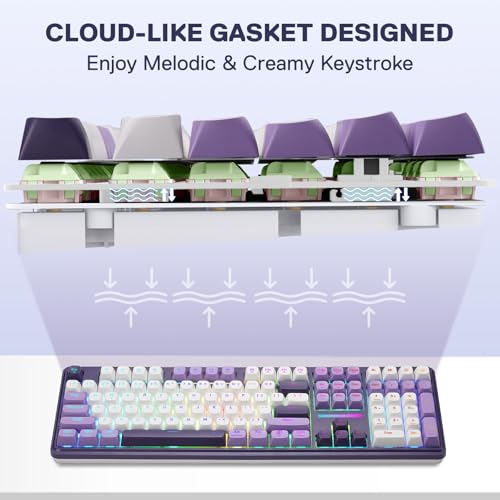
Redragon K745 PRO Wireless 108-Key Gasket RGB Gaming Keyboard
The K745 PRO adds wireless to a similar 108-key layout: gasket construction, four hotkeys, a tri-mode connection described as “0-delay”, noise dampening, unfaded PBT keycaps and PRO software. “0-delay” is a marketing phrase, since any wireless link adds some latency, so read it as a claim of low latency rather than none. The title names a tri-mode setup, which usually means a dongle, Bluetooth and a cable. It does not give battery size or the hot-swap status. Scenario: a desk that wants a clean look without cables but still needs the numpad. Question to ask first: how large is the battery, and does the 2.4 GHz dongle ship in the box? Skip it if you want a spec sheet in the title, because battery size and hot-swap are missing. Check the listing for the dongle, the charging cable and whether Mac mode is supported, since the title stays vague on operating systems.
- Pros: Tri-mode wireless; PBT keycaps; gasket build.
- Cons: “0-delay” is an overstatement; battery size unstated; hot-swap not mentioned.
Razer Huntsman V3 Pro 8KHz Esports Gaming Keyboard
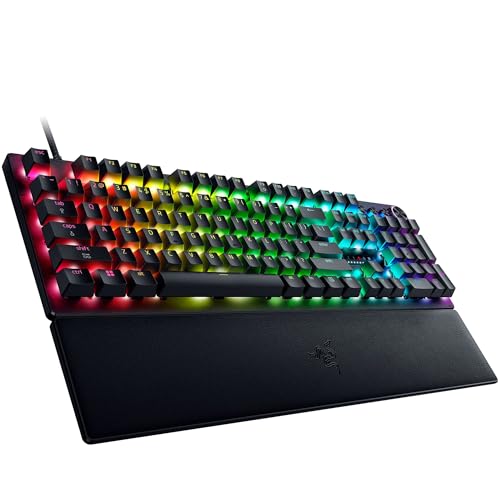
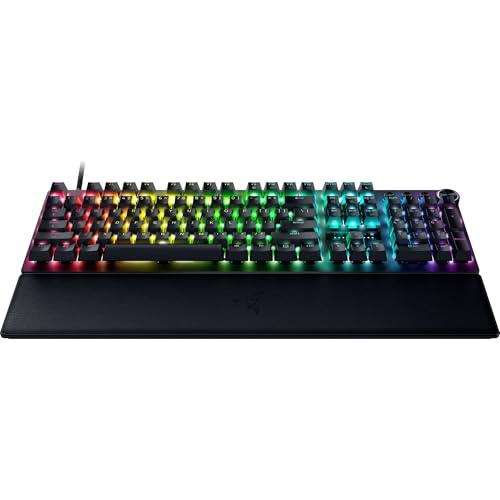
This is the most performance-oriented listing: Gen-2 analog optical switches, rapid trigger, adjustable actuation, an 8KHz polling rate, media controls and PBT keycaps. Analog optical switches read the key’s travel with light, so actuation depth can be set per key. Unlike the other listings, the title never states the layout size, so confirm on the product page that this is a full-size model before treating it as one. It is the premium-tier option, and most of its value comes from software tuning and a supported USB port. Scenario: a competitive player who changes actuation per game. Question to ask first: does the product page confirm a numpad, and which app handles the profiles? Skip it if you want a simple board or are on a budget, since most of the value lies in tuning. Check the listing for how many profiles it stores, whether it works without the app and what the cable and port requirements are.
- Pros: Adjustable actuation and rapid trigger; 8KHz polling stated; PBT keycaps.
- Cons: Highest price tier; layout size not in the title; benefits depend on software and ports.
How the shortlist was built
These ten listings come from one Amazon category search. Each one is described from its title, general keyboard knowledge and published manufacturer documentation, with buyer reviews as background only. Nobody on the team used or measured these units. Titles are seller claims, so where one is vague, contains typos or does not state a size, the section says so. The price tier column is relative within this set, not a quote, and prices change often.
Picking a full-size board: the practical checks
Why you would pay for the extra width
A numpad earns its place for data entry, simulators and calculators; macro keys earn theirs in MMOs and editing; a wrist rest or palm rest earns its place in long sessions. If none of those describe you, a smaller board saves money and desk space. For budget planning across a whole desk, our budget gaming setup parts list shows where a keyboard fits.
Switch feel and sound
Linear switches are smooth and common in shooters, tactile ones have a bump, and dome-style boards feel soft. Hot-swap sockets keep your options open. For a deeper look at the options, the roundup of switches for typing and gaming compares the families.
Features that need extra support
| Feature | What you need | Risk if missing |
|---|---|---|
| 8000 Hz polling | Supported USB port and vendor software | Board runs at a lower default rate |
| Macro keys | Vendor software, sometimes an account | Keys do nothing useful |
| Rapid trigger | Magnetic or optical switches and an app | Feature stays off or unavailable |
| Wireless mode | Dongle or Bluetooth and a charged battery | Dropouts or a dead board mid-session |
| Screen or display | Firmware and app support | Panel shows only a default image |
Worked example: a weighted scorecard
Instead of choosing on a spec count, score three finalists against what you care about. Assumptions for this illustrative case: Sam shares a flat, wants low noise (weight 30), wireless (20), good typing feel (20), a few extra keys (10) and a low outlay (20). Scores run from 1 to 5 and come from the title features, so they are opinions on paper, not observations. The final score is the weighted sum divided by 5, giving a figure out of 100.
| Criterion (weight) | SteelSeries Apex 3 | Redragon K745 PRO | Logitech G413 SE |
|---|---|---|---|
| Quiet operation (30) | 4 | 3 | 2 |
| Wireless (20) | 1 | 5 | 1 |
| Typing feel (20) | 2 | 4 | 4 |
| Extra keys (10) | 2 | 3 | 1 |
| Low outlay (20) | 4 | 3 | 3 |
| Weighted total (out of 100) | 56 | 72 | 46 |
With these weights the wireless gasket board wins; change wireless to weight 0 and a quieter wired option may take over. Run the same sheet with your own weights and the shortlist narrows quickly.
Which one for which user
| If you are | Look at | Why |
|---|---|---|
| On a tight budget | Redragon K668 or Logitech G213 | Lowest tiers; hot-swap or dome feel |
| A macro or MMO player | Razer BlackWidow V4 X | Six macro keys and a roller |
| Cable-averse | AULA F108 PRO or Redragon K745 PRO | Wireless with a numpad |
| A competitive player | Razer Huntsman V3 Pro 8KHz | Rapid trigger and adjustable actuation |
| A tinkerer | ASUS ROG Strix Scope II X | Explicit 100%, hot-swap, pre-lubed |
| A quiet, low-fuss buyer | SteelSeries Apex 3 or Logitech G213 | Quiet-leaning designs |
Common mistakes and fixes
| Mistake | Why it hurts | Fix |
|---|---|---|
| Assuming “98” means 100 percent | Keys sit differently | Read the photo, not the number |
| Trusting “0-delay” wording | Wireless always adds some latency | Prefer a dongle mode and a cable fallback |
| Ignoring rule limits on special features | Some leagues restrict input aids | Check the event rules first |
| Buying a size not in the title | Surprise on arrival | Confirm the numpad on the product page |
Verdict by use case
For a plain mechanical start, the Logitech G413 SE is the least complicated, while the ASUS ROG Strix Scope II X is the clearest hot-swap full-size choice. The Redragon K668 is the lowest-risk way into hot-swap, and the K745 PRO adds wireless. The AULA F108 PRO suits cable-free desks with a large battery. Razer’s BlackWidow V4 X serves macro users, and the Huntsman V3 Pro 8KHz is the tuning-heavy flagship once the size is confirmed. The Apex 3 and G213 fit quiet, casual setups. Check the live listing for size, switch type and return terms before buying.
Frequently asked questions
Is a full-size keyboard better for gaming than a TKL?
Only if you use the extras. A full-size board adds a numpad, which helps in simulators, trading games and spreadsheets, and often carries dedicated media keys or macro keys. A tenkeyless board is narrower and leaves more room for mouse swings. If you never touch the numpad, the smaller board is usually the more comfortable choice for fast shooters.
What does 100 percent or 108-key mean?
Both describe a full layout with the main block, function row, navigation cluster and numpad. Counts vary a little because some boards add extra hotkeys, macro keys or a volume roller. A 98 percent board squeezes the same keys into a shorter case by shrinking the gaps, so the numpad is still there but the footprint is smaller.
Are wireless full-size keyboards good for gaming?
They can be, if the listing offers a 2.4 GHz dongle mode, which is generally the lower-latency wireless option. Bluetooth is better for convenience than for fast play. Check the battery size and whether the board can charge while you use it by cable, because a dead battery mid-session is the real drawback of wireless.
What are macro keys and do I need them?
Macro keys are extra buttons, often in a column on the left, that you can assign to sequences or shortcuts through software. They suit MMO players, streamers and editors who repeat the same commands. If you play shooters or strategy games with a few binds, standard keys are enough, and macro keys mainly add cost and width.
Is a mech-dome or membrane keyboard acceptable for gaming?
For casual play, yes. These designs are usually quieter and cheaper, and they handle ordinary gaming fine. The trade is a softer, less defined press and no option to swap switches. If you plan to keep the board for years or want a crisp response, a mechanical model with hot-swap sockets gives you more room to adjust later.