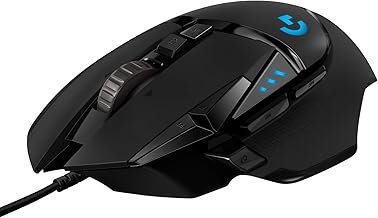
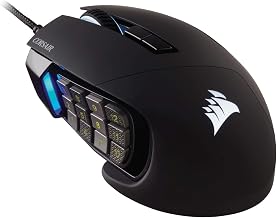
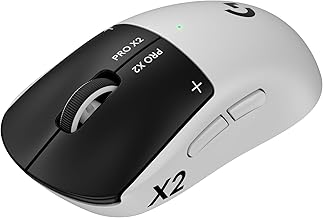
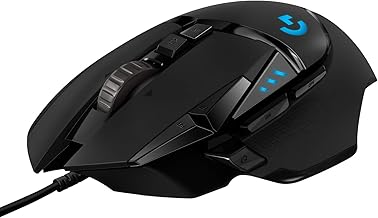
The best gaming mouse in the lowest budget tier is the Redragon M601, a wired six-button mouse that regularly sells close to the cheapest price band and offers adjustable DPI and a durable cable. If you can stretch the budget slightly, the Logitech G203 is the better mouse overall, and the Logitech G305 is the budget wireless choice. Treat the cheapest tier as a place for a solid first gaming mouse, not a source of high-end sensors or very light weights.
Our top picks
 Redragon M908 Wired MMO RGB Gaming Mouse
- Professional Gaming Mouse - Redragon M908 optical gaming…
- RGB Backlight & Programmable Buttons - 16.8 million…
- Comfort & Precision At Your Hands - Redragon…
 Redragon M612 Wired RGB Optical Gaming Mouse
- Pentakill, 5 DPI Levels - Geared with 5…
- Any Button is Reassignable - 11 programmable buttons…
- Comfort Grip with Details - The skin-friendly frosted…
![Redragon M602 Gaming Mouse, Ergonomic RGB Gaming Mouse Wired with 7200 Adjustable DPI, 9 Programmable Buttons, Professional Software for Gamer Office [Black]](https://m.media-amazon.com/images/I/4189L2UBl9L._SL500_.jpg) Redragon M602 Gaming Mouse
Redragon M602 Gaming Mouse- 【Classics Last Longer】Redragon Gaming Mouse - M602 was…
- 【Fast & Sensitive】UP 7200 Adjustable DPI can be…
- 【Real Comfort Ergonomic】This mouse is designed with an…
| Product | Key specs | |
|---|---|---|
| Redragon M908 Wired MMO RGB Gaming Mouse | Professional Gaming Mouse - Redragon M908 optical gaming… RGB Backlight & Programmable Buttons - 16.8 million… Comfort & Precision At Your Hands - Redragon… | Check price |
| Redragon M612 Wired RGB Optical Gaming Mouse | Pentakill, 5 DPI Levels - Geared with 5… Any Button is Reassignable - 11 programmable buttons… Comfort Grip with Details - The skin-friendly frosted… | Check price |
| Redragon M602 Gaming Mouse | 【Classics Last Longer】Redragon Gaming Mouse - M602 was… 【Fast & Sensitive】UP 7200 Adjustable DPI can be… 【Real Comfort Ergonomic】This mouse is designed with an… | Check price |
 Redragon Gaming Mouse Redragon Gaming Mouse | Check price |
As an Amazon Associate we earn from qualifying purchases at no extra cost to you.
Quick comparison of budget gaming mice
| Mouse | Best for | Key specs (per manufacturer) | Connection | Price tier |
|---|---|---|---|---|
| Redragon M601 | Cheapest solid gaming mouse | Up to 3200 DPI, 6 buttons, RGB | Wired USB | Budget floor |
| Redragon M612 Predator | Many programmable buttons | Up to 8000 DPI, 11 programmable buttons | Wired USB | Budget |
| Havit HV-MS735 | Balanced entry mouse | Adjustable DPI, RGB, claw/palm shape | Wired USB | Budget floor |
| Logitech G203 Lightsync | Best overall at this tier | 8000 DPI sensor, 1000Hz polling, 6 buttons, RGB | Wired USB | Budget to mid |
| Logitech G305 Lightspeed | Budget wireless | Hero sensor, up to 12000 DPI, AA battery | 2.4GHz wireless | Mid-range |
Prices at this level move with sales, and models above the bottom tier often drop into it during promotions. Always compare the current listing price against the performance you need. Specs come from the manufacturers’ product pages.
Best at the lowest price: Redragon M601
The M601 is the benchmark for ultra-cheap gaming mice. It has six buttons, DPI steps up to 3200, a weight-tuned body and a braided cable that holds up well. The shape suits palm and claw grips, and the sensor is fine for most games at 800 to 1600 DPI. The compromises are a modest sensor ceiling, an RGB-heavy design and software that is less polished than Logitech’s. For a first mouse or a backup, it is hard to beat.
Best for MMOs and macros: Redragon M612 Predator
The M612 Predator packs 11 programmable buttons and an 8000 DPI sensor into a body that suits MMO and MOBA players who bind abilities to side buttons. It runs a little above the cheapest tier. The trade-off is weight and button placement: more buttons make the mouse larger, so check the dimensions against your hand size.
Best simple shape: Havit HV-MS735
Havit offers a balanced design aimed at both palm and claw grips, with adjustable DPI and RGB. It is a decent alternative when the Redragon is out of stock. Build quality and driver support are less consistent, so read recent buyer feedback on your specific unit before purchase.
Best overall: Logitech G203 Lightsync
The G203 is the most consistently recommended budget gaming mouse in 2026 roundups, and RTINGS has named it a top cheap pick. It has an 8000 DPI optical sensor, 1000Hz polling, six programmable buttons and RGB, with Logitech G Hub software for profiles. It is usually priced above the very cheapest mice, but it is often discounted into the budget tier. Its limits are a plastic build and a standard weight that is heavier than ultralight models.
Best budget wireless: Logitech G305
The G305 uses Logitech’s Lightspeed 2.4GHz wireless with the Hero sensor, and one AA battery is rated for months of use in typical conditions. It costs more than the wired choices, but it avoids cable drag and works well for competitive play on a budget. A wired mouse is still the lowest-latency route if the price is your priority.
Worked example: how DPI and sensitivity combine
Raw DPI numbers on box art are less important than effective sensitivity. Multiply DPI by in-game sensitivity to get a comparable value, then work out how many centimetres of mouse movement turn you 360 degrees.
| DPI | In-game sensitivity | eDPI (DPI x sens) | Approx. cm per 360 turn* |
|---|---|---|---|
| 800 | 1.0 | 800 | about 52 cm |
| 800 | 1.5 | 1200 | about 35 cm |
| 1600 | 0.75 | 1200 | about 35 cm |
| 3200 | 0.375 | 1200 | about 35 cm |
*Estimate using the Source-engine style conversion of 0.022 degrees of turn per count at sensitivity 1.0 (cm per 360 = 41,564 divided by eDPI); the exact result changes by game. The point is that 800 DPI at 1.5 and 3200 DPI at 0.375 feel the same. A budget mouse with a 3200 DPI limit loses nothing against an 8000 DPI mouse if you play at 800 to 1600, which is where most players are comfortable.
How to choose a budget gaming mouse
- Grip: palm grippers want a longer, taller body; claw and fingertip grippers prefer shorter, lighter mice. Measure your hand from wrist crease to middle fingertip.
- Weight: budget mice typically weigh 85 to 130 grams. Heavier is fine for slow, stable aim, but tiring in long fast sessions.
- Sensor: look for a named optical sensor and a polling rate of at least 1000Hz. Unnamed sensors can suffer from acceleration.
- Buttons: six buttons are enough for FPS; MMO players should look at 8 to 12.
- Cable: a braided or soft cable reduces drag. Use a mouse bungee if it snags.
- Software: some brands store profiles on the mouse, which helps on shared or tournament PCs.
Avoid these cheap-mouse traps
Be wary of listings that advertise huge DPI numbers, such as 12000 or 20000, on a very low-cost mouse with no sensor name. Marketing DPI is rarely usable and may be interpolated. Also avoid unbranded mice whose cables fray quickly, and remember that wireless models at the cheapest price often have noticeable latency or battery problems.
Frequently Asked Questions
What is the best gaming mouse at the lowest price?
The Redragon M601 is the most common recommendation. It has adjustable DPI, six buttons and a sturdy cable, which makes it a reliable first gaming mouse.
Is the Logitech G203 worth paying extra for?
Yes for most players. Its sensor, software and build are better than ultra-cheap rivals, and it is frequently discounted close to the budget tier.
How much DPI do I need for gaming?
800 to 1600 DPI covers most players. Higher numbers are only useful for very high resolution screens or if you prefer to lower in-game sensitivity.
Are cheap wireless gaming mice good?
Some are, but the lowest-cost wireless mice often add latency or short battery life. The Logitech G305 is one of the few budget wireless options that performs well.
Does a gaming mouse improve aim?
A comfortable mouse with a clean sensor makes aim more consistent, but practice matters far more. Fit and grip matter more than extra DPI or RGB.
What size mouse should I buy?
Match the mouse length to your hand size. Medium hands often do well with mice around 115 to 125 mm long, while larger hands may prefer 125 mm and above.