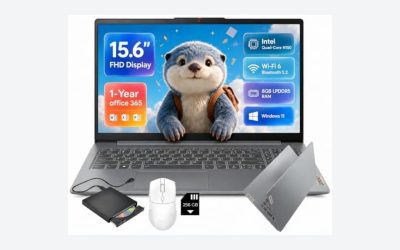
Key takeaways
- Ten Ryzen laptops with 16GB RAM and 512GB SSD compared from their listing titles, plus a title-phrase decoder to spot real laptop value for the money.
The best laptop value for the money is usually a 16GB RAM, 512GB SSD, Full HD machine with a modern Ryzen 5 or Core i5-class chip and a clear return policy, not the one with the longest feature list. All ten listings below sit in that band, so the choice comes down to details: screen size, who is selling it, and how honest the title is. Pick a 15.6-inch model if the laptop travels, a 17-inch HP if it mostly stays on a desk, and read comparison claims in titles as sales copy.
Quick picks
Our top picks


As an Amazon Associate we earn from qualifying purchases at no extra cost to you.
- Lenovo V15 (5500U) – best for wired office ports
- Acer Aspire 3 – best for touch plus DDR5
- Lenovo V15 (7520U) – best for a newer Ryzen at work
- HP 17 business – best for a large screen
- HP 17 bundle – best for extra backup space
- HP 17-cp2199nr – best for a lookup-friendly model
- HP ProBook 4 G1a – best for business security
- Dell DC15255 – best for a 120Hz panel
- MALLRACE – best for the curious about lesser brands
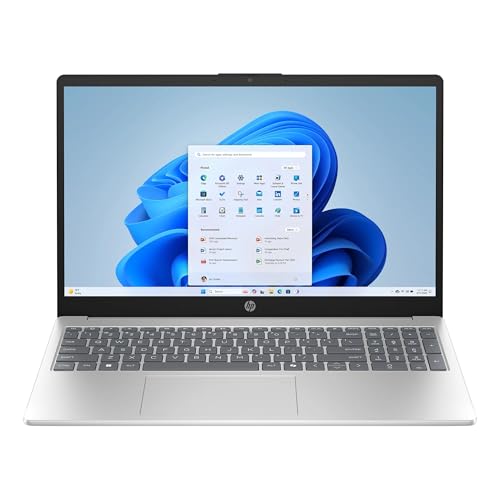
- HP 15-fc0057wm – best for the strongest chip here
Comparison table
| Model | Type | Key specs as stated in the title | Best for |
|---|---|---|---|
| Lenovo V15 (5500U) | 15.6-inch business laptop | Ryzen 5 5500U, 16GB, 512GB SSD, FHD, RJ45, Windows 11 Pro | Wired office desks |
| Acer Aspire 3 | 15.6-inch touchscreen | Ryzen 5 (check model), 16GB DDR5, 512GB SSD, FHD, touch | Touch and everyday use |
| Lenovo V15 (7520U) | 15.6-inch business laptop | Ryzen 5 7520U, 16GB DDR5, 512GB SSD, FHD, Windows 11 Pro | Students and offices |
| HP 17 business | 17.3-inch laptop | Ryzen 5 (check model), 16GB, 512GB SSD, FHD | Desk-bound work |
| HP 17 bundle | 17.3-inch laptop | Ryzen 5, 16GB, 512GB SSD plus 500GB external | Spare backup space |
| HP 17-cp2199nr | 17.3-inch laptop | Ryzen 5 7520U, 16GB, 512GB SSD, HD+ display | Simple home use |
| HP ProBook 4 G1a | 16-inch business laptop | Ryzen 5 230, 16GB DDR5, 512GB SSD, FHD+, Windows 11 Pro | Managed or secure work |
| Dell 15.6 DC15255 | 15.6-inch laptop | Ryzen 5 7520U, LPDDR5 (check size), 512GB SSD, FHD 120Hz | Smooth scrolling on a budget |
| MALLRACE | Thin laptop sold as gaming | Ryzen 5 7430U, 16GB, 512GB SSD, Radeon Graphics | Light study and office |
| HP 15-fc0057wm | 15.6-inch touchscreen | Ryzen 7 7730U, 16GB DDR4, 512GB SSD, FHD touch | Heavier multitasking |
Lenovo V15 with Ryzen 5 5500U
This listing pairs a six-core Ryzen 5 5500U with 16GB RAM and a 512GB SSD behind a 15.6-inch Full HD screen. The title also names HDMI, an RJ45 Ethernet port, a numeric keypad and Windows 11 Pro, a more office-minded set of connections than many thin consumer laptops advertise. The phrase “Beat Intel i7-1065G7” is the seller’s wording, not a measured result, so set it aside. The 5500U has a lower series number than the 7520U found in other listings here, which suggests an older generation; check the listing before assuming the RAM can be upgraded later. If you plan to keep it for years, settle that question first, because 16GB today may feel small near the end of its life, and a model with a free memory slot ages better than one with soldered chips.
- Pros: Ethernet and HDMI named in the title; Windows 11 Pro; 16GB and 512GB at the core.
- Cons: likely an earlier processor generation than its neighbors; battery size, weight and panel type are not stated.
Who it’s for: someone who wants a plain, dependable work laptop with wired networking and a keypad. Who should skip it: buyers who want the newest Ryzen generation or a touchscreen.
Acer Aspire 3 Touchscreen with Ryzen 5
Here the title promises a 15.6-inch touchscreen, a Full HD display, 16GB of DDR5 RAM, a 512GB SSD and Wi-Fi 6, running Windows 11 with Office 365 for the web, which is the browser version rather than the installed suite. It does not name the exact Ryzen 5 model, and “2026 Edition” is a marketing label rather than a specification, so the processor line is the first thing to confirm. Two Ryzen 5 chips can sit several generations apart, and that gap affects efficiency and speed more than the badge suggests. DDR5 is a good sign for memory bandwidth, though whether the module is soldered or removable is not mentioned.
- Pros: touch input; DDR5 memory named; Wi-Fi 6 listed.
- Cons: processor model missing; Windows edition is not clearly Pro; Office is the web version only.
Who it’s for: a shared household laptop that benefits from touch, for kids’ schoolwork or recipe browsing. Who should skip it: anyone who needs a known processor model before paying.
Lenovo V15 with Ryzen 5 7520U (Third-Party Seller)
This V15 listing names a Ryzen 5 7520U, 16GB of DDR5 RAM, a 512GB SSD, a 15.6-inch Full HD panel, a webcam with shutter, a numeric keypad and Windows 11 Pro with Copilot. The brand field shows a reseller rather than Lenovo, and the title borrows comparison phrases such as “Beat IdeaPad” and an Intel i5-1235U reference, which are sales claims. Resellers sometimes upgrade memory or storage themselves, so read the listing for who provides the warranty and what the return window is. A brand-direct listing with a matching spec sheet is the best reference for judging whether the reseller’s changes are real improvements or just a different SKU.
- Pros: newer-series Ryzen than the 5500U listing; DDR5; physical webcam shutter.
- Cons: third-party configuration; comparison claims cloud the title; support path is unclear.
Who it’s for: students and small offices that want a 7000-series chip in a business chassis and are comfortable reading reseller terms. Who should skip it: anyone who insists on manufacturer-direct warranty.
HP 17-Inch Business Laptop with Ryzen 5
This one trades portability for space: a 17.3-inch Full HD display, a numeric keypad, 16GB RAM and a 512GB SSD, with Windows 11 and Office 365 for the web. The title calls the CPU “Latest AMD Ryzen 5” without a model number, and “Long Battery Life” is a claim with no figure behind it. A larger chassis can leave room for a bigger battery, but the title gives no capacity, so that is an assumption to check, not a fact. If the model number is absent from the product page, treat the whole listing with caution until the specification table fills that gap. Cheaper large-screen laptops do exist, yet few add 16GB and an SSD at this tier.
- Pros: large Full HD canvas; numeric keypad; 16GB and 512GB stated.
- Cons: processor model unnamed; bulky to carry; battery claim unquantified.
Who it’s for: desk workers who live in spreadsheets and rarely carry the machine anywhere. Who should skip it: commuters who carry a bag all day.
HP 17-Inch Ryzen 5 Bundle with External Drive
Read the storage line carefully: “1TB Storage” is made of a 512GB SSD plus a 500GB external drive, so the laptop itself still has 512GB inside. The listing also advertises lifetime Office, Copilot AI, Wi-Fi 6 and Windows 11 Pro, and a seller add-on name. “Lifetime Office” can mean a license key sold by a third party rather than a Microsoft subscription, so confirm exactly what is included and who supports it. The core laptop looks similar to the other HP 17-inch listing; the bundle is what you pay for. Ask whether the same money would be better spent on a separate backup drive from a brand you know, which would also work with any computer you buy later.
- Pros: extra 500GB for backups; Windows 11 Pro; Wi-Fi 6.
- Cons: headline storage mixes internal and external; Office terms need verifying; accessory brand unknown.
Who it’s for: buyers who want a backup drive in the same box and will verify the drive is actually shipped. Who should skip it: people who would rather buy a trusted backup drive separately.
HP 17.3-Inch 17-cp2199nr
Naming the exact model, 17-cp2199nr, is a plus because you can look up the manufacturer’s specification sheet. The title states a Ryzen 5 7520U, 16GB RAM, a 512GB SSD, AMD Radeon Graphics and Windows 11 Home. The display is listed as HD+, which is a lower resolution than the Full HD panels on most rivals here, and on a 17.3-inch screen that can look soft. Whether the RAM is upgradable is not stated, and Home edition lacks the business tools of Pro. For browsing, streaming and homework none of that matters, but the resolution is worth a look in the listing images before you commit.
- Pros: identifiable model number; 7520U processor; 16GB and 512GB stated.
- Cons: HD+ resolution on a large panel; Home edition; no keypad or port details in the title.
Who it’s for: a casual home user who values a traceable model number and a simple setup. Who should skip it: anyone who reads small text or edits photos on screen.
HP ProBook 4 G1a with Ryzen 5 230
This is the business-class entry: a 16-inch FHD+ screen, Ryzen 5 230, 16GB DDR5, a 512GB SSD, a 1080p webcam, Wolf Security branding and Windows 11 Pro. The title is cluttered with comparisons, including “ProBook 450/460” and an Intel Ultra 7 155U reference, which mix other models into one listing; those names describe other machines, not this one. Seller is a reseller, so confirm the warranty source. The 16-inch panel sits between 15.6 and 17 inches in footprint. At this tier, security and manageability are the reasons to pay more, not raw speed.
- Pros: business feature set; DDR5; 1080p webcam; Windows 11 Pro.
- Cons: confusing mixed model names; reseller listing; highest price tier in this group.
Who it’s for: work laptops that need security features, a sharper webcam and a slightly larger screen than 15.6 inches. Who should skip it: value hunters who don’t need business extras, and anyone who dislikes cluttered, multi-model titles.
Dell 15.6 DC15255 with Ryzen 5 7520U
Dell’s listing leads with something rivals skip: a 15.6-inch Full HD IPS display at 120Hz, which tends to make scrolling and cursor movement feel smoother. It also names a Ryzen 5 7520U with Radeon 610M graphics, LPDDR5 memory, a 512GB SSD, Wi-Fi 5 and Windows 11 Home. The title never gives the RAM amount, so confirm it before buying. LPDDR5 is generally soldered to the board, meaning no later upgrade; Wi-Fi 5 is also a generation behind some competitors. If your router is recent and you move large files, that may matter; for streaming and email it will not, and the smoother screen is the more visible daily benefit.
- Pros: 120Hz IPS panel; 7520U chip; low-power LPDDR5 memory.
- Cons: RAM size missing; Wi-Fi 5 only; Home edition.
Who it’s for: students who want a nicer screen for reading and scrolling on a tight budget. Who should skip it: anyone who needs a stated 16GB.
MALLRACE Light and Thin Laptop (Listed as Gaming)
Despite its “Gaming Laptop” label, the title shows a Ryzen 5 7430U with 16GB RAM, a 512GB SSD and “Radeon Graphics”, with no separate graphics card named. The remaining wording, student laptop, business computer, light and thin, metal shell, webcam, Type-C and USB 3.2, describes an everyday machine. It says only “Win”, so the Windows edition is unclear. MALLRACE is a lesser-known brand, so check the warranty terms and how to reach support. Few buyer comments are not a red flag by themselves, but they do mean fewer people have reported on long-term reliability.
- Pros: 16GB and 512GB stated; metal shell; Type-C and USB 3.2.
- Cons: gaming label unsupported by a named GPU; Windows edition unclear; limited brand track record.
Who it’s for: shoppers comfortable with a lesser-known label who want a light, metal-bodied everyday machine. Who should skip it: anyone expecting real gaming performance.
HP 15.6 Touch with Ryzen 7 7730U
The only Ryzen 7 here, a 7730U, comes with 16GB DDR4, a 512GB SSD, a 15.6-inch Full HD IPS touchscreen, a webcam, Windows 11 Home and a Copilot AI key, under the model name 15-fc0057wm. Ryzen 7 normally means more cores or higher sustained speed than a Ryzen 5, which should help with many browser tabs or larger spreadsheets. DDR4 is older than the DDR5 in some other listings, which matters less than total capacity. It is the strongest processor on paper at a moderate price tier. The same chip class appears in business laptops elsewhere, so this is a way to get it with touch and a consumer feature set.
- Pros: Ryzen 7 class; touch IPS panel; model number named.
- Cons: DDR4 memory; Home edition; battery and weight not stated.
Who it’s for: heavier multitaskers who keep many tabs, documents and calls open together. Who should skip it: buyers who want Windows 11 Pro.
How we picked these
We started from ten laptop listings that share a similar tier: 15.6 to 17.3-inch screens, Ryzen processors, 16GB of memory and 512GB of storage where stated. We read each title for stated specifications and flagged anything that was missing, mixed or phrased as a comparison. Descriptions rely on published specifications, manufacturer documentation and buyer reviews in general. Nobody on the team used or measured these units. Spec claims in titles are seller claims, so confirm them on the product page before ordering. Where a title omitted something, we wrote “check the listing” rather than filling the gap.
Decoding the title: what each phrase really tells you
Value comes from separating facts from copy. This decoder covers phrases that appear in the listings above.
| Phrase in a title | What it actually tells you | What to check |
|---|---|---|
| “Beat Intel i7” or “Beat IdeaPad” | Seller comparison, no measurement | The exact processor model |
| “Latest AMD Ryzen 5” | No model number given | Full CPU name in the specification table |
| “1TB (512GB SSD + 500GB Ext)” | Internal drive is only 512GB | Whether the external drive is included in the box |
| “Lifetime Office” | Unclear license source | Who issues the key and the support terms |
| “Office 365 for Web” | Browser version only | Whether desktop apps are included |
| “2026 Edition” | Marketing label | Model number and launch generation |
What to look for in a value laptop
RAM and storage first
For a laptop expected to last four or five years, 16GB RAM is a safer target than 8GB because browsers, video calls and office suites all grow over time. A 512GB SSD gives breathing room for Windows updates and local files. Prefer listings that state both numbers plainly, give extra weight to capacity over memory generation, and check whether memory is soldered, since soldered RAM cannot be expanded later. Where a title says LPDDR5, assume it is soldered unless the listing says otherwise.
Reading the processor name
Ryzen names follow a pattern: the first digit after the letters often points to a generation, and the final letter suffix points to power class. U-series chips such as the 5500U, 7520U, 7430U and 7730U are low-power parts aimed at laptops. Ryzen 5 versus Ryzen 7 mostly changes core count and speed, not whether the machine feels responsive in daily use. If a title leaves out the model number, ask why, and look it up on the manufacturer’s site instead of accepting a phrase such as latest or next-gen. Core counts and boost behavior differ between lines, so the model name is the only reliable way to compare one listing with another.
Display: size, resolution and refresh rate
Full HD (1920 x 1080) is the practical floor for a 15.6-inch panel; HD+ stretches fewer pixels across the same area and looks coarser on a 17-inch screen. IPS panels generally keep colors and brightness consistent at angles. A 120Hz refresh rate adds smoothness but is a comfort feature, not a necessity. Touchscreens add convenience at the cost of a slightly glossier surface. For long days of reading, a matte non-touch panel is often easier on the eyes, so weigh touch against how you actually work.
Seller, warranty and Windows edition
Three listings come from resellers or third-party brands. Before buying one, find out who answers warranty claims and whether returns are free. For Windows, 11 Pro suits managed networks and BitLocker management; Home covers personal use. Windows 11 requires modern hardware, so every listing here should meet it, but a laptop sold without a stated edition deserves a question. Also ask about ports you rely on, such as HDMI for a second monitor or USB-C for charging, because titles often list only some of them.
A five-question value check for any listing
- Is the exact processor model named?
- Are RAM and SSD both stated as numbers?
- Is the display at least Full HD?
- Is the seller the maker, or a reseller with a stated warranty?
- Does the title mix in other model names?
Four or five yes answers means a title you can trust; two or fewer means look elsewhere. Score the ten listings above this way and you will see why the named-model listings feel safer.
Mistakes buyers make
Trusting speed comparisons in the title. A phrase like “Beat Intel i7” is not a result, and it often points at an older chip. Counting external storage as internal. A bundled drive is useful but is not the same as a larger SSD. Ignoring the seller. A reseller listing may have a different warranty from the brand, so read it. Buying a gaming label. Without a named graphics card, a “gaming” laptop is an office laptop. Paying for an unneeded edition. Windows Pro matters on work networks; at home, Home is usually enough. Skipping the return policy. A cheap laptop with a short return window is a poor deal if a defect appears in week three. Chasing one number. A big processor badge with 8GB of memory or a coarse screen often feels worse than a balanced Ryzen 5 build.
Verdict
For the best overall balance, the HP 15.6 touch with Ryzen 7 7730U stands out on paper, with the strongest processor class in the group, as long as Windows 11 Home suits you. For the lowest-risk office pick, the Lenovo V15 listings and the HP ProBook offer Windows 11 Pro. The Dell DC15255 is the budget choice if you confirm its RAM amount. Whichever you choose, read the specification table and the seller’s return terms before ordering, because that is where the real differences show up.
Related guides
- Motherboard Io Panel And Back Connectors Explained
- Motherboards For Intel Core I7 14700K
- Budget Laptop For Working From Home
Frequently asked questions
How much RAM and storage does a value laptop need?
For everyday work, 16GB of RAM and a 512GB SSD is the practical sweet spot, and nine of the ten listings here meet it on paper. 8GB feels tight once a browser, a video call and a spreadsheet run together. Storage matters less if you keep files in the cloud, but a 256GB drive fills quickly after Windows updates and a few large programs.
Is a Ryzen 5 laptop good enough for most people?
Yes, for office work, study, streaming and light photo editing. A Ryzen 5 or Core i5 class chip handles those jobs comfortably. Differences between Ryzen generations show up mainly in efficiency and sustained speed, so check the exact model number in the listing instead of trusting words like latest or next-gen.
Is a 17-inch laptop a good value choice?
A 17-inch screen gives more room for spreadsheets and side-by-side windows, and listings with a large panel often cost about the same as 15.6-inch models. The trade-off is size and weight, which the titles here do not state. If the laptop travels daily, a 15.6-inch model is the easier carry.
What is wrong with comparisons like Beat Intel i7 in a title?
They are the seller’s marketing claim, not a measured result, and they often compare against an older chip. Ignore them and judge the listing by the stated processor, RAM, storage and display. If a comparison is the only thing a title says about speed, treat that as a reason to look up the exact processor name.
Is Windows 11 Pro worth looking for?
Pro adds business features such as BitLocker drive encryption management and domain join, which matter for work laptops and shared office networks. For home use, Windows 11 Home covers nearly everything. Four listings here say Pro; the others say Home or only Windows 11, so confirm the edition on the listing if it matters to you.