Key takeaways
- Xbox Elite Series 2 vs standard controller: paddles, trigger locks, battery and profiles compared so you can decide if the upgrade is worth it.
The Xbox Elite Series 2 is worth buying if you play a lot of competitive shooters or racers and want back paddles, shorter trigger travel and a rechargeable battery; for everyone else the standard Xbox Wireless Controller does the job. The Core version gives you most of the Elite’s feel without the extra parts, so it is the smarter entry point for many players. This guide sorts out what the Elite adds, what it leaves out (including the Share button), what the Core box does not contain, and which listing fits which kind of player.
Quick Verdict
| Your situation | Our verdict |
|---|---|
| Casual play, mostly single-player | Standard controller. The Elite’s extras will not change how you play. |
| Competitive shooter fan who wants back-button inputs | Full Elite Series 2 (the version with paddles). The Core has none unless you buy the component pack. |
| You want better triggers and sticks but not the full kit | Elite Series 2 Core: adjustable-tension sticks, shorter trigger locks, three on-board profiles. |
| You hate buying AA batteries | Either Elite. The standard pad uses AAs; the Elite has an internal rechargeable battery. |
| You record clips with the Share button | Standard controller. The Elite swaps that button for a Profile button. |
| Buying a replacement for an Elite that failed | Consider a renewed unit only with a clear return window; some owners report wear on older Elite pads. |
What You Actually Get With an Elite
Sticks, triggers and D-pad
Microsoft describes the Elite Series 2 as having adjustable-tension thumbsticks, a wrap-around rubberized grip and shorter hair trigger locks. The tension is changed with a small adjustment tool that comes with the controller, and reviewers describe several tension levels per stick. Each trigger has a three-stage lock, commonly listed as full, mid and hair-trigger. The shortest setting registers a press after very little travel, which suits rapid-fire shooters.
The standard Xbox Wireless Controller has textured grips on the triggers, bumpers and back case and a hybrid D-pad, but its sticks and triggers are fixed.
Paddles and swappable parts: the Core difference
The name “Elite Series 2” covers two products. The full version includes four removable metal paddles, interchangeable thumbsticks and D-pads, a charging dock and a carrying case. The Core model keeps the controller features listed above and omits those parts: reviews describe it as lacking paddles, spare thumbsticks and the dock out of the box. Microsoft sells those items as the Complete Component Pack, which contains four paddles (two medium, two mini), four thumbsticks, a D-pad, a case, a charging dock and a USB-C cable. If back paddles are the reason you are upgrading, factor in the pack or choose the full version.
Battery and charging
Here is a comparison people get wrong. Microsoft’s page for the standard controller rates it for up to 40 hours of battery life on AA batteries, and the Elite Series 2 is also rated for up to 40 hours, using an internal rechargeable battery that charges over USB-C. The headline figure is the same; what changes is whether you buy batteries or plug in. Both figures vary with usage. If you already own rechargeable AAs or a play-and-charge kit, the Elite’s battery is a convenience upgrade, not a runtime upgrade.
Profiles and button mapping
The Elite stores up to three custom profiles on the controller plus a default, and a profile button switches between them mid-session. Remapping is done in the Xbox Accessories app. Microsoft’s page for the standard controller also lists button mapping through the Accessories app, but it does not advertise multiple on-controller profiles or a profile button. Reports on the Elite say you can assign Share functions such as screenshots and recording to other buttons, though the Profile button itself cannot be remapped to Share.
Platforms
The standard controller works with Xbox Series X|S, Xbox One, Windows 10 and 11, Android and iOS. The Elite connects to Xbox consoles with Xbox Wireless or the USB-C cable, and to Windows PCs, tablets and phones over Bluetooth. The Xbox Accessories app that handles remapping runs on Xbox and Windows, so some customization is less convenient on Android and iOS.
Comparison table
| Feature | Standard controller | Elite Series 2 Core | Elite Series 2 (full) |
|---|---|---|---|
| Power | AA batteries | Internal rechargeable | Internal rechargeable |
| Rated battery | Up to 40 hours | Up to 40 hours | Up to 40 hours |
| Adjustable-tension sticks | No | Yes | Yes |
| Hair trigger locks | No | Yes | Yes |
| Back paddles | No | Not included | Four included |
| On-controller profiles | No | Three plus default | Three plus default |
| Share button | Yes | No (Profile button) | No (Profile button) |
Verified against Microsoft and Xbox product pages and retailer listing text; battery figures vary with use.
How to Decide
Work through these four questions in order.
- Do you need paddles? If yes, you need the full Elite or a Core plus the component pack. If no, a Core covers you.
- Do you change games often? Three saved profiles pay off if you jump between a shooter, a racer and a platformer. If you play one game, a single mapping on the standard controller may be enough.
- Do you use the Share button? If clip capture is part of your routine, the Elite adds a mapping step because it has no dedicated Share button.
- Is battery handling a pain? If you swap AAs every few weeks, an internal rechargeable battery removes that chore.
A rough rule of thumb: if you answer yes to the first question, the Elite is justified. If you answer yes only to the last, the Core or even a standard pad plus a rechargeable battery kit is probably enough. Also remember the Core’s catch: paddles, spare sticks and a dock are separate purchases, so compare the total of Core plus pack against the full Elite rather than the headline difference alone.
One more factor is longevity. Reviewers note the Elite Series 2 lacks Hall effect (magnetic) sticks, which are the type that resist drift, and some customer reports mention bumper failures after a year or two. Those are individual reports, not a guaranteed failure rate, but they argue for keeping your receipt and choosing a seller with a clear return window, especially for renewed units.
It also helps to be honest about where the standard controller wins. It has the dedicated Share button, it comes in eight standard colors, and replacing one is far less painful if a younger player or a pet damages it. For a household pad that gets passed around, those points matter more than hair triggers. A common sensible setup is one Elite Series 2 for your own competitive games and a standard controller or two for guests.
Products That Fit
Elite Series 2 Core White – for players who want sticks and triggers first
As an Amazon Associate we earn from qualifying purchases at no extra cost to you.

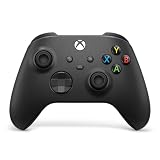
The new Core fits the row in the verdict table for players who want better triggers and sticks without paying for a case and spare parts. The listing highlights adjustable thumbsticks, trigger locks, button mapping through the Xbox Accessories app, on-controller profiles and a 40-hour battery. It is the safest option on this page for buyers who want a new unit with a manufacturer warranty.
- Adjustable-tension thumbsticks and shorter hair trigger locks
- Save up to three custom profiles on the controller
- Up to 40 hours of battery life per the listing
- For Xbox console, PC and Android; paddles not included
Caveat: no paddles, spare sticks or charging dock in the box, and no Share button.
Elite Series 2 Core White (Renewed) – for a budget-minded Core
This renewed Core suits a buyer who likes the Core’s feature set and is comfortable with a pre-owned controller to save money. It carries the same controller features as the new Core, so the choice comes down to risk tolerance. Because stick wear and bumper reliability are the known pain points on Elite pads, inspect it carefully on arrival.
- Elite Series 2 Core, white, renewed
- Same adjustable sticks, trigger locks and profile support as the new Core
- Included accessories and warranty depend on the seller; confirm on listing
- Works with Xbox, Windows and Bluetooth devices
Caveat: condition varies, and a renewed unit may have a shorter or different warranty than a new one.
Elite Series 2 Black (Renewed) – for the full-kit player

If paddles matter to you, this is the listing closest to the full Elite Series 2 described above, where the standard configuration includes four paddles, swappable sticks and D-pads, a dock and a case. The listing title only says “Elite Series 2 Controller – Black (Renewed)”, so you must confirm which accessories are actually in the box.
- Black Elite Series 2, renewed
- Full-version design includes four paddles, spare parts, dock and case when complete
- Contents of this renewed unit: confirm on listing
- Rechargeable internal battery rated up to 40 hours
Caveat: renewed bundles are sometimes missing parts, and a missing dock or case defeats part of the reason to buy the full version.
Elite Series 2 Core Red (Renewed) – for a colour-matched backup

A red renewed Core suits someone who wants the Core’s features in a distinct colour, perhaps to tell a second controller apart in a shared household. Functionally it matches the white Core: tension-adjustable sticks, trigger locks and profiles. It also shares the same limits, so it is a good secondary pad rather than a replacement for a paddle-equipped Elite.
- Elite Series 2 Core, red, renewed
- Adjustable-tension thumbsticks and hair trigger locks
- Three on-controller profiles plus default via the Accessories app
- Seller condition grade and warranty: confirm on listing
Caveat: no paddles by default, and colour options change with stock, so check the exact variant shown.
Common Mistakes
- Assuming the Core includes paddles. It does not; they come in the separate component pack or the full Elite.
- Believing the Elite lasts longer than the standard controller because it is “pro”. Both are rated for up to 40 hours; the Elite is simply rechargeable.
- Forgetting that the Elite has no Share button, then missing quick clip capture.
- Buying a renewed controller without checking the return policy or what accessories are included.
- Paying for the Elite when only a trigger tweak was needed. Remapping on a standard pad through the Accessories app may already cover the need.
- Expecting full customization on a phone. The Accessories app runs on Xbox and Windows.
Questions
Does the Elite Series 2 work on PC?
Yes. It connects to Windows PCs over Bluetooth or the USB-C cable, and the Xbox Accessories app on Windows handles remapping and profiles. The standard Xbox Wireless Controller also works on PC and mobile.
Is the Elite Core a good value?
It depends on whether you need paddles. The Core offers the adjustable sticks, trigger locks and profiles, which many players value most. Add paddles and a dock through the component pack, though, and the gap to the full version narrows.
Can I use the standard controller with rechargeable batteries?
Yes, because it uses AA batteries, so rechargeable AAs or a play-and-charge kit are options. That narrows the convenience gap with the Elite’s internal battery, though the Elite is still simpler to charge over USB-C.
Do Elite controllers drift?
Reviewers note the Elite Series 2 uses conventional analog sticks rather than Hall effect sensors, so drift is possible over time. Spare thumbsticks help with grip and feel but do not replace the sensor underneath.
Does the Elite Series 2 work on older Xbox One consoles?
The Elite Series 2 was introduced in the Xbox One era and is listed for Xbox consoles generally, but Microsoft’s current product pages emphasize Xbox Series X|S and Windows. If you own an Xbox One, confirm console support on the exact listing before you buy.
Update History
- October 14, 2026 – Initial publication.
- Check the product page for current specifications and availability before buying.
Sources
- Microsoft Xbox product pages: Xbox Elite Wireless Controller Series 2 and Series 2 Core
- Xbox Wire announcement of the Elite Series 2 Core and Complete Component Pack
- Xbox product page for the Xbox Wireless Controller (battery, connectivity, features)
- Retailer listing fields for each controller
- Published reviews of the Elite Series 2 Core (Hall effect and Share button notes)