Key takeaways
- The Input Archetype (Pad, Stick, or Leverless): Traditional gamepads (like the classic, budget-friendly Logitech G F310 or the VILCORN Wireless Fighting Game Controller) offer familiarity and portability. Arcade fight sticks use a physical lever with microswitches, offering a tactile arcade feel. Leverless controllers (such as the Haute42 Leverless Arcade Stick or the SJ@JX All-Button Arcade Controller) replace the joystick entirely with directional buttons, allowing for near-instantaneous directional changes.
- The Connection Architecture: Wired connections are the gold standard for latency. If you choose wireless, you must opt for a proprietary 2.4GHz USB dongle. Standard Bluetooth connections are highly susceptible to local radio frequency interference and should be avoided for competitive play.
- Your Primary Platform: If you play exclusively on PC or Nintendo Switch, your controller options are vast and affordable. However, if you compete on PlayStation 5 or Xbox Series X, you will need a controller with a specialized licensed chip, or a controller that supports a USB passthrough port for a specialty authentication dongle to bypass console security without adding latency.
In competitive fighting games, victory is measured in frames. When a single frame at 60 frames per second lasts exactly 16.67 milliseconds, a delay of just half a frame can be the difference between executing a perfect frame-one counter or eating a full-damage combo. When researching how to choose a controller with low latency for fighting games, many players make the critical mistake of focusing solely on raw, advertised response times while ignoring the physical mechanics, build materials, and connection architectures that actually determine real-world performance.
A common trap is buying a controller based on a flashy “zero-lag” marketing sticker, only to discover that its internal encoder chip bottlenecks the connection, or its mushy membrane buttons add 15 milliseconds of physical travel delay before the signal even registers. To find a controller that truly minimizes input lag, you must evaluate both the electronic polling rates and the physical ergonomics of the hardware.
Our top picks
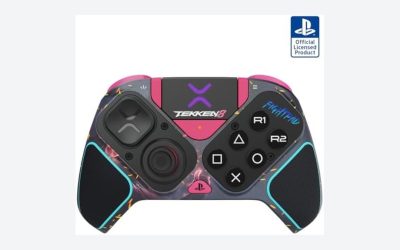
 VILCORN Wireless Fighting Game Controller with Hall
- Designed specifically for fighting game enthusiasts, the classic…
- Equipped with a magnetic Hall Effect joystick for…
- PAD, MECHANICAL SHOULDER BUTTONS & 8K WIRELESS RECEIVER
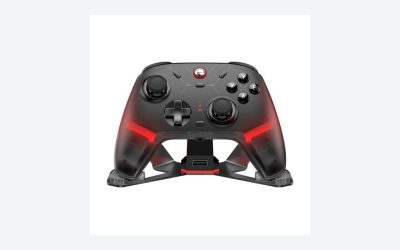
 Logitech G F310 Wired Gamepad Controller Console
- With broad game support, the Logitech Gamepad F310…
- Profiler software allows the gamepad to be programmed…
- A familiar control layout that doesn't require a…
 SJ@JX All-Button Arcade Controller with RGB Button
- Wide Compatibility
- Ultra-Low Latency
- Custom RGB Lighting
| Product | Key specs | |
|---|---|---|
| VILCORN Wireless Fighting Game Controller with Hall | Designed specifically for fighting game enthusiasts, the classic… Equipped with a magnetic Hall Effect joystick for… PAD, MECHANICAL SHOULDER BUTTONS & 8K WIRELESS RECEIVER | Check price |
| Logitech G F310 Wired Gamepad Controller Console | With broad game support, the Logitech Gamepad F310… Profiler software allows the gamepad to be programmed… A familiar control layout that doesn't require a… | Check price |
| SJ@JX All-Button Arcade Controller with RGB Button | Wide Compatibility Ultra-Low Latency Custom RGB Lighting | Check price |
 Haute42 Leverless Arcade Stick Haute42 Leverless Arcade Stick | [Upgraded Crystal Switches & Ultra-Slim Design]Crafted with premium… [Ultra-Low Latency & RP2040 Chipset]Powered by the Raspberry… [Hot-Swappable & Customizable RGB Backlighting]Equipped with advanced hot-swappable… | Check price |
As an Amazon Associate we earn from qualifying purchases at no extra cost to you.
Decide These 3 Things First
Before diving into microswitches and USB polling cycles, you must narrow down your preferences across three core architectural categories:
- The Input Archetype (Pad, Stick, or Leverless): Traditional gamepads (like the classic, budget-friendly Logitech G F310 or the VILCORN Wireless Fighting Game Controller) offer familiarity and portability. Arcade fight sticks use a physical lever with microswitches, offering a tactile arcade feel. Leverless controllers (such as the Haute42 Leverless Arcade Stick or the SJ@JX All-Button Arcade Controller) replace the joystick entirely with directional buttons, allowing for near-instantaneous directional changes.
- The Connection Architecture: Wired connections are the gold standard for latency. If you choose wireless, you must opt for a proprietary 2.4GHz USB dongle. Standard Bluetooth connections are highly susceptible to local radio frequency interference and should be avoided for competitive play.
- Your Primary Platform: If you play exclusively on PC or Nintendo Switch, your controller options are vast and affordable. However, if you compete on PlayStation 5 or Xbox Series X, you will need a controller with a specialized licensed chip, or a controller that supports a USB passthrough port for a specialty authentication dongle to bypass console security without adding latency.
1. Physical Footprint, Size, and Weight
The physical dimensions of your controller dictate your playing posture, stability, and hand fatigue during long tournament brackets. Gamepads are highly compact, typically measuring between 5.5 to 6.5 inches in width, 3.8 to 4.5 inches in height, and weighing between 0.4 and 0.7 pounds. This makes them highly portable, but they require you to hold the entire weight of the device in your hands.
Desktop and lap-sized controllers (arcade sticks and leverless boards) require more desk or lap real estate. Compact leverless controllers, like the Haute42, measure roughly 7.8 x 5.0 inches with a slim profile of just 0.45 inches, weighing a feather-light 0.9 pounds. While highly portable, they can slide around on your lap if not placed on a desk or fitted with adhesive foam pads.
Full-sized tournament arcade sticks are significantly larger, typically measuring 13 to 16 inches in width, 8 to 10 inches in depth, and 2 to 3 inches in thickness. They weigh between 3.5 and 7.5 pounds. This heavy weight is intentional: it keeps the controller anchored to your lap or table during aggressive inputs, preventing accidental slips when executing complex motions.
2. Material Selection and Shell Construction
The materials used to construct the controller shell affect its flex, durability, and vibration absorption. Budget controllers, such as the Logitech G F310, are made of injection-molded ABS plastic. While ABS is highly impact-resistant, thin-walled plastic shells can flex under heavy hand pressure, slightly altering the physical alignment of the internal printed circuit board (PCB) over time.
Mid-range and premium custom controllers often utilize a “sandwich” acrylic design or CNC-machined aluminum. Acrylic layers (usually 3mm to 5mm thick) provide a rigid, non-flexing housing that keeps the buttons perfectly level. Heavy-duty tournament sticks feature steel internal frames with thick ABS outer shells or fully aluminum enclosures. Aluminum and thick acrylic do not absorb your hand’s downward force, meaning 100% of your finger’s energy is transferred directly into the button switch, resulting in a faster, cleaner physical bottom-out.
3. Switch Construction and Physical Actuation
Latency is not just electrical; it is physical. The time it takes for your finger to push a button down to its actuation point is often greater than the electrical transmission time. Traditional controllers use conductive rubber membrane pads under the buttons. These require you to press the button all the way down (usually 2.0mm to 2.5mm of travel) with around 60 to 70 grams of force to bridge the electrical contact.
Low-latency controllers utilize mechanical keyboard switches or dedicated arcade microswitches (such as Sanwa Denshi, Seimitsu, or Kailh Choc). For the ultimate speed, look for low-profile mechanical switches with a short actuation travel of 1.0mm to 1.2mm and an actuation force of 40g to 45g. These switches register your inputs with minimal physical movement. Furthermore, premium controllers utilize hot-swappable sockets, allowing you to swap out stock switches for ultra-fast linear speed switches without needing a soldering iron.
4. Controller Layout, Ergonomics, and Wrist Support
Ergonomics directly impact your reaction time. If your fingers have to stretch too far to reach a button, you add physical latency to your execution. Standard gamepads use a four-button face layout, which often forces players to use claw-grip styles to access all buttons simultaneously. Fighting-game-specific pads, like the VILCORN, feature a retro 6-button layout on the face, putting all primary attacks right under your thumb.
For leverless and stick controllers, layout spacing is crucial. The standard Viewlix layout curves the buttons to match the natural arch of your fingers. When choosing a leverless controller, look for a model that offers a comfortable wrist rest area. A minimum of 2.5 to 3 inches of flat bezel space below the bottom row of buttons is necessary to support your wrists. Without this support, your forearm muscles remain tensed, which slows down your finger twitch response over long playing sessions.
5. Price Tiers and Value Propositions
Understanding what you get at different price points will help you avoid overpaying for unnecessary features:
- Budget ($15 to $40): Controllers in this tier, like the Logitech G F310 or entry-level VILCORN models, offer basic membrane buttons, standard 125Hz polling rates (8ms latency), and molded plastic shells. They are excellent for casual play but lack the precision speed required for high-level competitive play.
- Mid-Range ($45 to $100): This is the sweet spot for low latency. Products like the SJ@JX All-Button or the Haute42 utilize high-performance microcontroller boards (such as the Raspberry Pi RP2040 chip) running open-source GP2040-CE firmware. They offer true 1000Hz polling rates (sub-1ms electrical latency), mechanical switches, and hot-swap customization.
- Premium ($120 to $300+): At this level, you are paying for premium materials (CNC aluminum, tempered glass covers), native PlayStation 5 console compatibility chips, tournament-grade Sanwa buttons, and premium carrying cases. Latency is identical to the mid-range tier, but the physical build quality and durability are significantly enhanced.
6. PCB, Encoder Chip, and Firmware Customization
The heart of low-latency performance is the encoder chip on the controller’s PCB. Standard controllers use generic microcontrollers that poll the USB bus at a standard rate of 125Hz (once every 8 milliseconds). As we look at the landscape of competitive gaming in 2026, the industry standard for low-latency controllers has shifted entirely to the Raspberry Pi RP2040 microcontroller running GP2040-CE firmware.
The RP2040 chip supports a overclocked polling rate of 1000Hz (once every 1 millisecond). Furthermore, GP2040-CE firmware features ultra-fast input processing times, often measuring under 0.8 milliseconds of internal processing lag. When buying a controller, always check if the manufacturer lists the internal encoder chip. If they do not specify the chip or firmware, it likely uses a generic, higher-latency encoder.
7. Out-of-the-Box Setup, Cabling, and Portability
A low-latency controller is useless if its cable connection is unreliable. Look for controllers that feature a detachable USB Type-C connection. Hardwired cables are prone to fraying at the strain relief point; if the internal copper wires degrade, they can cause intermittent disconnects or packet drops, introducing artificial latency.
Ensure the controller includes a high-quality, shielded USB-C cable of at least 6 to 10 feet in length. Shielding prevents electromagnetic interference (EMI) from PC monitors, consoles, and power strips from degrading the digital signal. If you travel to local tournaments, look for a controller with a built-in cable storage compartment or a secure, recessed USB-C port that protects the connector from being bent or snapped if the controller is dropped.
Spec Checklist
Use this convenient checklist to see how different controller tiers compare across crucial physical and technical specifications:
| Specification | Budget Tier ($15 – $40) | Mid-Range Tier ($45 – $100) | Premium Tier ($120 – $300+) |
|---|---|---|---|
| USB Polling Rate | 125 Hz (8.0ms interval) | 500 Hz – 1000 Hz (1.0ms – 2.0ms) | 1000 Hz (1.0ms native) |
| Internal Processing Lag | 4.0ms to 12.0ms | 0.8ms to 2.0ms | 0.5ms to 1.5ms |
| Switch Type | Conductive Rubber Membrane | Standard Mechanical Keyboard Switches | Tournament-Grade Arcade Microswitches |
| Physical Travel to Actuate | 2.0mm – 2.5mm | 1.2mm – 1.5mm | 0.8mm – 1.2mm |
| Shell Materials | Thin Injection-Molded ABS Plastic | Stacked Acrylic or Thick ABS | CNC Aluminum, Steel Base, Acrylic Face |
| Cable Style | Attached, thin PVC jacket | Detachable USB-C, braided | Detachable USB-C, heavy-duty shielding |
Red Flags to Avoid
When shopping for a low-latency fighting game controller, keep an eye out for these critical warning signs that indicate substandard performance:
- “Bluetooth Only” or No Wired Option: If a controller does not offer a dedicated wired mode via USB, avoid it. Bluetooth introduces variable latency depending on battery levels and nearby wireless interference.
- Lack of SOCD (Simultaneous Opposite Cardinal Direction) Cleaning: For leverless controllers, pressing Left and Right simultaneously must resolve predictably (usually to Neutral). If a controller does not feature hardware-level SOCD cleaning, it is illegal in official tournaments and indicates a cheap, unsafe encoder.
- Mushy D-Pads with No Pivot Point: Cheap gamepads often feature D-pads that allow you to press down all four directions at once. Without a physical central pivot ball, the D-pad will register false diagonals, ruining your inputs.
- Unbranded, Non-Swappable Switches: If the mechanical switches are soldered directly to the board and are of an unknown brand, you will not be able to replace them easily when they inevitably wear out or develop double-input issues.
FAQ
Why does the USB polling rate matter so much for fighting games?
The polling rate is how many times per second your PC or console asks the controller for its input state. A standard 125Hz polling rate only checks for inputs once every 8 milliseconds. A 1000Hz polling rate checks every 1 millisecond. Combined with high-speed internal processing, a higher polling rate ensures that when you press a button, that input is registered by the system on the very next video frame, rather than waiting for the next polling cycle.
Can wireless controllers be used at competitive tournaments?
While modern 2.4GHz proprietary wireless connections have gotten fast enough to rival wired connections, they are generally discouraged or outright banned at large offline tournaments. This is due to the extreme amount of wireless interference present in a room with hundreds of active devices, which can cause packet loss and severe input delay.
What is GP2040-CE, and why should I look for it?
GP2040-CE is an open-source, community-driven firmware designed specifically for low-latency input devices. It runs on the RP2040 microcontroller and is widely considered the fastest, most customizable controller software available. It allows players to configure their controller via a web browser, change SOCD cleaning modes on the fly, and overclock their polling rate to 1000Hz safely.
How do mechanical switches compare to traditional Sanwa arcade buttons?
Traditional Sanwa buttons use custom arcade microswitches that are highly sensitive and have a very soft, tactile “clack.” Mechanical keyboard switches (used in modern leverless controllers like the Haute42) offer a wider variety of physical feels (linear, tactile, or clicky) and allow you to easily customize the travel distance and spring weight of individual buttons to suit your exact hand strength.