Key takeaways
- Auxiliary Fans: Usually two or three small blower fans (typically 40mm to 50mm in size). These fans run on 5V DC power drawn directly from one of the PS5’s USB ports, spinning at speeds between 3,000 and 5,000 RPM. They pull a modest 5 to 10 cubic feet per minute (CFM) of air.
- Controller Charging Docks: Two dedicated cradles for DualSense or DualSense Edge controllers, utilizing spring-loaded contacts or magnetic USB-C dongles. They pull roughly 5V/1.5A of power to charge your controllers in under 3 hours.
- USB Expansion Hubs: Usually a built-in board offering 2 to 3 extra USB 2.0 ports to make up for the port occupied by the stand itself.
- Storage Compartments: Built-in plastic slots to hold 10 to 12 physical game cases or a slot for the media remote.
The Short Answer
No, cooling stands are not actually good for lowering your PlayStation 5’s internal core temperatures, and they will not save a console that is already overheating due to dust buildup or degraded thermal interface material. In fact, some poorly designed stands can disrupt the console’s engineered airflow.
However, there is one condition where they can help: if your PS5 is housed inside a cramped, semi-enclosed entertainment center with limited ventilation, a cooling stand can assist by pushing stagnant hot air away from the console’s immediate exhaust zone. Beyond this specific scenario, you should view these stands not as thermal performance boosters, but as organizational utility hubs that happen to have auxiliary fans.
Our top picks
 PS5/Slim/Pro Cooling Station with Controller Charging Station
- PS5 Cooling Stand with 3 Speeds Turbo Cooling…
- Fast Charging PS5 Controller Charger in 3H: Powered…
- Fit All Series PS5 Console Pro & Slim…
 GRAUGEAR PS5 SSD Heatsink Cover Set
- Engineered for PS5: Custom-fit M.2 SSD heatsink and…
- Superior Cooling Performance
- Ventilated Metal Dust Cover: Honeycomb ventilation holes and…
As an Amazon Associate we earn from qualifying purchases at no extra cost to you.
What You Actually Get
When you purchase a typical PS5 cooling stand—which generally ranges in price from $30 to $45, such as a multi-functional PS5/Slim/Pro Cooling Station priced around $33.99—you are buying a multi-purpose docking station. These accessories are designed to sit underneath your console when it is oriented vertically. They typically occupy a footprint of about 9.5 x 10.5 inches and weigh between 1.2 and 1.8 pounds.
Inside a standard cooling station, you will find:
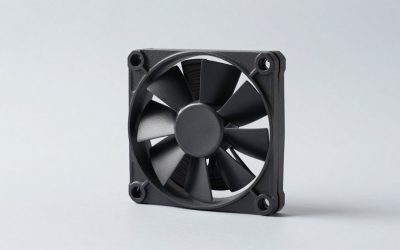
- Auxiliary Fans: Usually two or three small blower fans (typically 40mm to 50mm in size). These fans run on 5V DC power drawn directly from one of the PS5’s USB ports, spinning at speeds between 3,000 and 5,000 RPM. They pull a modest 5 to 10 cubic feet per minute (CFM) of air.
- Controller Charging Docks: Two dedicated cradles for DualSense or DualSense Edge controllers, utilizing spring-loaded contacts or magnetic USB-C dongles. They pull roughly 5V/1.5A of power to charge your controllers in under 3 hours.
- USB Expansion Hubs: Usually a built-in board offering 2 to 3 extra USB 2.0 ports to make up for the port occupied by the stand itself.
- Storage Compartments: Built-in plastic slots to hold 10 to 12 physical game cases or a slot for the media remote.
To understand why these stands do not dramatically lower temperatures, consider the physics of the PS5. The console’s internal cooling system is massive. It relies on a single, large double-inlet centrifugal fan measuring 120mm in diameter and 45mm in thickness. This fan draws up to 12V/2.4A of power and pulls cool air from the top and front vents, pushing it through a dense array of copper and aluminum heatsink fins before expelling it out the back. A tiny 40mm fan in a plastic base running off a low-voltage USB port simply cannot generate enough static pressure to alter the high-velocity airflow path inside the chassis.
Pros
- Excellent Space Consolidation: Instead of having separate charging docks, game racks, and loose cables cluttering your media console, a cooling stand consolidates your entire gaming setup into a single, neat footprint.
- Improved Vertical Stability: The original PS5 and the newer Slim/Pro models can feel top-heavy when stood vertically without a wide base. A cooling stand provides a much broader, slip-resistant base plate that prevents accidental tip-overs.
- Convenient Controller Management: The charging cradles automatically cut off power once the controllers reach 100% capacity, preserving lithium-ion battery health while keeping your controllers organized.
- No External Wall Outlets Needed: Because the stand draws its low wattage (typically under 10W) directly from the console’s rear USB ports, you do not need to plug another power brick into your wall outlet.
Cons
- Acoustic Noise: While the PS5’s internal 120mm fan is engineered for quiet operation (usually registering under 32 decibels under load), the small 40mm or 50mm fans in third-party stands often emit a high-pitched, whiny hum that can reach 38 to 45 decibels.
- Potential Airflow Disruption: The PS5 exhausts hot air out the back and pulls cool air in through the top/front. Some cooling stands blow air directly upward into the bottom of the console, which can clash with the natural negative pressure design, occasionally trapping warm air inside the lower crevices.
- Accelerated Dust Accumulation: By constantly blowing air upward near the bottom seams of the console, these stands can act as dust magnets, forcing ambient carpet fibers, pet hair, and dander into the lower intake areas.
- Parasitic Power Draw: Drawing power from the console’s USB ports means there is less power available for external solid-state drives (SSDs) or high-draw VR headsets, which sometimes leads to connection drops for external storage.
Who Should Buy It
You should buy a cooling stand if your primary goal is organization and convenience. If you are tired of searching for charging cables, want a secure vertical stand for a Slim or Pro model, and want to keep your controllers neatly displayed, a $30 to $40 multi-functional station is an excellent, cost-effective accessory. The fans can be left turned off (most stands have an independent power switch for the fans), allowing you to enjoy the organizational benefits without the added noise.
Who Should Skip It
You should skip a cooling stand if you are buying it to fix an overheating issue. If your PS5 is displaying the dreaded “Your PS5 is too hot” warning on your screen, or if it is shutting down abruptly during graphically intensive games, a cooling stand will not solve the problem. Your console likely has a clogged heatsink, dust-choked fan blades, or dry spots in its liquid metal thermal interface. Buying a cooling stand in this scenario is a waste of money; your console requires a manual cleaning or professional service instead.
Cheaper Alternatives
If you are concerned about your console’s thermals or storage temperatures, there are more effective ways to spend your money. Below is a comparison of cheaper, highly targeted alternatives:
| Option | Approximate Cost | Primary Benefit | Trade-off / Downside |
|---|---|---|---|
| Dedicated M.2 SSD Heatsink (e.g., GRAUGEAR PS5 SSD Heatsink Cover Set) |
$15.00 – $20.00 | Directly cools expanded storage drives by up to 15°C using a high-airflow metal plate. | Only cools the added M.2 SSD; does not affect the main APU or system RAM temperatures. |
| Horizontal Placement Feet | $0.00 – $12.00 | Placing the console horizontally naturally lowers the center of gravity and utilizes the built-in rubber feet for optimal stability. | Requires a much wider horizontal shelf space (approx. 15.4 x 10.4 inches). |
| Manual Dusting Kit (Compressed air + microfiber cloth) |
$5.00 – $15.00 | Restores the console’s factory cooling efficiency by clearing out the dust catchers and heatsink fins. | Requires you to manually pop off the outer plastic plates every 6 to 12 months. |
| Open-Back Media Console Modification | $0.00 (DIY) | Drastically reduces ambient temperatures by allowing hot exhaust air to escape the cabinet. | Requires physical modification (cutting a hole in the backboard of your wooden media console). |
FAQ
Do cooling stands void the PlayStation 5 warranty?
No. Because these stands connect externally via USB and do not require you to open the main sealed chassis of the console, they do not void your Sony warranty. However, you should avoid any stands that require you to remove internal screws or modify the internal fan wiring.
Can a cooling stand damage my PS5’s internal fans?
Generally, no. However, if a stand uses extremely powerful fans that blow directly into the exhaust vents in the opposite direction of the natural airflow, it can create air resistance. This forces the internal 120mm fan to work harder, potentially accelerating wear on its bearings over several years of continuous use.
Is the PS5 Pro more prone to overheating than the Slim or Standard models?
As we evaluate the hardware landscape in 2026, the PS5 Pro features highly efficient power delivery and a redesigned internal heatsink that handles its increased graphical compute power remarkably well. It is no more prone to overheating than the standard or Slim models, provided it has at least 4 inches of clearance from surrounding walls.
What is the best way to tell if my PS5 is actually overheating?
The PS5 has built-in thermal sensors. If it overheats, you will receive an on-screen system message warning you that the console is too hot and needs to be turned off. Other warning signs include constant, loud fan whining, severe frame rate drops (thermal throttling), or graphical artifacts (flickering green or purple lines) on your screen.