Key takeaways
- Processor (CPU): For video editing, prioritize CPUs with a high core count and clock speed. Intel Core i7/i9 or AMD Ryzen 7/9 processors are ideal, offering the muscle needed for demanding tasks like transcoding and rendering.
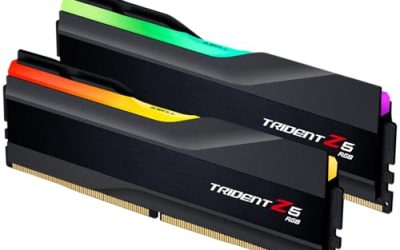
- RAM: 16GB of RAM is the absolute minimum for smooth editing, but 32GB or even 64GB is highly recommended for 4K and higher resolutions, complex effects, and multitasking.
- Storage: A fast NVMe SSD is essential for your operating system, applications, and active projects. Aim for at least 1TB. For storing large media libraries, a secondary large HDD or a NAS solution is advisable.
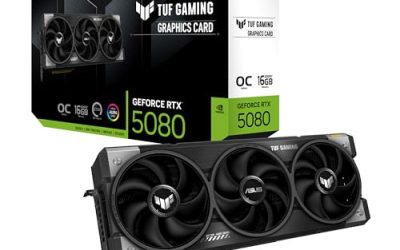
- Graphics Card (GPU): A dedicated GPU with ample VRAM (6GB minimum, 8GB+ recommended) significantly accelerates video rendering and playback, especially with GPU-accelerated effects and codecs. NVIDIA GeForce RTX or AMD Radeon RX series are excellent choices.
- Connectivity: Ensure the PC offers sufficient USB ports (including USB-C/Thunderbolt for fast external drives), HDMI/DisplayPort outputs for multiple monitors, and fast networking options like Wi-Fi 6/7 or Gigabit Ethernet.
What's inside
As video editing continues its meteoric rise in popularity, so does the demand for powerful, reliable hardware that can handle demanding workflows without breaking a sweat. Whether you’re a seasoned professional churning out Hollywood-level content or a burgeoning creator aiming for viral success, the right PC is your most crucial tool. This guide dives into the best PCs for video editing in 2026, focusing on systems that offer a potent blend of processing power, RAM, storage, and graphics capabilities.
We’ve scoured the market to find machines that excel in handling high-resolution footage, complex timelines, and intensive rendering tasks. From compact powerhouses to workstation-grade behemoths, these picks are designed to accelerate your creative process and minimize frustrating wait times. Get ready to elevate your editing game.
As an Amazon Associate we earn from qualifying purchases.




⚡ Save on Your Next PC — Amazon Prime
Prime members get fast free shipping on the systems above, plus early access to Prime Day & Black Friday PC deals. New members get a 30-day free trial.
Watch: Best PC for Video Editing — Video Review
How to Choose
- Processor (CPU): For video editing, prioritize CPUs with a high core count and clock speed. Intel Core i7/i9 or AMD Ryzen 7/9 processors are ideal, offering the muscle needed for demanding tasks like transcoding and rendering.
- RAM: 16GB of RAM is the absolute minimum for smooth editing, but 32GB or even 64GB is highly recommended for 4K and higher resolutions, complex effects, and multitasking.
- Storage: A fast NVMe SSD is essential for your operating system, applications, and active projects. Aim for at least 1TB. For storing large media libraries, a secondary large HDD or a NAS solution is advisable.
- Graphics Card (GPU): A dedicated GPU with ample VRAM (6GB minimum, 8GB+ recommended) significantly accelerates video rendering and playback, especially with GPU-accelerated effects and codecs. NVIDIA GeForce RTX or AMD Radeon RX series are excellent choices.
- Connectivity: Ensure the PC offers sufficient USB ports (including USB-C/Thunderbolt for fast external drives), HDMI/DisplayPort outputs for multiple monitors, and fast networking options like Wi-Fi 6/7 or Gigabit Ethernet.
The Best Picks Reviewed
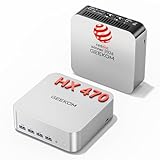
GEEKOM A9 Max Top AI Productivity Mini PC
The GEEKOM A9 Max redefines the capabilities of a mini PC for creative professionals. Equipped with the AMD Ryzen AI 9 HX 470 and a substantial 32GB of DDR5 RAM paired with a speedy 2TB NVMe SSD, it breezes through 8K video editing and complex 3D rendering. Its Copilot+ PC integration and advanced AI processing capabilities further streamline workflows. With WiFi 7 and USB4, connectivity is future-proof and blazing fast, making it a surprisingly powerful contender for demanding tasks in a compact form factor.
WIWB Gaming PC Desktop Core I9-14900HX
For those who demand top-tier gaming performance that seamlessly translates to video editing prowess, the WIWB Gaming PC is a formidable option. Featuring the Intel Core i9-14900HX and an RTX 5060 Ti 8GB GPU, this machine is built for speed. The 1TB NVMe SSD ensures rapid loading times for your OS and projects, while 16GB of RAM provides a solid foundation. While 16GB might be limiting for very heavy 4K+ workflows, it’s more than adequate for many editing tasks, and the raw processing power is undeniable.
STGAubron Gaming PC Desktop
The STGAubron Gaming PC offers a compelling entry point into serious video editing without a sky-high price tag. Its Intel Core i7 processor and RTX 3060Ti 8G graphics card are more than capable of handling 1080p and 1440p editing with ease. With 16GB of RAM and a 512GB SSD, it provides a responsive editing environment for most common video formats. This build strikes a great balance between performance and affordability, making it an excellent choice for creators on a budget.
Getorli Mini PC AMD Ryzen 7 6800H
The Getorli Mini PC packs a punch in a remarkably small chassis. Its AMD Ryzen 7 6800H processor, coupled with 32GB of LPDDR5 RAM and a 1TB NVMe SSD, makes it a surprisingly capable machine for video editing and even light gaming. The triple 4K display support is a significant advantage for multitasking and timeline management. With WiFi 6 and dual LAN ports, it offers robust connectivity options for any home or office setup.
HP Workstation PC Desktop Computer (Renewed)
This renewed HP Workstation PC is a testament to the enduring power of professional-grade hardware. Featuring an Intel Core i5 processor, 32GB of DDR4 RAM, and a dedicated NVIDIA Quadro K1200 4GB GPU, it’s specifically designed for editing and design tasks. The generous 1TB SSD combined with a 4TB HDD provides ample space for projects and media. While a renewed model, its workstation-class components ensure stability and reliability for demanding creative workloads.
Frequently Asked Questions
What is the minimum RAM required for video editing?
For basic 1080p editing, 16GB of RAM is the bare minimum. However, for smoother performance, especially with 4K footage, complex effects, or multitasking, 32GB is strongly recommended. Professional editors often opt for 64GB or more.
How much storage do I need for video editing?
This depends heavily on your project size and media format. A fast 1TB NVMe SSD for your operating system, applications, and current projects is crucial. For storing raw footage and finished projects, consider an additional 4TB+ HDD or a dedicated Network Attached Storage (NAS) device.
Does the graphics card (GPU) really matter for video editing?
Yes, the GPU plays a significant role. A dedicated GPU with sufficient VRAM (6GB minimum, 8GB+ recommended) can dramatically speed up rendering times, improve playback performance, and accelerate GPU-accelerated effects and codecs within your editing software.
Can I use a gaming PC for video editing?
Absolutely. Many high-end gaming PCs offer excellent specifications that are also ideal for video editing. Processors like Intel Core i7/i9 and AMD Ryzen 7/9, coupled with powerful NVIDIA GeForce RTX or AMD Radeon RX graphics cards, are common in both gaming and professional editing rigs.
Final Thoughts
For a balance of cutting-edge performance and versatility, the GEEKOM A9 Max Top AI Productivity Mini PC stands out as a compact powerhouse. If raw power and future-proofing are your primary concerns and budget allows, the WIWB Gaming PC Desktop Core I9-14900HX offers an exceptional gaming and editing experience. For those seeking robust professional capabilities without breaking the bank, the renewed HP Workstation PC Desktop Computer provides a reliable and powerful foundation.