
Key takeaways
- Panel Type & Color: IPS offers the best color accuracy and viewing angles for mixed gaming and creation, while VA delivers deeper contrast for immersive single-player games. Look for 99% sRGB or 95%+ DCI-P3 coverage.
- Refresh Rate & Response Time: For budget 4K, 120Hz is the sweet spot for consoles and PC. If you play fast shooters, prioritize 144Hz-160Hz and 1ms MPRT to reduce motion blur.
- Connectivity: HDMI 2.1 is essential for 4K 120Hz+ on PS5, Xbox Series X, and modern GPUs. USB-C with power delivery is a major bonus for single-cable laptop setups.
- Brightness & HDR: True HDR performance needs at least 350 nits and HDR10 support. Budget HDR 400 is useful but manage expectations; prioritize contrast and color over peak HDR claims.
- Ergonomics & Build: A height-adjustable, tilt, swivel, and pivot stand improves long-session comfort. Check VESA 75×75 or 100×100 support if you plan to mount.
What's inside
The Dell S2725QS is our Best Overall budget 4K gaming monitor for its excellent 4K IPS clarity and reliable 120Hz performance, with the CRUA 32″ 4K 160Hz Curved Gaming Monitor as the runner-up for gamers who want a larger, faster immersive display. If you want full list pricing and availability details, see the updated cards below.
Shopping for a budget 4K gaming monitor is tricky: many cheap models cut corners on refresh rate, color accuracy, or connectivity, leaving you with blurry motion or washed-out HDR. This guide cuts through the noise and focuses only on affordable 4K monitors that actually deliver for gaming, work, and content creation, comparing real-world performance, panel quality, and value to help you choose with confidence.
As an Amazon Associate we earn from qualifying purchases.




🛒 Best Price Today on Amazon
Prime members get fast, free shipping on everything above, plus member-only deals. New members get a 30-day free trial — cancel anytime.
Quick Comparison
| Product | Best For | Standout Feature | Rating |
|---|---|---|---|
| Dell S2725QS 27″ 4K 120Hz IPS | Best Overall | 99% sRGB, USB-C, Fully Adjustable Stand | 4.8/5 |
| Z-Edge S274K 27″ 4K 120Hz | Best Budget | Affordable 4K 120Hz with Dual HDMI 2.0 + DP 1.4 | 4.6/5 |
| CRUA 32″ 4K 160Hz Curved VA | Best Premium & Immersion | 32″ 1500R Curve, 160Hz, HDMI 2.1 | 4.7/5 |
| KTC U27T6 27″ 4K 160Hz Fast IPS | Best for High Refresh Rate | 160Hz Fast IPS, 140% sRGB, HDR 400 | 4.7/5 |
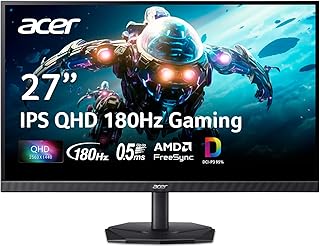
| Acer Nitro KG271U 27″ QHD 180Hz | Best for Competitive Gaming | 180Hz, 0.5ms, DCI-P3 95% | 4.5/5 |
How to Choose a/an Budget 4K Gaming Monitors That Are Actually Worth Buying
- Panel Type & Color: IPS offers the best color accuracy and viewing angles for mixed gaming and creation, while VA delivers deeper contrast for immersive single-player games. Look for 99% sRGB or 95%+ DCI-P3 coverage.
- Refresh Rate & Response Time: For budget 4K, 120Hz is the sweet spot for consoles and PC. If you play fast shooters, prioritize 144Hz-160Hz and 1ms MPRT to reduce motion blur.
- Connectivity: HDMI 2.1 is essential for 4K 120Hz+ on PS5, Xbox Series X, and modern GPUs. USB-C with power delivery is a major bonus for single-cable laptop setups.
- Brightness & HDR: True HDR performance needs at least 350 nits and HDR10 support. Budget HDR 400 is useful but manage expectations; prioritize contrast and color over peak HDR claims.
- Ergonomics & Build: A height-adjustable, tilt, swivel, and pivot stand improves long-session comfort. Check VESA 75×75 or 100×100 support if you plan to mount.
The Best Budget 4K Gaming Monitors That Are Actually Worth Buyings Reviewed
Best Overall: Dell S2725QS 27″ 4K IPS Monitor
The Dell S2725QS is ideal for gamers who want a do-it-all monitor that excels at both work and play. With its sharp 4K UHD IPS panel, smooth 120Hz with FreeSync Premium, and excellent factory calibration at 99% sRGB, it is perfect for PC and console gamers who also edit, stream, or work from the same desk.
Best Budget: Z-Edge S274K 27″ 4K 120Hz Gaming Monitor
The Z-Edge S274K is built for budget-conscious buyers who refuse to sacrifice true 4K resolution. It delivers essential 4K 120Hz gaming with 1ms MPRT and flexible HDMI 2.0 and DP 1.4 connectivity, making it a smart pick for students, first-time 4K upgraders, and secondary setups.
Best Premium: CRUA 32″ 4K 160Hz Curved Gaming Monitor
The CRUA 32-inch curved monitor is best for immersion seekers who want scale and speed on a budget. Its large 1500R VA panel, ultra-fast 160Hz refresh rate, HDMI 2.1 support, and built-in speakers make it ideal for cinematic single-player gaming, sim racing, and streaming setups where presence matters.
Best for High Refresh Rate: KTC U27T6 27″ 4K 160Hz Fast IPS Monitor
The KTC U27T6 is the pick for competitive PC gamers who want 4K without dropping frames. Combining a Fast IPS panel, 160Hz refresh, 1ms response, 140% sRGB, and HDR 400 with a fully adjustable stand, it suits esports players and creators who need speed and color accuracy in one display.
Best for Competitive Gaming: Acer Nitro KG271U 27″ QHD 180Hz Gaming Monitor
While not native 4K, the Acer Nitro KG271U is the best value alternative for players who prioritize speed over resolution. With QHD clarity, a blistering 180Hz refresh rate, 0.5ms response, and 95% DCI-P3, it is perfect for competitive FPS and esports gamers on a strict budget who want maximum smoothness.
Frequently Asked Questions
Is 120Hz enough for 4K gaming on a budget?
Yes. 120Hz is the ideal balance for budget 4K gaming, especially for PS5, Xbox Series X, and mid-range GPUs. It offers noticeably smoother motion than 60Hz without the steep GPU demands of 144Hz+ at 4K. Most budget gamers will get the best value at 120Hz to 160Hz.
Do I need HDMI 2.1 for a 4K gaming monitor?
For true 4K at 120Hz or higher on consoles and modern graphics cards, HDMI 2.1 is strongly recommended. HDMI 2.0 is limited to 4K 60Hz. If you plan to use a console or want future-proofing, choose a monitor like the CRUA or KTC that includes HDMI 2.1.
Is a 27-inch or 32-inch 4K monitor better?
27-inch is sharper and more pixel-dense, great for desk use, competitive gaming, and text clarity. 32-inch is more immersive for story-driven games, media, and multitasking but needs more desk depth. Curved 32-inch models like the CRUA help with viewing comfort at that size.
Can budget 4K monitors be used for photo and video editing?
Absolutely, if you choose an IPS model with strong color coverage. Monitors like the Dell S2725QS and KTC U27T6 cover 99% sRGB to 140% sRGB and offer accurate out-of-box color, making them solid for light editing, streaming, and content creation alongside gaming.
Final Thoughts
For most buyers, the Dell S2725QS hits the best mix of 4K clarity, color, and 120Hz value, while the CRUA 32″ Curved 160Hz is our top premium alternative for immersion and the Z-Edge S274K remains the best way to get into true 4K gaming on a tight budget.





