
Key takeaways
- HDMI 2.1 Bandwidth: Choose a monitor with at least one HDMI 2.1 port that supports 4K at 120Hz, VRR, and ALLM. Without full 48Gbps bandwidth you will be limited to 4K 60Hz on consoles, even if the panel is 4K.
- Refresh Rate and Response Time: Look for 120Hz or higher with a true 1ms GtG or MPRT response. PS5 and Xbox Series X cap at 120Hz, but 144Hz-165Hz panels offer headroom for PC use and smoother VRR performance.
- Panel Type and Color: IPS offers faster response and wider viewing angles, VA delivers higher contrast for dark games. Prioritize 95%+ DCI-P3 or 120%+ sRGB coverage and factory color accuracy for vibrant HDR gaming.
- HDR and Brightness: For noticeably better HDR on consoles, aim for VESA DisplayHDR 400 minimum and ideally DisplayHDR 600 with 300+ nits and good local dimming. This improves highlights in games like Horizon Forbidden West and Halo Infinite.
- Console-Friendly Extras: Prioritize FreeSync Premium or G-Sync Compatible VRR to eliminate tearing, low blue light and flicker-free for long sessions, built-in speakers as a backup, and VESA mount plus PIP/PBP if you multitask between console and PC.
What's inside
The 32″ 4K Curved Gaming Monitor (160Hz, 1ms, HDMI 2.1) is our Best Overall pick for PS5 and Xbox Series X, with the Samsung 37″ Odyssey G7 (G75F) 4K UHD Curved Gaming Monitor as the premium runner-up. Both deliver true 4K at 120Hz over HDMI 2.1 with low input lag and VRR support for next-gen consoles.
Finding a monitor that actually unlocks your console’s full potential is confusing — many displays advertise 4K but lack HDMI 2.1 bandwidth, 120Hz support, or proper HDR and VRR implementation for PS5 and Xbox Series X. This guide cuts through the specs to compare real-world console performance, panel quality, and gaming features so you can choose the right 4K display for your setup, room size, and budget.
As an Amazon Associate we earn from qualifying purchases.


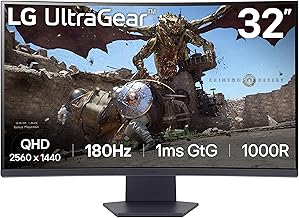
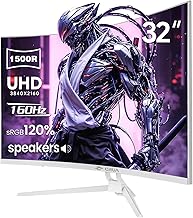
🛒 Best Price Today on Amazon
Prime members get fast, free shipping on everything above, plus member-only deals. New members get a 30-day free trial — cancel anytime.
Quick Comparison
| Product | Best For | Standout Feature | Rating |
|---|---|---|---|
| 32″ 4K Curved Gaming Monitor, 160Hz, HDMI 2.1 | Overall Console Gaming | 160Hz 1ms + HDR400 & 95% DCI-P3 | 4.9/5 |
| Amzfast 32″ 4K 120Hz Curved Gaming Monitor | Budget 4K Entry | 4K 120Hz HDMI 2.1 (VRR) & 131% sRGB | 4.6/5 |
| Samsung 37″ Odyssey G7 (G75F) 4K UHD Curved | Premium Large-Screen Experience | 165Hz + DisplayHDR 600 & FreeSync Premium Pro | 4.8/5 |
| Gawfolk 27″ 4K Gaming Monitor Dual Mode | Competitive & Versatile Gaming | UHD 160Hz / FHD 320Hz Dual Mode | 4.7/5 |
| CRUA 32″ 4K UHD 160Hz Curved Gaming Monitor | Immersive Curved Value | 1500R VA 160Hz & Built-In Speakers | 4.6/5 |
How to Choose a/an 4K Gaming Monitors for PS5 and Xbox Series X
- HDMI 2.1 Bandwidth: Choose a monitor with at least one HDMI 2.1 port that supports 4K at 120Hz, VRR, and ALLM. Without full 48Gbps bandwidth you will be limited to 4K 60Hz on consoles, even if the panel is 4K.
- Refresh Rate and Response Time: Look for 120Hz or higher with a true 1ms GtG or MPRT response. PS5 and Xbox Series X cap at 120Hz, but 144Hz-165Hz panels offer headroom for PC use and smoother VRR performance.
- Panel Type and Color: IPS offers faster response and wider viewing angles, VA delivers higher contrast for dark games. Prioritize 95%+ DCI-P3 or 120%+ sRGB coverage and factory color accuracy for vibrant HDR gaming.
- HDR and Brightness: For noticeably better HDR on consoles, aim for VESA DisplayHDR 400 minimum and ideally DisplayHDR 600 with 300+ nits and good local dimming. This improves highlights in games like Horizon Forbidden West and Halo Infinite.
- Console-Friendly Extras: Prioritize FreeSync Premium or G-Sync Compatible VRR to eliminate tearing, low blue light and flicker-free for long sessions, built-in speakers as a backup, and VESA mount plus PIP/PBP if you multitask between console and PC.
The Best 4K Gaming Monitors for PS5 and Xbox Series Xs Reviewed
Best Overall: 32″ 4K Curved Gaming Monitor, 160Hz, 1ms, HDMI 2.1
Best for most PS5 and Xbox Series X players who want a do-everything display, this 32-inch 1500R curved panel nails the essentials with 4K 160Hz, HDMI 2.1, FreeSync, HDR400, and 95% DCI-P3. Ideal if you want immersive curvature, sharp 4K detail, and smooth 120Hz console play plus PC headroom in one well-balanced monitor.
Best Budget: Amzfast 32″ 4K 120Hz Curved Gaming Monitor
Best for gamers stepping up to 4K without overspending, this 32-inch 1500R model delivers the core console checklist — 4K 120Hz via HDMI 2.1 with VRR, PIP/PBP, and adaptive sync — at a more accessible price. Perfect if you prioritize big-screen 4K 120Hz performance for story-driven and online multiplayer games on a budget.
Best Premium: Samsung 37″ Odyssey G7 (G75F) 4K UHD Curved Gaming Monitor
Best for enthusiasts who want a flagship, large-format experience, the 37-inch G75F combines 4K 165Hz, 1ms GtG, DisplayHDR 600, and FreeSync Premium Pro on a deeply immersive curve. Built for players who want maximum screen real estate, superior HDR punch, and top-tier build quality for a premium console and PC setup.
Best for Competitive Gaming: Gawfolk 27″ 4K Gaming Monitor Dual Mode
Best for competitive players who switch between fidelity and speed, this 27-inch IPS monitor offers a unique dual mode — 4K at 160Hz for cinematic console games and FHD at 320Hz for ultra-responsive shooters. Great if you play both PS5/Xbox titles and fast-paced PC esports on one desk-friendly display with PIP/PBP multitasking.
Best for Immersive Curved Experience: CRUA 32″ 4K UHD 160Hz Curved Gaming Monitor
Best for immersion on a 32-inch canvas, this 1500R VA curved monitor brings 4K 160Hz, 120% sRGB, FreeSync, built-in speakers, and strong 3000:1 contrast for deep blacks. Excellent for players who love atmospheric single-player games and want an enveloping, comfortable view for long evening sessions.
Frequently Asked Questions
Do PS5 and Xbox Series X support 4K 120Hz on any 4K monitor?
No. You need a monitor with HDMI 2.1 that supports 4K at 120Hz, plus a high-speed HDMI 2.1 cable and a game that offers a 120Hz performance mode. Xbox Series X tends to support 120Hz in more titles, while PS5 offers it in select optimized games.
Is HDMI 2.1 required for next-gen console gaming?
Yes, for full features. HDMI 2.1 enables 4K 120Hz, Variable Refresh Rate (VRR), and Auto Low Latency Mode (ALLM). HDMI 2.0 monitors are limited to 4K 60Hz, which still looks great but does not unlock the smoothest performance modes.
Is a curved or flat monitor better for console gaming?
Both work well. A 1500R or 1000R curve at 32 inches and above adds immersion and reduces eye strain at close desk distances, which many console players on desks prefer. Flat panels are better if you also do color-critical work or prefer minimal distortion for content creation.
What size 4K monitor is best for PS5 and Xbox Series X?
27 inches is ideal for sharp pixel density at desk distance and competitive play, 32 inches is the sweet spot for immersive 4K without needing to sit too far away, and 37 inches is best for a large, living-room-like experience at a deeper desk. Choose based on viewing distance and whether you share the screen for co-op gaming.
Final Thoughts
For most PS5 and Xbox Series X owners, the 32″ 4K Curved Gaming Monitor (160Hz, HDMI 2.1) hits the perfect balance of 4K clarity, smooth 120Hz support, and immersive curvature, while the Samsung 37″ Odyssey G7 (G75F) is the premium pick if you want larger scale and stronger HDR. On a tighter budget, the Amzfast 32″ 4K 120Hz Curved delivers authentic HDMI 2.1 console performance for less.





