Key takeaways
- HDDs: Offer the lowest cost per terabyte, ideal for bulk storage of media or games you rarely touch.
- SATA SSDs: A middle ground, far faster than HDDs at a moderate price.
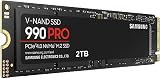
- NVMe SSDs: The fastest tier; drives like the Samsung 990 PRO 1TB now offer enough capacity for a real game library at a reasonable price.
What's inside
Storage rarely gets the attention that a shiny graphics card or fast CPU does, but it quietly shapes your entire gaming experience. The difference between a hard disk drive (HDD) and a solid-state drive (SSD) shows up every time a game loads, a level streams in, or you alt-tab back to your desktop. In 2026, with open worlds and high-resolution textures ballooning in size, choosing the right drive is no longer optional.
This guide explains how SSDs and HDDs actually differ, where each one still makes sense, and what to look for in the NVMe drives that now dominate gaming builds. Whether you are chasing near-instant load times or trying to store a massive library affordably, the recommended drives below and the advice here will help you decide.
As an Amazon Associate we earn from qualifying purchases.


⚡ Save on Your Next PC — Amazon Prime
Prime members get fast free shipping on the systems above, plus early access to Prime Day & Black Friday PC deals. New members get a 30-day free trial.
Watch: SSD vs HDD for Gaming: Which Do You Need? — Video Review
How SSDs and HDDs Differ
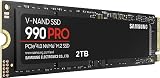
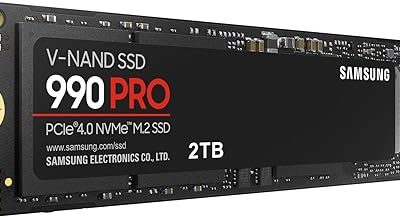
An HDD stores data on spinning magnetic platters read by a moving arm, so access speed is limited by physical motion. An SSD uses flash memory with no moving parts, reading and writing data electronically at many times the speed. A modern NVMe SSD like the Samsung 990 PRO reaches read speeds around 7,450 MB/s, while a typical hard drive tops out near 150 MB/s. That gap is why SSDs feel transformative the moment you install one.
Load Times and In-Game Streaming
The most obvious benefit of an SSD is dramatically shorter load times. Games that took a minute to launch from an HDD often open in seconds from a drive like the Kingston NV3 or the WD_Black SN7100. Just as important, many modern titles stream textures and world data on the fly. On a slow HDD this can cause pop-in and stutter as the game waits for data; a fast SSD keeps assets ready, so the world loads smoothly around you.
Capacity, Cost, and Value
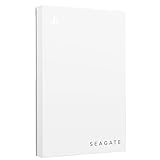
- HDDs: Offer the lowest cost per terabyte, ideal for bulk storage of media or games you rarely touch.
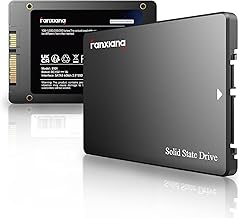
- SATA SSDs: A middle ground, far faster than HDDs at a moderate price.
- NVMe SSDs: The fastest tier; drives like the Samsung 990 PRO 1TB now offer enough capacity for a real game library at a reasonable price.
Understanding NVMe Generations
NVMe drives connect through PCIe lanes, and the generation matters. PCIe 4.0 drives such as the SANDISK Optimus 5100 deliver around 6,600 MB/s, which is plenty for gaming. PCIe 5.0 models like the Samsung 9100 PRO push toward 14,700 MB/s for professionals and future-proofing. For pure gaming, a good Gen4 drive is the sweet spot, real-world load differences between Gen4 and Gen5 are small, so you rarely need to pay the Gen5 premium just to play.
Building the Right Storage Setup
You do not have to choose only one type. A popular approach is a fast NVMe SSD as your primary drive for the operating system and the games you play most, paired with a larger HDD for archives and backups. This gives you snappy load times where they count and cheap capacity everywhere else. A 1TB or 2TB SSD like the Kingston NV3 1TB handles a healthy rotation of installed games without constant uninstalling.
Tips
- Install your operating system and your most-played games on an NVMe SSD for the biggest everyday speed gain.
- For gaming, a PCIe 4.0 NVMe drive offers the best balance of speed and price; Gen5 is overkill for most players.
- Check that your motherboard has a free M.2 slot with the right PCIe generation before buying.
- Keep at least 10 to 15 percent of your SSD free to maintain peak performance and drive longevity.
Frequently Asked Questions
Do games run faster on an SSD?
Load and level-streaming times improve dramatically, and stutter from texture pop-in is reduced. Raw frame rate is set mostly by your GPU and CPU, but an SSD makes the whole experience feel far snappier.
Is an NVMe SSD worth it over a SATA SSD for gaming?
NVMe is much faster on paper and helps with streaming-heavy modern games. For general gaming the difference is modest, but NVMe pricing is now close enough that it is the better default choice.
Should I still use a hard drive at all?
Yes, for bulk storage. HDDs remain the cheapest way to hold large media libraries, backups, and games you seldom play, while your SSD handles active titles.
How much SSD storage do I need for gaming?
1TB is a comfortable starting point; 2TB is better if you install many large modern games, which can each exceed 100GB.
Conclusion
For gaming in 2026, an SSD is no longer a luxury, it is the single upgrade that makes your whole system feel faster. A capable PCIe 4.0 NVMe drive delivers near-instant loads and smooth texture streaming, while an HDD still earns its place as cheap bulk storage. Pair the two, put your active games on the SSD, and the recommended drives above will keep your library fast and responsive.