Key takeaways
- Frame pacing: 144Hz delivers a frame every 6.9ms versus 4.2ms at 240Hz — roughly a 2.7ms reduction in worst-case display latency, which compounds with mouse polling and network delay.
- Motion clarity: Higher refresh means less sample-and-hold blur. Text on moving signage and enemy outlines during fast pans stay noticeably sharper at 240Hz, even before you enable backlight strobing.
- GPU demand: To benefit fully, 240Hz needs 240fps. That’s realistic in esports titles on modest hardware but unrealistic in modern AAA games without heavy settings cuts or upscaling.
- Resolution trade-off: Budget 240Hz panels are almost universally 1080p. At the same price, 144Hz gets you 1440p, which is a bigger visual upgrade for most single-player gaming.
- Diminishing returns: The jump from 60Hz to 144Hz is dramatic and obvious to everyone. The jump from 144Hz to 240Hz is real but subtler, and mostly rewards players already sensitive to input feel.
- Panel quality: 144Hz has been mainstream long enough that IPS colour and uniformity are consistently good. Cheap 240Hz panels vary more, so brand and panel type matter more than the headline number.
What's inside
Refresh rate is the single most visible spec in a gaming monitor, and in 2026 the argument has narrowed to two numbers: 144Hz and 240Hz. A 144Hz panel draws a new frame every 6.9 milliseconds; a 240Hz panel does it every 4.2 milliseconds. That gap sounds trivial written down, but it changes how a mouse feels, how legible a flick shot is mid-strafe, and how much your GPU has to work to keep the panel fed.
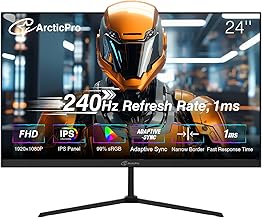
What makes the choice interesting now is price. 240Hz used to carry a premium that only tournament players could justify. Today, 1080p 240Hz panels from Dell, GIGABYTE, SANSUI and Sceptre sit in the same bracket that 144Hz occupied two years ago, which flips the usual question. Instead of asking whether 240Hz is worth paying extra for, you should be asking whether your GPU, your games, and your eyes can actually use it — and whether the money would be better spent on resolution, panel size, or colour accuracy instead.
As an Amazon Associate we earn from qualifying purchases.


⚡ Save on Your Next PC — Amazon Prime
Prime members get fast free shipping on the systems above, plus early access to Prime Day & Black Friday PC deals. New members get a 30-day free trial.
Watch: 144Hz vs 240Hz Monitor: Worth It in 2026? — Video Review
Quick Verdict
Choose 144Hz if you play a broad mix of single-player and multiplayer titles, want higher resolution or better colour for the same budget, or run a mid-range GPU that rarely pushes past 150fps. Choose 240Hz if competitive shooters — Counter-Strike, Valorant, Apex, Overwatch, Rocket League — are the majority of your playtime and you can reliably hold 200fps or more at 1080p. At current pricing, 240Hz at 1080p is the better buy for most competitive players; 144Hz remains the smarter buy at 1440p and above.
Key Differences
- Frame pacing: 144Hz delivers a frame every 6.9ms versus 4.2ms at 240Hz — roughly a 2.7ms reduction in worst-case display latency, which compounds with mouse polling and network delay.
- Motion clarity: Higher refresh means less sample-and-hold blur. Text on moving signage and enemy outlines during fast pans stay noticeably sharper at 240Hz, even before you enable backlight strobing.
- GPU demand: To benefit fully, 240Hz needs 240fps. That’s realistic in esports titles on modest hardware but unrealistic in modern AAA games without heavy settings cuts or upscaling.
- Resolution trade-off: Budget 240Hz panels are almost universally 1080p. At the same price, 144Hz gets you 1440p, which is a bigger visual upgrade for most single-player gaming.
- Diminishing returns: The jump from 60Hz to 144Hz is dramatic and obvious to everyone. The jump from 144Hz to 240Hz is real but subtler, and mostly rewards players already sensitive to input feel.
- Panel quality: 144Hz has been mainstream long enough that IPS colour and uniformity are consistently good. Cheap 240Hz panels vary more, so brand and panel type matter more than the headline number.
144Hz Monitors: The Balanced Standard
144Hz is the refresh rate that made high-frame-rate gaming normal, and it remains the safest recommendation for anyone who doesn’t play competitively for hours a day. Games feel dramatically more responsive than at 60Hz, adaptive sync ranges are generous, and — crucially — a mid-range GPU can actually hit the target in most titles without dropping settings to low. If your library includes open-world RPGs, sims, or anything with ray tracing, you’ll spend most of your time somewhere between 70 and 130fps regardless of what the panel is capable of.
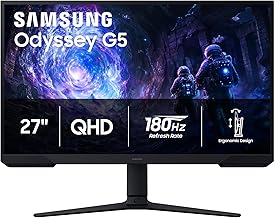
The strongest argument for 144Hz in 2026 is what you can do with the money you save on refresh rate. Spend it on 1440p and the increase in detail is visible in every single frame, not just during fast motion. Spend it on a larger or better-calibrated panel and you get a nicer desktop and a nicer looking game. For mixed-use setups where the monitor also handles work, editing, or media, 144Hz is the rational allocation of budget.
240Hz Monitors: Built for Competitive Play
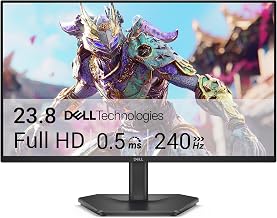
240Hz exists to shave milliseconds and sharpen motion, and current pricing makes that a much easier case than it used to be. The Dell SE2726HG (27-inch) and SE2426HG (23.8-inch) both pair 240Hz with IPS panels, FreeSync Premium and DisplayPort 1.4, which is a sensible combination for a competitive setup that still needs decent colour. The GIGABYTE GS25F2A takes the classic esports approach: 24.5 inches, 1080p, IPS, 1ms GtG — a size many pros prefer because the whole playfield sits inside your central vision.
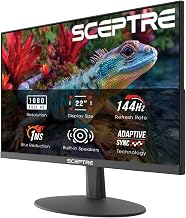
If you’d rather have immersion alongside speed, the curved options cover it. The SANSUI 27-inch 1500R panel offers 130% sRGB coverage and a 4000:1 contrast ratio, the SANSUI 32-inch scales the same idea up for a more cinematic desk, and the Sceptre C255B curved 24.5-inch adds built-in speakers and dual DisplayPort inputs. All of these are 1080p, which is exactly why they can hit 240Hz affordably — and why they pair best with a GPU that can push high frame rates at that resolution.
Which Should You Buy?
- For competitive FPS players: pick 240Hz — the GIGABYTE GS25F2A or Dell SE2426HG at 24–25 inches keeps everything in your field of view.
- For mixed gaming and productivity: pick 144Hz at 1440p; the extra resolution serves you every hour you use the machine.
- For a mid-range GPU: pick 144Hz unless you play esports titles almost exclusively, where 240Hz is achievable.
- For immersion on a budget: pick a curved 240Hz panel — the SANSUI 32-inch or Sceptre C255B deliver scale and speed for less than a 1440p high-refresh alternative.
- For a first upgrade from 60Hz: either works; buy 240Hz only if the price gap is small, since the 60→144 jump is where most of the benefit lives.
Frequently Asked Questions
Can you actually see the difference between 144Hz and 240Hz?
Yes, but it’s subtler than the leap from 60Hz. Most players notice smoother mouse tracking and clearer moving detail within a few minutes. The difference is most apparent in fast horizontal pans and least apparent in slow-paced games.
What GPU do I need for 240Hz?
For 1080p esports titles, a current-generation mid-range card will comfortably exceed 240fps. For AAA games at high settings, expect 80–140fps regardless of card, so treat 240Hz as headroom rather than a target.
Does 240Hz reduce input lag?
It reduces display-side latency by roughly 2–3ms compared with 144Hz. That’s meaningful when stacked with a high-polling-rate mouse and low system latency, but it won’t compensate for a poor network connection.
Is 1080p 240Hz better than 1440p 144Hz?
For ranked competitive play, yes. For everything else, 1440p 144Hz looks better and ages better. Base the decision on what you play most, not on which spec sheet reads higher.
Final Verdict
240Hz has become the default for competitive 1080p gaming in 2026, and options like the Dell SE2726HG, GIGABYTE GS25F2A and the curved SANSUI and Sceptre panels make it affordable enough that hesitating over the premium no longer makes sense — provided your GPU can feed them. If your playtime is broader than shooters, 144Hz paired with a higher resolution remains the better-balanced purchase, and you’ll notice the extra pixels far more often than the extra frames.