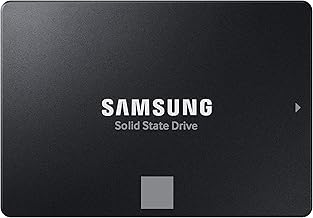
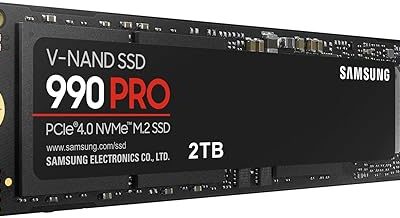
Key takeaways
- Interface and bandwidth: SATA III is hard-capped at 6Gb/s, translating to roughly 520–560MB/s real-world — exactly where the fanxiang S101, Acclamator 512GB, and Bestoss 1TB all land. NVMe runs over PCIe lanes, with Gen4 drives hitting 7,000MB/s and Gen5 pushing past 12,000MB/s.
- Latency and queue depth: NVMe’s protocol was built for flash, supporting 65,000 queues against AHCI’s single queue. That matters more than raw throughput for the small random reads games actually perform.
- Physical form factor: SATA drives are 2.5-inch units needing a data cable, a power cable, and a bay. NVMe drives are gumstick-sized M.2 sticks that seat directly on the board with a single screw.
- Cost per terabyte: SATA remains meaningfully cheaper. A 1TB Crucial BX500 or fanxiang S101 typically undercuts an equivalent NVMe drive, and the gap widens at 2TB and 4TB.
- Thermals: SATA drives barely warm up. Fast NVMe drives, especially Gen5, can throttle under sustained load without a heatsink — most modern boards now include one.
- Compatibility: Nearly every desktop and laptop from 2010 onward accepts a 2.5-inch SATA SSD. M.2 NVMe support requires a reasonably modern board, and older M.2 slots may be SATA-only.
What's inside
Storage is the last place most gamers look when a rig feels sluggish, and in 2026 it’s the first place they should. Modern titles routinely ship at 120GB and above, streaming assets continuously from disk while you play. The question is no longer whether you need an SSD — that argument ended years ago — but which kind. NVMe drives ride the PCIe bus and post sequential speeds measured in gigabytes per second. SATA SSDs top out around 550MB/s, a ceiling set by an interface designed in the era of spinning platters.
That gap sounds decisive on a spec sheet, and in synthetic benchmarks it is. In practice the picture is more nuanced. SATA SSDs remain dramatically cheaper per terabyte, work in essentially any machine built in the last fifteen years, and load most games within a second or two of their NVMe counterparts. Meanwhile, DirectStorage-enabled titles and console-style asset streaming are finally starting to reward the faster interface in ways that show up on screen. Here’s how the two stack up, and which drives are worth your money right now.
As an Amazon Associate we earn from qualifying purchases.


⚡ Save on Your Next PC — Amazon Prime
Prime members get fast free shipping on the systems above, plus early access to Prime Day & Black Friday PC deals. New members get a 30-day free trial.
Watch: NVMe vs SATA SSD: 2026 Speed Comparison — Video Review
Quick Verdict
Buy NVMe if your motherboard has a free M.2 slot and you want the fastest possible load times, DirectStorage support, and a drive that won’t feel dated in three years — it’s the correct default for any new build in 2026. Buy SATA if you’re upgrading an older laptop or desktop with no M.2 slot, expanding a library beyond your boot drive, or simply want the most storage per dollar. Drives like the Samsung 870 EVO, Crucial BX500, and TEAMGROUP T-Force Vulcan Z make SATA an easy recommendation for bulk game storage even in high-end systems.
Key Differences
- Interface and bandwidth: SATA III is hard-capped at 6Gb/s, translating to roughly 520–560MB/s real-world — exactly where the fanxiang S101, Acclamator 512GB, and Bestoss 1TB all land. NVMe runs over PCIe lanes, with Gen4 drives hitting 7,000MB/s and Gen5 pushing past 12,000MB/s.
- Latency and queue depth: NVMe’s protocol was built for flash, supporting 65,000 queues against AHCI’s single queue. That matters more than raw throughput for the small random reads games actually perform.
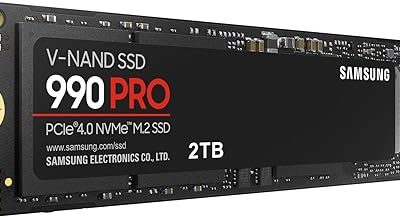
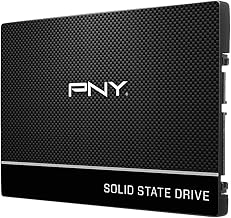
- Physical form factor: SATA drives are 2.5-inch units needing a data cable, a power cable, and a bay. NVMe drives are gumstick-sized M.2 sticks that seat directly on the board with a single screw.
- Cost per terabyte: SATA remains meaningfully cheaper. A 1TB Crucial BX500 or fanxiang S101 typically undercuts an equivalent NVMe drive, and the gap widens at 2TB and 4TB.
- Thermals: SATA drives barely warm up. Fast NVMe drives, especially Gen5, can throttle under sustained load without a heatsink — most modern boards now include one.
- Compatibility: Nearly every desktop and laptop from 2010 onward accepts a 2.5-inch SATA SSD. M.2 NVMe support requires a reasonably modern board, and older M.2 slots may be SATA-only.
The Case for NVMe
If you’re building or buying new, NVMe is the obvious choice. The price premium over SATA has narrowed considerably, and a Gen4 drive at 1TB now costs roughly what a good SATA drive did a few years ago. Installation is simpler — no cables at all — and you free up bays and airflow inside the case.
The real argument, though, is forward compatibility. DirectStorage on Windows and equivalent techniques on console-derived engines are designed around NVMe latency characteristics. Titles built for this generation increasingly assume fast storage as a baseline, decompressing assets on the GPU and streaming textures mid-traversal. On a SATA drive those systems still work; they just work less well. If you plan to keep a drive for five years, NVMe is the safer bet.
The Case for SATA SSDs
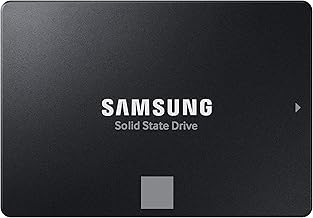
SATA’s virtue is that it is cheap, universal, and entirely sufficient for the majority of what gamers do. The Samsung 870 EVO remains the reliability benchmark here, with mature controller firmware and a track record that budget drives can’t match. For anyone chasing capacity over headline speed, the TEAMGROUP T-Force Vulcan Z and Crucial BX500 deliver near-identical real-world game load times at a lower cost per gigabyte, while the fanxiang S101 and Bestoss 1TB compete hard at the value end.
SATA also solves problems NVMe can’t. Older laptops with a single 2.5-inch bay have no M.2 option. Desktops with all M.2 slots occupied can still add four or six SATA drives. And for a library of older titles, indies, or emulation, the difference between 550MB/s and 7,000MB/s is genuinely imperceptible. A 512GB Acclamator as a scratch or secondary drive costs very little and does the job.
Which Should You Buy?
- For a new gaming build: Pick NVMe as your boot and primary games drive, then add SATA later for bulk storage.
- For an older laptop or prebuilt: Pick SATA — the fanxiang S101 or Crucial BX500 at 1TB is the single biggest upgrade you can make to an aging machine.
- For maximum capacity on a budget: Pick SATA. Two 1TB drives like the Bestoss or Vulcan Z often cost less than one NVMe of the same total size.
- For long-term reliability: Pick the Samsung 870 EVO if staying on SATA, or a DRAM-equipped Gen4 NVMe if you have the slot.
- For a secondary or scratch drive: Pick SATA — a 512GB Acclamator handles installs, backups, and captures without touching your main drive.
Frequently Asked Questions
Will NVMe actually make my games load faster?
Yes, but less than the specs suggest. Most titles load one to three seconds faster on NVMe versus SATA. In DirectStorage-enabled games the difference is larger and more consistent, particularly during open-world streaming.
Can I use both NVMe and SATA in the same PC?
Absolutely, and it’s the setup we’d recommend. Run Windows and your current rotation on NVMe, and park your back catalogue on a 1TB SATA drive. Just check your manual — some boards disable a SATA port when certain M.2 slots are populated.
Is a SATA SSD still worth buying in 2026?
For upgrades and bulk storage, yes. A SATA SSD is roughly five to ten times faster than a hard drive in real use, and drives like the 870 EVO and BX500 remain excellent value. For a new primary drive with an M.2 slot available, NVMe makes more sense.
Does DRAM cache matter for gaming?
Less than for sustained writes. DRAM-less drives handle game loading — a read-heavy workload — perfectly well. The difference appears when writing large files continuously, such as moving a full library or recording uncompressed capture.
Final Verdict
NVMe is the right default in 2026 for anyone with a free M.2 slot: faster, easier to install, and better aligned with how modern engines stream data. But SATA is far from obsolete. For older systems, second drives, and anyone who values terabytes over benchmark scores, drives like the Samsung 870 EVO, Crucial BX500, TEAMGROUP T-Force Vulcan Z, and value picks from fanxiang, Bestoss, and Acclamator remain genuinely smart purchases. The best storage setup for most gamers isn’t one or the other — it’s a fast NVMe boot drive paired with a large, inexpensive SATA drive holding everything else.