Key takeaways
- Size and coverage: Compact pads suit tidy desks and precise aiming, while XXL and extended mats cover the whole desk and seat your keyboard too.
- Surface speed: Speed surfaces glide fast for quick flicks, control surfaces add friction for precise stops; pick based on your sensitivity and game genre.
- Base grip: A non-slip rubber base keeps the pad planted during intense movements, which matters more the larger and lighter the pad is.
- Edge construction: Stitched edges prevent fraying and peeling over time, a small feature that greatly extends the life of a cloth pad.
- Durability and cleaning: Water-resistant coatings and washable cloth make a pad easier to live with, especially on a desk that also handles snacks and drinks.
What's inside
It is easy to obsess over a high-end mouse and forget the surface it glides on, yet the mouse pad quietly shapes every movement you make. A great pad gives your sensor a consistent surface to track, your arm a smooth or controlled glide depending on your style, and your desk a clean, cohesive look. In 2026 the choices range from esports-tuned cloth mats to giant desk-covering extended pads that seat both keyboard and mouse in one sweep.
The main decisions come down to size, surface speed, and build quality. Do you want a compact pad for precise, low-sensitivity aiming, or a full desk mat that unifies your whole setup? Do you prefer a fast, slick glide or a controlled surface that helps you stop on a target? Stitched edges, base grip, and water resistance round out the practical concerns. Here is how to choose, followed by the mouse pads we would put under our own hands this year.
As an Amazon Associate we earn from qualifying purchases.




⚡ Save on Your Next PC — Amazon Prime
Prime members get fast free shipping on the systems above, plus early access to Prime Day & Black Friday PC deals. New members get a 30-day free trial.
Watch: Best Gaming Mouse Pad 2026 — Video Review
How to Choose a Gaming Mouse Pad
- Size and coverage: Compact pads suit tidy desks and precise aiming, while XXL and extended mats cover the whole desk and seat your keyboard too.
- Surface speed: Speed surfaces glide fast for quick flicks, control surfaces add friction for precise stops; pick based on your sensitivity and game genre.
- Base grip: A non-slip rubber base keeps the pad planted during intense movements, which matters more the larger and lighter the pad is.
- Edge construction: Stitched edges prevent fraying and peeling over time, a small feature that greatly extends the life of a cloth pad.
- Durability and cleaning: Water-resistant coatings and washable cloth make a pad easier to live with, especially on a desk that also handles snacks and drinks.
The Best Gaming Mouse Pads Reviewed
SteelSeries QcK XXL
The QcK line is a competitive staple, and the XXL cloth version brings that proven micro-woven surface to full desk coverage. It delivers peak tracking, a stable non-slip base, and the balanced glide that made SteelSeries a favourite among esports pros. If you want a trusted all-rounder, start here.
Razer Gigantus V2 XXL
Razer’s Gigantus V2 pairs a thick, high-density foam core with a textured micro-weave cloth top for a comfortable, consistent glide. The generous XXL size and grippy base make it a great foundation for a clean battlestation, cushioning your wrist while keeping the mouse tracking smoothly across the whole surface.
SteelSeries QcK XL Performance Speed
For players who prioritise a fast, frictionless glide, the QcK XL Speed variant adds extra density and a smoother surface tuned for quick flicks. Low-profile edge stitching and a non-slip neoprene base keep it durable and planted, making it ideal for FPS and fast-paced genres that reward rapid movement.
KTRIO Large Desk Mat
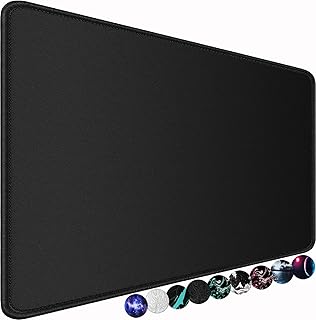
The KTRIO extended mat is the value pick that does not skimp on the essentials, offering a superior micro-weave cloth, durable stitched edges, a water-resistant coating, and a non-slip rubber base. At a friendly price it seats your keyboard and mouse together, tidying up cables and unifying your desk in one move.
Kanagawa Desk Mat
If you want your setup to have some personality, the Japanese sea-wave Kanagawa mat pairs an eye-catching design with a functional non-slip base and a smooth surface. It proves a desk mat can be both a practical mousing surface and a piece of decor that ties your whole workspace together.
Frequently Asked Questions
Does a mouse pad really affect my aim?
Yes. A consistent surface gives your sensor reliable tracking, and the right glide, fast or controlled, complements your sensitivity and playstyle. Many players notice more consistent aim simply from switching to a quality pad.
Should I get a speed or control surface?
Speed surfaces suit players with low sensitivity who make big, fast arm movements, while control surfaces help higher-sensitivity players stop precisely on targets. Consider your genre and settings when deciding.
Are extended desk mats worth it?
If you like a unified, tidy setup or use low sensitivity that needs lots of room, an extended mat is excellent. It seats your keyboard and mouse together and protects the desk, though it takes up the whole surface.
How do I clean a cloth mouse pad?
Most cloth pads can be gently hand-washed with mild soap and cool water, then air-dried flat. Water-resistant coatings make spot-cleaning easier, so check the manufacturer’s guidance before fully washing.
Final Thoughts
A quality mouse pad is one of the cheapest upgrades that meaningfully improves both performance and the look of your desk. Competitive players will love the proven SteelSeries QcK range, comfort seekers the thick Razer Gigantus V2, and anyone tidying a workspace an extended mat like the KTRIO. Decide on size and surface speed to match your game and sensitivity, and you will feel the difference the very next time you sit down to play.