Key takeaways
- Larger or Specialized Drivers: Premium headsets often feature 50mm dynamic drivers or even planar magnetic drivers. These larger diaphragms move more air, delivering a wider frequency response (typically 10 Hz to 40,000 Hz, compared to the standard 20 Hz to 20,000 Hz found on budget models).
- Lower Distortion: High-end components prevent audio distortion at high volumes. When an explosion occurs in-game, a premium headset keeps the low-end bass clean, allowing you to still hear subtle high-frequency details, like falling shell casings or distant footsteps.
- Acoustic Isolation: Premium headsets use high-density memory foam ear cushions covered in protein leather or cooling gel fabric. This physical seal blocks out ambient household noises (ranging from 15 to 25 decibels of passive noise isolation), making the 3D audio feel much more distinct and close to your ears.
- Better Build and Comfort: High-end models swap out squeaky plastic headbands for reinforced steel or aluminum suspension frames, reducing long-term wear and tear.
The Short Answer
No, you do not. If you are wondering, “do you need a high end headset for playstation 3d audio” to experience immersive spatial sound, the simple answer is a resounding no. The only condition is that your headset must support standard stereo output and connect directly to your console setup—either wirelessly via a USB dongle, or wired through the 3.5mm headphone jack on your DualSense controller.
This is because Sony’s proprietary Tempest 3D AudioTech does all of the heavy lifting on a system level. The custom hardware engine inside the PlayStation 5 processes the spatial algorithms before the sound wave ever leaves the console. Whether you are wearing a premium $300 audiophile headset or a budget-friendly pair of wired headphones, the Tempest engine sends a calculated, three-dimensional binaural audio signal to your ears. However, while a basic headset can reproduce the *direction* of a sound, a high-end headset determines how *clear*, immersive, and rich that sound actually is.
Our top picks
 ienza Aux Audio Cable for PlayStation 5
- This is compatible with PlayStation 5 PS5 Pulse…
- This is compatible with PS5 and Xbox One…
- USE: This is a great alternative if you…
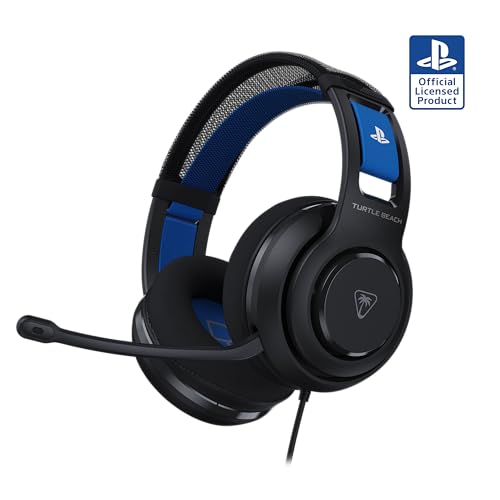 Turtle Beach Atlas 200 Wired Multiplatform Gaming
- Unlock Immersive Gaming Audio with 50mm Nanoclear Drivers
- Tempest 3D AudioTech Support for PlayStation 5 Consoles
- Lightweight Design at approximately 280g
As an Amazon Associate we earn from qualifying purchases at no extra cost to you.
What You Actually Get
To understand what you are paying for when you step up from a budget headset to a premium option, it helps to separate the spatial software from the physical hardware. As we look at the gaming landscape in 2026, spatial audio is no longer a luxury feature; it is a standard expectation for immersive home entertainment.
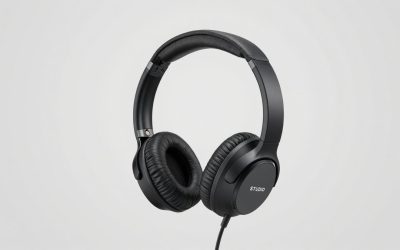
When you use a budget-friendly option, such as the Turtle Beach Atlas 200 Wired Multiplatform Gaming Headset for PS5, PS4, PC (priced at $59.99), you get a highly capable device featuring 40mm neodymium speakers. Weighing in at approximately 10.4 ounces (295 grams), this headset easily handles the panning of 3D audio. If an enemy runs behind you in a first-person shooter, the Tempest engine calculations tell the 40mm drivers exactly when and how to split the sound between your left and right ears. You will easily perceive that the enemy is behind you.
However, if you upgrade to a high-end headset costing between $150 and $300, you are not buying “more” 3D audio capacity. Instead, you are purchasing superior acoustic hardware, such as:
- Larger or Specialized Drivers: Premium headsets often feature 50mm dynamic drivers or even planar magnetic drivers. These larger diaphragms move more air, delivering a wider frequency response (typically 10 Hz to 40,000 Hz, compared to the standard 20 Hz to 20,000 Hz found on budget models).
- Lower Distortion: High-end components prevent audio distortion at high volumes. When an explosion occurs in-game, a premium headset keeps the low-end bass clean, allowing you to still hear subtle high-frequency details, like falling shell casings or distant footsteps.
- Acoustic Isolation: Premium headsets use high-density memory foam ear cushions covered in protein leather or cooling gel fabric. This physical seal blocks out ambient household noises (ranging from 15 to 25 decibels of passive noise isolation), making the 3D audio feel much more distinct and close to your ears.
- Better Build and Comfort: High-end models swap out squeaky plastic headbands for reinforced steel or aluminum suspension frames, reducing long-term wear and tear.
If your current headset is structurally sound but your cable is frayed or missing, you do not need to replace the entire unit to enjoy spatial sound. A simple accessory like the ienza Aux Audio Cable for PlayStation 5 PS5 Pulse 3D & PlayStation PS4 Gold Stereo Headsets (priced at $9.5) can restore a perfect, uncompressed analog stereo connection from your headset to your controller, allowing the 3D audio signal to travel cleanly without any wireless latency.
Pros
- Universal Compatibility: PlayStation 3D Audio works with virtually any stereo headset connected via USB or a 3.5mm jack, saving you from having to buy expensive proprietary gear.
- Cost-Effective: You can achieve excellent spatial awareness and directional cues using mid-range or budget headsets under $60.
- Plug-and-Play Simplicity: No complex calibration software or external amplifiers are required; the PS5 handles all spatial processing internally.
- Improved Accessibility: Casual gamers can enjoy a highly immersive spatial soundstage without a massive financial investment.
Cons
- Acoustic Limitations: Cheap headsets with small, low-quality drivers can sound muddy, making it harder to differentiate between overlapping 3D sounds (e.g., footsteps during heavy rain).
- Physical Comfort: Lower-priced headsets often use cheaper plastics and stiff foam, which can cause ear fatigue during gaming sessions exceeding two hours.
- Component Longevity: Budget options are more prone to cable failures, headband snaps, and peeling ear pads over time.
Who Should Buy It
You should stick to a budget or mid-range headset—or simply use the headphones you already own—if you are a casual gamer who primarily plays single-player adventures, sports games, or indie titles. If your main goal is to feel a general sense of atmosphere in games like Horizon Forbidden West or Marvel’s Spider-Man 2, a standard stereo headset will deliver an outstanding 3D audio experience that satisfies your needs without breaking the bank.
Who Should Skip It
You should skip the budget tier and invest in a high-end headset if you are a highly competitive multiplayer gamer or an audiophile. If you play games where micro-details matter—such as pinpointing the exact verticality of an opponent’s footsteps through several walls in a tactical shooter—the superior frequency separation, larger drivers, and lower distortion of a premium headset are absolutely worth the extra cost. Additionally, if you game for several hours a day, the build quality and comfort of a high-end headset justify the investment.
Cheaper Alternatives
If you want to experience PlayStation 3D audio without spending a fortune on high-end wireless gear, there are several highly effective pathways. Below is a breakdown of budget-friendly options and their trade-offs:
| Option | Cost | Trade-off |
|---|---|---|
| Wired Controller Connection (Using existing headphones with a replacement cord like the ienza Aux Audio Cable) | $9.50 – $15.00 | You are tethered to the DualSense controller by a wire, which slightly drains the controller’s battery faster. |
| Entry-Level Wired Gaming Headset (e.g., Turtle Beach Atlas 200) | $40.00 – $60.00 | No wireless freedom; build materials are primarily plastic; lacks advanced onboard EQ mixing. |
| Standard Mobile Earbuds (Wired 3.5mm earbuds) | $15.00 – $30.00 | Tiny drivers (typically 9mm to 12mm) offer very weak bass response and limited physical soundstage depth. |
| Mid-Range Wireless USB Headset | $80.00 – $100.00 | Decent sound quality, but microphone performance is often mediocre and battery life is limited compared to premium models. |
FAQ
Does PlayStation 3D Audio work with any brand of headphones?
Yes. Because the 3D spatial processing is handled entirely by the PS5’s internal hardware, any standard stereo headphones—regardless of the brand—can receive and output the 3D audio signal. You do not need Sony-branded headsets to enjoy this feature.
Is wired audio better than wireless for 3D audio?
A wired connection directly to the DualSense controller via a 3.5mm audio cable provides zero-latency audio and uncompressed sound transmission. While high-quality 2.4GHz wireless dongles offer incredible convenience, a wired connection is the most reliable, cost-effective way to get pristine spatial sound without worrying about battery life or wireless interference.
How do I enable 3D audio on my PlayStation console?
To enable the feature, connect your headset to your controller or console. Navigate to the PS5 home screen, go to Settings, select Sound, and then choose Audio Output. From there, scroll down to the Headphones section, toggle on “Enable 3D Audio for Headphones,” and adjust your 3D Audio Profile to match your ear level for the best spatial accuracy.
Will a cheap replacement aux cable ruin the 3D audio effect?
No, as long as the cable supports stereo audio transfer. A reliable replacement wire, such as the ienza Aux Audio Cable, maintains a clean, shielding-protected analog connection between your headset and your controller, preserving the spatial cues generated by the console without degradation.