Key takeaways
- Confusing Playable Storage with Cold Storage: Many buyers purchase a cheap, high-capacity USB external hard drive (HDD) expecting to play native Xbox Series X|S optimized games directly from it. However, native Series X|S games can only be played from the internal SSD or an official Storage Expansion Card. Standard USB drives can only be used to store native games (cold storage) or to play older backward-compatible games directly.
- Ignoring Cable Tension and Placement: Buying a portable drive with an ultra-short cable often results in the drive hanging off the back of the entertainment center. This constant downward pull can permanently damage the Xbox Series X USB ports and cause random drive disconnections.
- Neglecting Cabinet Heat Accumulation: Placing a high-capacity, heat-generating external drive inside a closed wooden media cabinet without ventilation will shorten the lifespan of both the drive and the console. Always ensure your media furniture has active airflow or open backing.
- Overbuying Capacity for Slow Internet Connections: If you have lightning-fast fiber internet, you do not need a massive 5TB or 8TB drive because re-downloading a game takes minutes. Conversely, if you have slow or metered internet, buying a larger 4TB to 5TB drive is highly recommended so you can keep your games stored locally permanently.
The Short Answer
For most gamers, 1 to 2 terabytes (TB) of external storage is the ideal sweet spot for the Xbox Series X. This capacity strikes a perfect balance between digital storage space, physical footprint, and budget. If you primarily play native Xbox Series X|S games that require high-speed internal play, a 1TB or 2TB proprietary Solid State Drive (SSD) expansion card is best because it plugs directly into the back of the console without adding cord clutter to your media console. However, if you have a massive library of backward-compatible Xbox One, Xbox 360, and original Xbox games, a 4TB to 5TB external Hard Disk Drive (HDD) offers the best cost-per-gigabyte, though it requires a USB cable connection.
As we look at the gaming and home entertainment landscape of 2026, game file sizes routinely exceed 100GB to 150GB per title. When deciding how many terabytes of external storage for xbox series x you need, you must consider both your digital library size and your physical living room setup. A drive that is too bulky can ruin the clean lines of a floating media shelf, while a drive with short cables might dangle awkwardly from your console’s ports.
Our top picks
 Xbox Game Drive 5TB Storage Capacity LED
- STORAGE CAPACITY Massive 5TB storage space allows you…
- XBOX COMPATIBILITY Officially certified for seamless use with…
- UNIQUE DESIGN Features a sleek and refined aesthetic…
 Furfox Expansion Card External Hard Drive Enclosure
- Designed specifically for Xbox Series X|S, this storage…
- Experience fast game loading speeds, matching the internal…
- Increase your console's storage capacity to keep more…
 Avolusion HD250U3-WH 1TB USB 3.0 Portable External
- Build-in 1TB Hard Drive, Stylish White, Aluminum Durable…
- USB Bus Powered (No additional AC Power adapter…
- Attention: XBOX X|S Games has to play directly…
| Product | Key specs | |
|---|---|---|
| Xbox Game Drive 5TB Storage Capacity LED | STORAGE CAPACITY Massive 5TB storage space allows you… XBOX COMPATIBILITY Officially certified for seamless use with… UNIQUE DESIGN Features a sleek and refined aesthetic… | Check price |
| Furfox Expansion Card External Hard Drive Enclosure | Designed specifically for Xbox Series X|S, this storage… Experience fast game loading speeds, matching the internal… Increase your console's storage capacity to keep more… | Check price |
| Avolusion HD250U3-WH 1TB USB 3.0 Portable External | Build-in 1TB Hard Drive, Stylish White, Aluminum Durable… USB Bus Powered (No additional AC Power adapter… Attention: XBOX X|S Games has to play directly… | Check price |
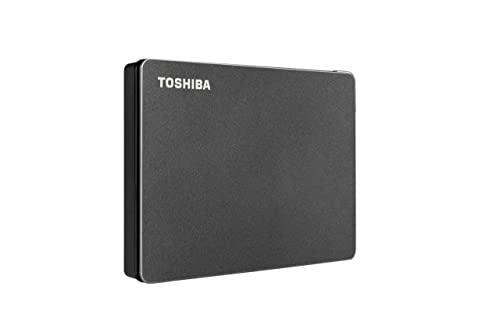 Toshiba Canvio Gaming 1TB Portable External Hard Toshiba Canvio Gaming 1TB Portable External Hard | Designed for Gaming Console and PC (check compatibility… Built for gamers Expand your game library | Check price |
As an Amazon Associate we earn from qualifying purchases at no extra cost to you.
Standard Sizes
External storage options for the Xbox Series X come in several distinct physical form factors, each demanding different amounts of space on your media console or desk. Below is a breakdown of the standard sizes, weights, and price ranges for the most common storage types available on the market today.
| Storage Type & Capacity | Dimensions (Inches) | Dimensions (cm) | Average Weight | Typical Price Range |
|---|---|---|---|---|
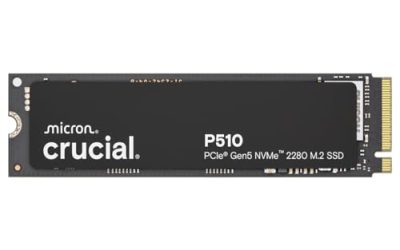
| NVMe SSD Expansion Card (1TB to 2TB, e.g., Furfox Enclosure style) |
2.1″ x 1.2″ x 0.3″ | 5.3 x 3.1 x 0.8 cm | 1.1 oz (31g) | $130 – $280 |
| Portable External HDD (1TB to 2TB, e.g., Avolusion / Toshiba Canvio) |
4.3″ x 3.1″ x 0.6″ | 10.9 x 7.9 x 1.5 cm | 5.3 oz (150g) | $55 – $120 |
| High-Capacity Portable HDD (4TB to 5TB, e.g., Xbox Game Drive with LED) |
4.8″ x 3.2″ x 0.8″ | 12.2 x 8.1 x 2.0 cm | 9.4 oz (266g) | $120 – $315 |
| Desktop External Hard Drive (8TB to 16TB, AC-powered) |
6.7″ x 1.9″ x 5.5″ | 17.0 x 4.8 x 14.0 cm | 33.5 oz (950g) | $180 – $400 |
How to Measure Your Space
Integrating a new piece of technology into your home theater or living room furniture requires careful spatial planning. Follow these steps to measure your physical setup and digital needs before purchasing your external drive:
- Calculate Your Digital Storage Target: Check your current Xbox Series X internal storage usage. If you find yourself constantly deleting games to make room, aim for at least a 1TB expansion card or a 2TB portable drive. If you want to keep your entire library downloaded at once, look toward 5TB options.
- Measure Rear Console Clearance: If you are choosing a proprietary NVMe expansion card, it plugs directly into the dedicated slot on the back of the Xbox Series X. Ensure you have at least 1.5 inches (3.8 cm) of clearance between the back of your console and the back wall of your media cabinet to prevent bending or damaging the card.
- Verify Shelf Depth and Cable Reach: Standard portable USB external drives typically ship with a short 12-to-18-inch (30 to 45 cm) cable. Measure the distance from the Xbox USB ports to the flat surface where the drive will sit. Ensure the drive can lay completely flat without hanging, which puts strain on the console’s USB ports.
- Assess Thermal and Ventilation Zones: High-speed external drives, especially NVMe SSDs, generate heat during data transfers. Ensure the drive is placed in an open-air zone of your entertainment center, keeping it at least 3 inches (7.6 cm) away from the Xbox’s main exhaust vents to prevent thermal throttling.
- Check Power Strip Availability: High-capacity desktop drives (8TB or larger) require an external AC power adapter that draws around 12W to 18W of power. Ensure you have an open outlet on your surge protector near your media console. Portable 2.5-inch drives and expansion cards run on standard 5V USB bus power (approx. 4.5W) and do not need a wall outlet.
By Room or Use Case
The Minimalist Living Room
If your Xbox Series X sits on an open floating shelf or a Scandinavian-style TV stand where cords must remain completely hidden, visual clutter is your enemy. For this setup, a 1TB to 2TB NVMe Expansion Card is the gold standard. Because it inserts flush into the rear storage expansion port of the console, there are zero dangling cables, zero extra boxes sitting on your shelf, and no extra power supply bricks to hide. This keeps your living room looking clean, modern, and uncluttered, while seamlessly expanding your storage for Series X|S optimized games.
The Dedicated Family Media Room
In a family setting, the console often serves multiple purposes: hosting multiplayer party games, storing backward-compatible classic titles, and acting as a media hub. A 1TB to 2TB Portable External HDD (such as the Toshiba Canvio or Avolusion gaming drives) is the most cost-effective choice here. These compact, lightweight drives can easily be tucked behind the Xbox Series X or mounted to the back of the TV stand using damage-free adhesive strips. They provide plenty of space for family favorites and legacy games without taking up valuable shelf real estate.
The Hardcore Gaming Den
For dedicated gamers who want their setup to look like a high-tech battle station, aesthetics and massive capacity go hand-in-hand. A premium 5TB External Game Drive featuring a custom LED light bar is the ultimate choice. Placed horizontally next to the console, the ambient lighting complements the design of the Xbox Series X. This large capacity allows you to store upwards of 100 games, acting as a massive local vault so you never have to spend hours re-downloading titles.
Common Sizing Mistakes
- Confusing Playable Storage with Cold Storage: Many buyers purchase a cheap, high-capacity USB external hard drive (HDD) expecting to play native Xbox Series X|S optimized games directly from it. However, native Series X|S games can only be played from the internal SSD or an official Storage Expansion Card. Standard USB drives can only be used to store native games (cold storage) or to play older backward-compatible games directly.
- Ignoring Cable Tension and Placement: Buying a portable drive with an ultra-short cable often results in the drive hanging off the back of the entertainment center. This constant downward pull can permanently damage the Xbox Series X USB ports and cause random drive disconnections.
- Neglecting Cabinet Heat Accumulation: Placing a high-capacity, heat-generating external drive inside a closed wooden media cabinet without ventilation will shorten the lifespan of both the drive and the console. Always ensure your media furniture has active airflow or open backing.
- Overbuying Capacity for Slow Internet Connections: If you have lightning-fast fiber internet, you do not need a massive 5TB or 8TB drive because re-downloading a game takes minutes. Conversely, if you have slow or metered internet, buying a larger 4TB to 5TB drive is highly recommended so you can keep your games stored locally permanently.
FAQ
Can I play Xbox Series X optimized games directly from a standard USB external hard drive?
No, you cannot play native Xbox Series X|S optimized games directly from a standard external USB hard drive or USB SSD. These games require the ultra-high speeds of the console’s internal custom NVMe architecture. You can, however, use a standard USB drive to store these games (moving them back and forth when you want to play them), or to store and play backward-compatible Xbox One, Xbox 360, and original Xbox games directly.
How many games can a 1TB external drive hold?
On average, a 1TB external drive can hold between 10 and 20 modern AAA games. While some massive titles like Call of Duty or Flight Simulator can take up over 150GB of space, many standard games average around 50GB to 70GB, and smaller indie titles often take up less than 10GB.
Do I need an external power outlet for a 5TB portable gaming drive?
No. Portable external drives up to 5TB in capacity are designed to run on USB bus power. They draw their electricity directly from the Xbox Series X USB 3.1 ports (typically requiring about 4.5W to 5W), meaning you do not need to plug them into a wall outlet or surge protector.
Where is the best physical place to put my external hard drive on my media console?
The best place to position your external hard drive is on a flat, stable surface next to or behind your console, ensuring it is not blocking any of the Xbox’s intake vents on the bottom or the primary exhaust grille on the top. Avoid stacking the drive directly on top of the console, and keep it away from vibrating devices or speakers to protect the delicate mechanical platters inside traditional HDDs.