Key takeaways
- CPU that keeps pace: A Ryzen 7 8700F, 9700X, or 7800X3D ensures the 5060 Ti reaches its full frame-rate potential at 1440p.
- Memory sweet spot: 16GB DDR5 at 6000MHz is the baseline; 32GB adds comfortable headroom for streaming and heavier games.
- Cooling type: A 360mm AIO or a strong display-equipped cooler holds boost clocks and keeps noise in check during long sessions.
- PSU and efficiency: A 650W to 750W 80+ Gold unit provides safe, quiet power with room for a future GPU upgrade.
- Modern connectivity: WiFi 7 and Gen4 NVMe storage keep the whole system feeling fast and responsive out of the box.
Sitting a step above the standard 5060, the RTX 5060 Ti is the go-to GPU for gamers who want rock-solid 1080p performance and confident 1440p high-refresh play in 2026. The extra shaders and bandwidth translate into noticeably higher frame rates in demanding titles, and with DLSS 4 the card stays smooth even when ray tracing is switched on.
We assembled the best prebuilt RTX 5060 Ti gaming PCs on the market, leaning heavily on liquid-cooled KOTIN configurations and trusted Skytech builds. Each system pairs the 5060 Ti with a well-matched Ryzen CPU, fast DDR5 memory, and a quality PSU so you get balanced, high-FPS gaming that will not bottleneck at either resolution.
Our top picks


As an Amazon Associate we earn from qualifying purchases at no extra cost to you. Ratings are shown as listed on Amazon.
🎮 Get More From Your Setup — Free
Prime Gaming gives you free PC games every month, in-game loot, and a free Twitch sub — plus fast free shipping on the rigs above. New members get a 30-day free trial.
Watch: Best Prebuilt Gaming PC with RTX 5060 Ti — Video Review
How to Choose an RTX 5060 Ti Gaming PC
- CPU that keeps pace: A Ryzen 7 8700F, 9700X, or 7800X3D ensures the 5060 Ti reaches its full frame-rate potential at 1440p.
- Memory sweet spot: 16GB DDR5 at 6000MHz is the baseline; 32GB adds comfortable headroom for streaming and heavier games.
- Cooling type: A 360mm AIO or a strong display-equipped cooler holds boost clocks and keeps noise in check during long sessions.
- PSU and efficiency: A 650W to 750W 80+ Gold unit provides safe, quiet power with room for a future GPU upgrade.
- Modern connectivity: WiFi 7 and Gen4 NVMe storage keep the whole system feeling fast and responsive out of the box.
The Best RTX 5060 Ti Prebuilts Reviewed
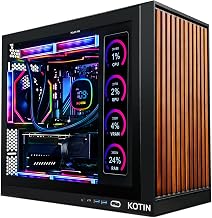
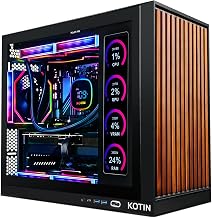
KOTIN Ryzen 7 9700X RTX 5060 Ti
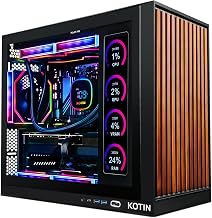
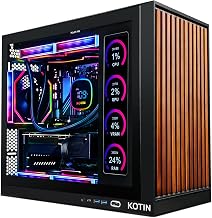
This KOTIN flagship pairs a Ryzen 7 9700X with a 360mm liquid cooler, an 11.3in smart display, and WiFi 7. It is the most polished 5060 Ti build here, delivering strong 1440p frame rates with excellent thermals and clean cable management.
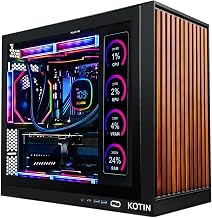
KOTIN Ryzen 7 7800X3D White
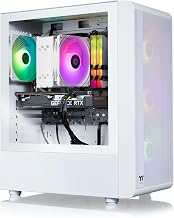
For pure gaming frame rates, KOTIN’s 7800X3D White edition is the pick. Its 3D V-Cache CPU excels in competitive titles, and the white liquid-cooled aesthetic with WiFi 7 makes it a standout centerpiece build assembled in the USA.
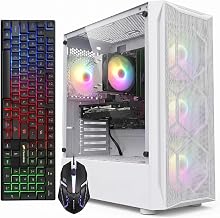
Skytech Storm
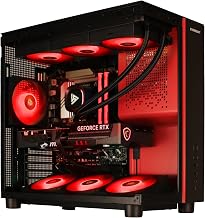
Skytech’s Storm keeps costs down with a Ryzen 5 8400F, 16GB DDR5, and a 650W Gold PSU while still delivering the full 5060 Ti experience. It is a tidy, reputable-brand option for value-focused 1080p and 1440p players.
Skytech Shadow 5
The Skytech Shadow 5 steps up to a Ryzen 7 8700F, 16GB DDR5, and a 750W Gold PSU, giving it more CPU muscle and power headroom. Backed by Skytech support and Wi-Fi, it is a dependable all-rounder for gaming and everyday use.
KOTIN Ryzen 7 8700F 32GB
This KOTIN build combines a Ryzen 7 8700F with a generous 32GB of DDR5, making it ideal for gamers who also stream or multitask. With DLSS 4 support, WiFi 7, and Gen4 NVMe storage, it handles high-FPS 1080p and 1440p with ease.
Frequently Asked Questions
How much faster is the 5060 Ti than the 5060?
The 5060 Ti offers a meaningful frame-rate uplift, making it more comfortable at 1440p and giving extra headroom for ray tracing with DLSS 4.
Is 16GB of RAM enough for a 5060 Ti build?
Yes for gaming, but 32GB is worth it if you stream, edit, or run demanding multitasking alongside your games.
Do I need a 7800X3D or is an 8700F enough?
The 7800X3D delivers the highest competitive frame rates, while the 8700F offers excellent value and handles the 5060 Ti very capably.
Will a 650W PSU be enough for the 5060 Ti?
Yes. A quality 650W 80+ Gold unit comfortably powers a 5060 Ti system, though a 750W option gives more upgrade margin.
Final Thoughts
The KOTIN 9700X leads on features and cooling, while the 7800X3D White edition wins for competitive frame rates. Value hunters will appreciate the Skytech Storm, and streamers should look at the KOTIN 8700F 32GB. Any of these RTX 5060 Ti towers is a smart, balanced buy for 1440p gaming in 2026.