Key takeaways
- Excellent image quality with sharp 4K detail on the Brio models.
- Strong light correction for good video in imperfect lighting.
- Broad compatibility with Teams, Zoom, and Google Meet.
- Privacy features like shutters and covers on several models.
What's inside
A sharp, well-lit webcam makes a real difference on video calls, streams, and recordings, and Logitech has long been the go-to name for reliable image quality. This lineup centers on Logitech’s 4K and Full HD webcams — including the Brio Ultra and MX Brio flagships — with a couple of alternatives thrown in for comparison, so you can find the right camera for meetings, streaming, or content creation.
Whether you want crisp 4K detail for professional streaming or dependable 1080p for everyday calls, there’s a clear option here. Below we break down how these webcams are built, how they perform in real conditions, and where the trade-offs lie so you can upgrade your setup with confidence.
As an Amazon Associate we earn from qualifying purchases.


🎮 Get More From Your Setup — Free
Prime Gaming gives you free PC games every month, in-game loot, and a free Twitch channel sub — plus fast free shipping on all the gear above. New members get a 30-day free trial.
Watch: 4k Logitech Webcam: Review & Buyer’s Guide — Video Review
Design & Build
Logitech webcams are known for solid, thoughtful design. The Brio Ultra 4K and MX Brio Ultra HD 4K models feature glass lenses, sturdy mounting clips, and premium finishes, with the MX Brio adding a Show Mode for presenting documents or objects. The Brio 101 and C920x are more compact Full HD cameras with built-in mics and, on the Brio 101, a privacy shutter — practical touches for everyday use. All mount easily on a monitor or laptop and connect via USB.
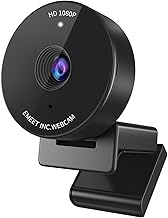
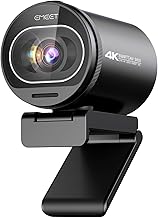
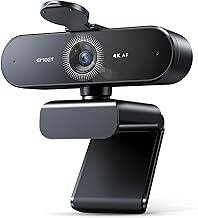
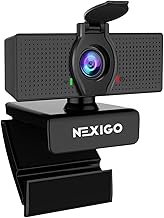
Build quality across the Logitech range is dependable, with clips that grip securely and cables long enough for flexible placement. The included EMEET NOVA 4K is a lower-cost alternative with a privacy cover and dual mics, offering a comparison point against the Logitech options. Features like privacy shutters and covers are increasingly important, and it’s nice to see them on several models here for peace of mind when the camera isn’t in use.
Performance
Image quality is where these cameras shine. The Brio Ultra and MX Brio 4K webcams deliver crisp, detailed video with strong auto light correction, keeping you looking sharp even in less-than-ideal lighting. They’re certified for Teams, Zoom, and Google Meet, and their wide fields of view and glass lenses make them excellent for streaming and professional meetings alike. The MX Brio’s Show Mode is a genuinely useful extra for demos and collaboration.
The Full HD options — the Brio 101 and the classic C920x — deliver clean, reliable 1080p video that’s more than enough for everyday calls, with the C920x remaining a stream-and-meeting favorite for its consistent performance. The EMEET NOVA 4K adds autofocus and dual omni mics at a lower price. For pure video quality and features, the 4K Logitech models lead, but the 1080p cameras offer great value if you don’t need ultra-high resolution.
Pros & Cons
- Excellent image quality with sharp 4K detail on the Brio models.
- Strong light correction for good video in imperfect lighting.
- Broad compatibility with Teams, Zoom, and Google Meet.
- Privacy features like shutters and covers on several models.
- 4K models cost more than basic 1080p webcams.
- 4K benefits require good lighting and bandwidth to fully show.
- Built-in mics are convenient but no match for a dedicated microphone.
Alternatives to Consider
If your budget is tight and 1080p is enough, the Brio 101 or C920x deliver great value without the 4K premium. Streamers who want the absolute best image should pair a 4K webcam with good lighting to see the full benefit. And for those comparing brands, the EMEET NOVA 4K offers a lower-cost 4K alternative — though Logitech’s software and consistency remain a strong draw.
Frequently Asked Questions
Is a 4K webcam worth it over 1080p?
For streaming and content creation, yes — the extra detail is noticeable. For everyday calls, a quality 1080p webcam like the C920x is often plenty.
Do these webcams work with Zoom and Teams?
Yes. The Logitech models are certified for Teams, Zoom, and Google Meet, and connect via USB for plug-and-play use.
Does a 4K webcam need good lighting?
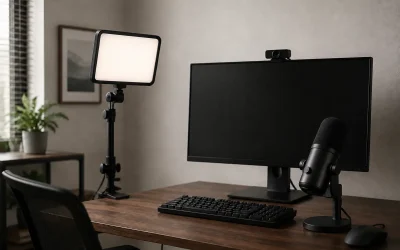
Good lighting helps any camera. The Brio models include auto light correction, but adding a light dramatically improves 4K image quality.
Are the built-in microphones good enough?
They’re fine for calls and casual use. For streaming or professional audio, a dedicated microphone will sound noticeably better.
Verdict
For top image quality, the Logitech Brio Ultra and MX Brio 4K webcams lead this lineup, offering sharp detail, strong light correction, and useful features like Show Mode. If you don’t need 4K, the Brio 101 and C920x deliver excellent 1080p value. Match the resolution to your use, add good lighting for the best results, and you’ll look sharp on every call and stream.